YOLOv9
Academia Sinica's YOLO with programmable gradient information, five sizes from t to e on COCO's 80 classes, run through Ultralytics. GPL-3.0 and AGPL-3.0.
Conditional for size t: code AGPL-3.0-only, weights GPL-3.0-only. Measured on our RTX 4090: 18.9 ms median, 523 MiB VRAM peak. We scored it 37.7 box AP on COCO val2017. PyTorch weights, 5 MB.
Conditional for size s: code AGPL-3.0-only, weights GPL-3.0-only. Measured on our RTX 4090: 18.9 ms median, 540 MiB VRAM peak. We scored it 46.1 box AP on COCO val2017. PyTorch weights, 15 MB.
Conditional for size m: code AGPL-3.0-only, weights GPL-3.0-only. Measured on our RTX 4090: 16.2 ms median, 659 MiB VRAM peak. We scored it 51.0 box AP on COCO val2017. PyTorch weights, 39 MB.
Conditional for size c: code AGPL-3.0-only, weights GPL-3.0-only. Measured on our RTX 4090: 15.9 ms median, 692 MiB VRAM peak. We scored it 52.3 box AP on COCO val2017. PyTorch weights, 49 MB.
Conditional for size e: code AGPL-3.0-only, weights GPL-3.0-only. Measured on our RTX 4090: 24.6 ms median, 1.1 GiB VRAM peak. We scored it 54.6 box AP on COCO val2017. PyTorch weights, 112 MB.
License
Conditional
Conditional
Conditional
Conditional
Conditional
- Code
- AGPL-3.0-onlychecked 21 Nov 2026
- Weights
- GPL-3.0-onlyall sizes, checked 21 Nov 2026
The authors' repository is GPL-3.0 and Ultralytics, whose code runs it, is AGPL-3.0: shipping it in a product means releasing your source.
The authors' repository is GPL-3.0 and Ultralytics, whose code runs it, is AGPL-3.0: shipping it in a product means releasing your source.
The authors' repository is GPL-3.0 and Ultralytics, whose code runs it, is AGPL-3.0: shipping it in a product means releasing your source.
The authors' repository is GPL-3.0 and Ultralytics, whose code runs it, is AGPL-3.0: shipping it in a product means releasing your source.
The authors' repository is GPL-3.0 and Ultralytics, whose code runs it, is AGPL-3.0: shipping it in a product means releasing your source.
On our RTX 4090, measured
18.9ms median
p90 23.3 ms, fp16, batch 1, 640x448
- VRAM peak
- 523 MiB
- Status
- Runs as is
Phases of one call
- Pre-processing
- 1.2 ms
- Network
- 13.3 ms
- Post-processing
- 1.0 ms
Split by the official package's own timer over 20 calls, with a synchronize after each phase. Its timer leaves out about 3.1 ms of the 18.6 ms call there, such as converting the input and building the result, so the phases don't add up to the median.
Environment, 22 Nov 2026
NVIDIA GeForce RTX 4090, driver 580.173.02, CUDA 13.0, torch 2.14.1+cu130, Python 3.12.9, ultralytics==8.4.189. Baseline 1065 MiB. 10 warm-up + 100 timed. Scope: predict(): pre-processing, forward pass and post-processing; input file decoded beforehand.
TensorRT fp16: 6.0 msour engine, measured
Accuracy
37.7box APmeasured
COCO val2017, box AP, 5,000 images, fp16, pycocotools==2.0.11 · 21 Nov 2026
Paper 38.3 COCO mAP50-95Ultralytics YOLOv9 docs, detection performance table (mAPval 50-95)
18.9ms median
p90 19.4 ms, fp16, batch 1, 640x448
- VRAM peak
- 540 MiB
- Status
- Runs as is
Phases of one call
- Pre-processing
- 1.1 ms
- Network
- 12.6 ms
- Post-processing
- 0.9 ms
Split by the official package's own timer over 20 calls, with a synchronize after each phase. Its timer leaves out about 3.0 ms of the 17.6 ms call there, such as converting the input and building the result, so the phases don't add up to the median.
Environment, 22 Nov 2026
NVIDIA GeForce RTX 4090, driver 580.173.02, CUDA 13.0, torch 2.14.1+cu130, Python 3.12.9, ultralytics==8.4.189. Baseline 1073 MiB. 10 warm-up + 100 timed. Scope: predict(): pre-processing, forward pass and post-processing; input file decoded beforehand.
TensorRT fp16: 6.4 msour engine, measured
Accuracy
46.1box APmeasured
COCO val2017, box AP, 5,000 images, fp16, pycocotools==2.0.11 · 21 Nov 2026
Paper 46.8 COCO mAP50-95Ultralytics YOLOv9 docs, detection performance table (mAPval 50-95)
16.2ms median
p90 16.9 ms, fp16, batch 1, 640x448
- VRAM peak
- 659 MiB
- Status
- Runs as is
Phases of one call
- Pre-processing
- 1.2 ms
- Network
- 10.3 ms
- Post-processing
- 1.0 ms
Split by the official package's own timer over 20 calls, with a synchronize after each phase. Its timer leaves out about 3.3 ms of the 15.8 ms call there, such as converting the input and building the result, so the phases don't add up to the median.
Environment, 22 Nov 2026
NVIDIA GeForce RTX 4090, driver 580.173.02, CUDA 13.0, torch 2.14.1+cu130, Python 3.12.9, ultralytics==8.4.189. Baseline 1068 MiB. 10 warm-up + 100 timed. Scope: predict(): pre-processing, forward pass and post-processing; input file decoded beforehand.
TensorRT fp16: 6.6 msour engine, measured
Accuracy
51.0box APmeasured
COCO val2017, box AP, 5,000 images, fp16, pycocotools==2.0.11 · 21 Nov 2026
Paper 51.4 COCO mAP50-95Ultralytics YOLOv9 docs, detection performance table (mAPval 50-95)
15.9ms median
p90 16.7 ms, fp16, batch 1, 640x448
- VRAM peak
- 692 MiB
- Status
- Runs as is
Phases of one call
- Pre-processing
- 1.2 ms
- Network
- 10.8 ms
- Post-processing
- 1.0 ms
Split by the official package's own timer over 20 calls, with a synchronize after each phase. Its timer leaves out about 3.2 ms of the 16.2 ms call there, such as converting the input and building the result, so the phases don't add up to the median.
Environment, 22 Nov 2026
NVIDIA GeForce RTX 4090, driver 580.173.02, CUDA 13.0, torch 2.14.1+cu130, Python 3.12.9, ultralytics==8.4.189. Baseline 1032 MiB. 10 warm-up + 100 timed. Scope: predict(): pre-processing, forward pass and post-processing; input file decoded beforehand.
TensorRT fp16: 6.6 msour engine, measured
Accuracy
52.3box APmeasured
COCO val2017, box AP, 5,000 images, fp16, pycocotools==2.0.11 · 21 Nov 2026
Paper 53 COCO mAP50-95Ultralytics YOLOv9 docs, detection performance table (mAPval 50-95)
24.6ms median
p90 25.6 ms, fp16, batch 1, 640x448
- VRAM peak
- 1.1 GiB
- Status
- Runs as is
Phases of one call
- Pre-processing
- 1.1 ms
- Network
- 20.3 ms
- Post-processing
- 1.0 ms
Split by the official package's own timer over 20 calls, with a synchronize after each phase. Its timer leaves out about 3.0 ms of the 25.4 ms call there, such as converting the input and building the result, so the phases don't add up to the median.
Environment, 22 Nov 2026
NVIDIA GeForce RTX 4090, driver 580.173.02, CUDA 13.0, torch 2.14.1+cu130, Python 3.12.9, ultralytics==8.4.189. Baseline 1061 MiB. 10 warm-up + 100 timed. Scope: predict(): pre-processing, forward pass and post-processing; input file decoded beforehand.
TensorRT fp16: 8.3 msour engine, measured
Accuracy
54.6box APmeasured
COCO val2017, box AP, 5,000 images, fp16, pycocotools==2.0.11 · 21 Nov 2026
Paper 55.6 COCO mAP50-95Ultralytics YOLOv9 docs, detection performance table (mAPval 50-95)
Weights
PyTorch
- Size
- 5 MB
- sha256
410e3caca789aa8fec19971c05577616cbb963a416bcd0228171b2dff7f718f7
PyTorch
- Size
- 15 MB
- sha256
67731fc88bb6782fbb4f32703a2cac052acd65148b65c9e67161fe13536c2ffc
PyTorch
- Size
- 39 MB
- sha256
be7ac91362bd81dfa901077706d634e571c1ff7f3886b3aac6a0e97eff2f5440
PyTorch
- Size
- 49 MB
- sha256
876eb84f515d40c34a3b111f8fc1077d3aee59d3a243afd1cc5b77d520f237c7
PyTorch
- Size
- 112 MB
- sha256
0d2270e0c794bdaa059738d32c1781cdec4857b3931d5503e13ae92e8517e7bd
Outputs on the shared test photos
Same photos and one score threshold for every model of this task. Failures are marked.
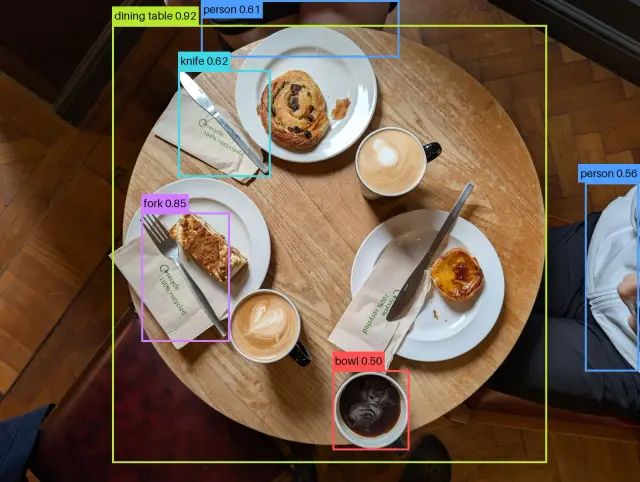 breakfast-top-downFails: misses both latte cups and all the pastries
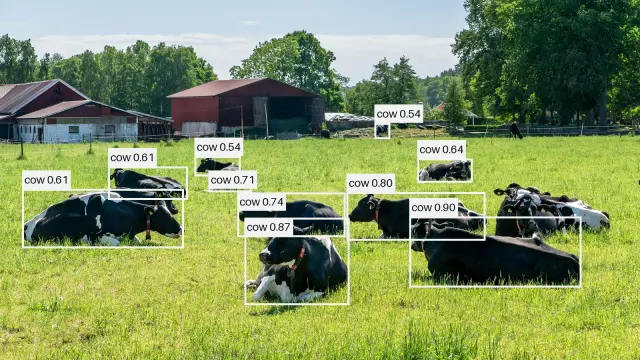 cows-pastureFails: misses the group of cows lying on the right
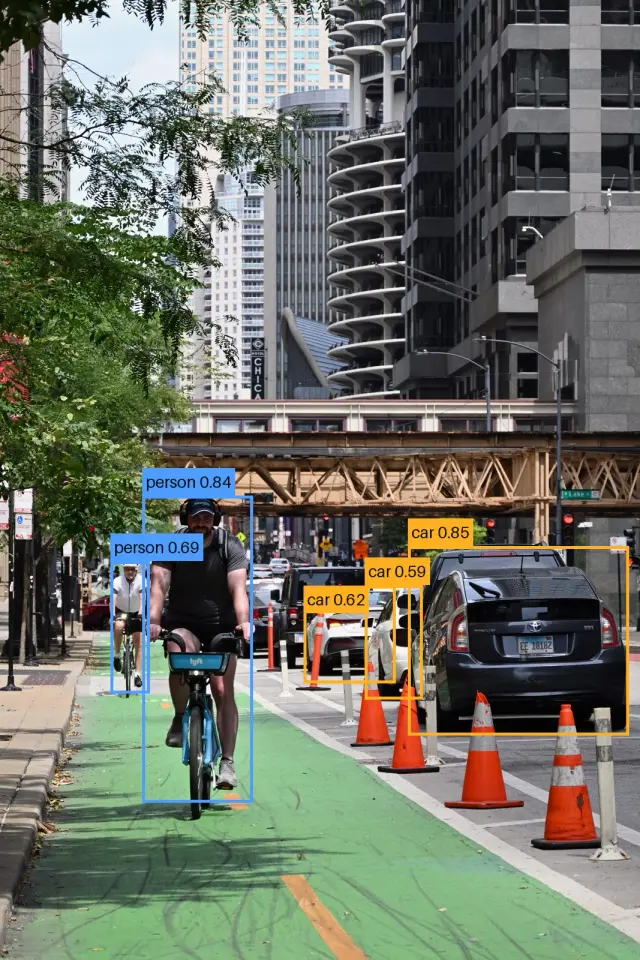 cyclist-bike-laneFails: misses the bicycles under both cyclists
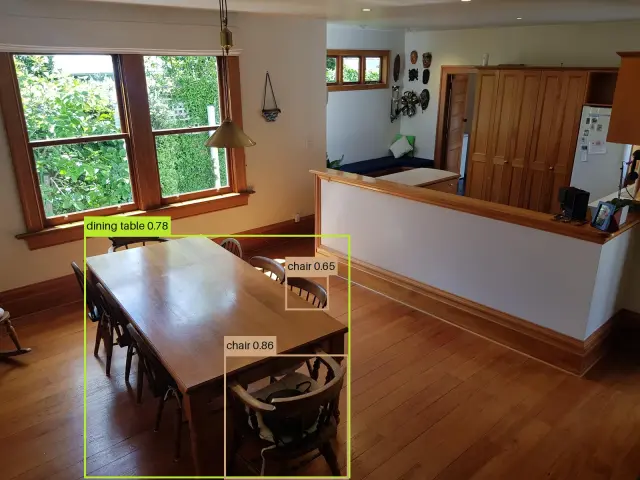 dining-room-kitchenFails: misses most of the chairs
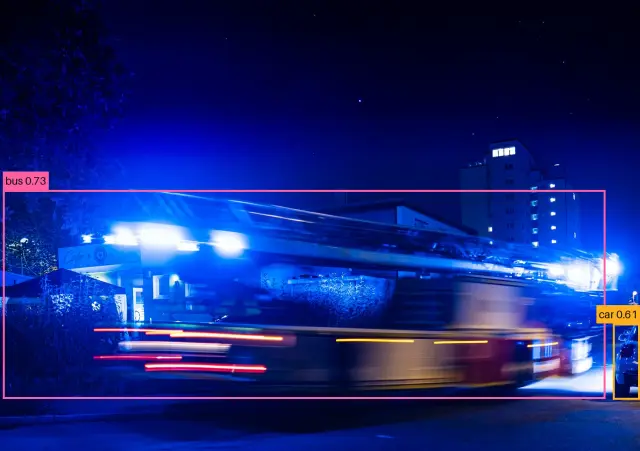 fire-engine-blurFails: labels the fire engine as a bus
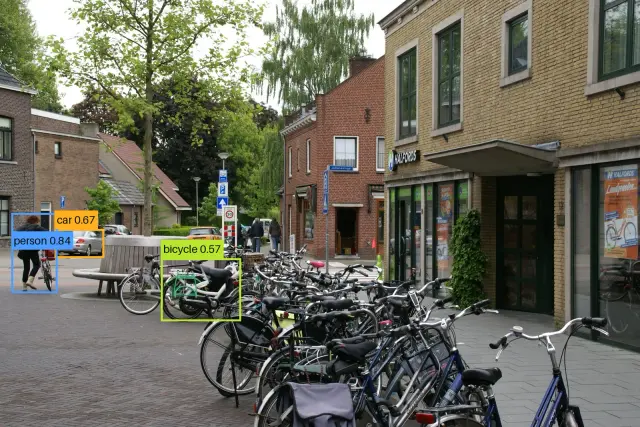 parked-bicyclesFails: misses all the bicycles in the foreground rack
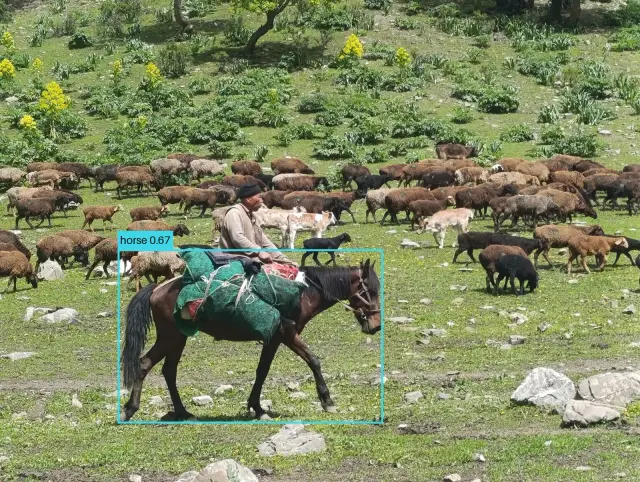 shepherd-sheepFails: misses the rider and the whole flock of sheep
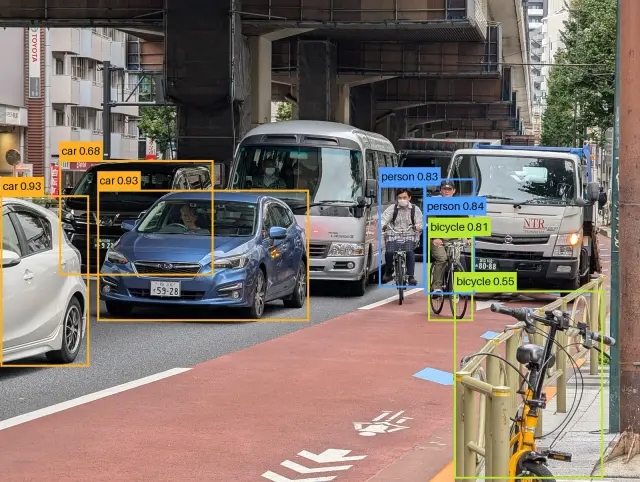 tokyo-street-cyclistsFails: misses the minibus and the white truck
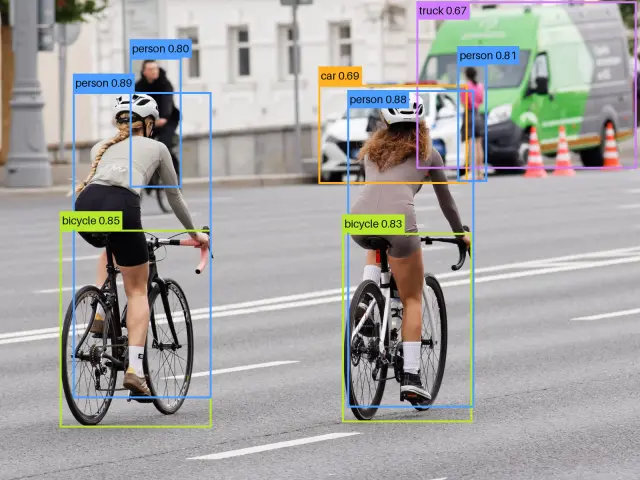 bike-parade-riders
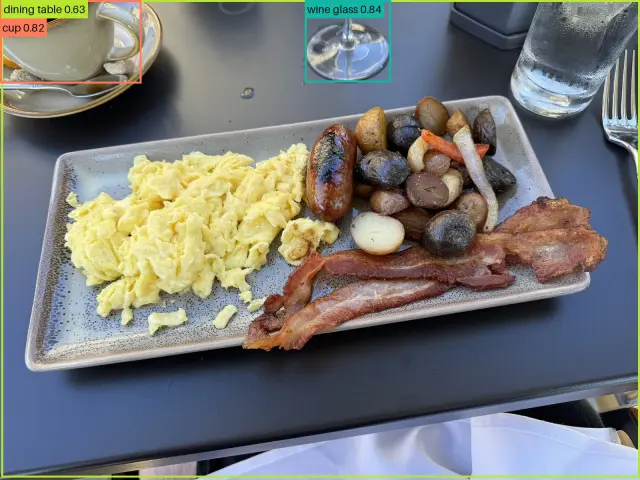 cafe-table-glasses
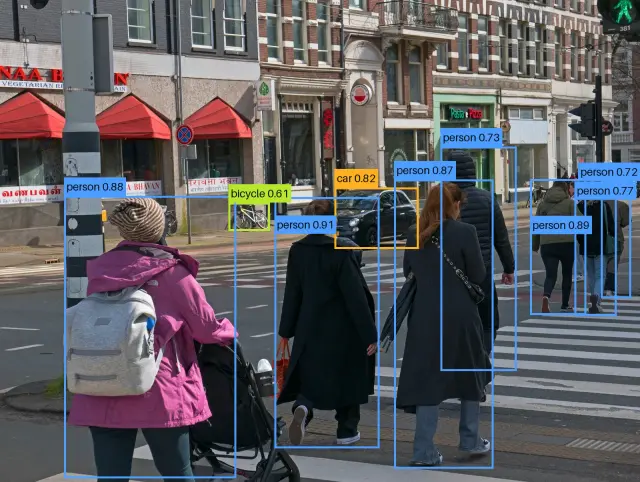 crossing-amsterdam
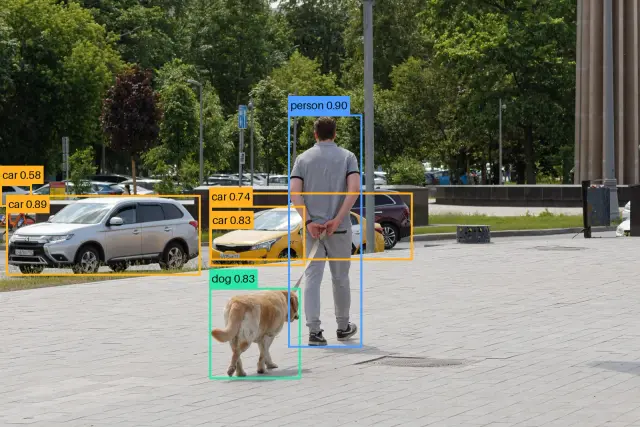 dog-walk-square
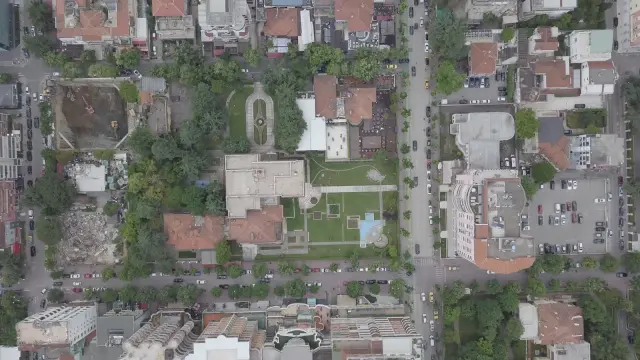 drone-city-block
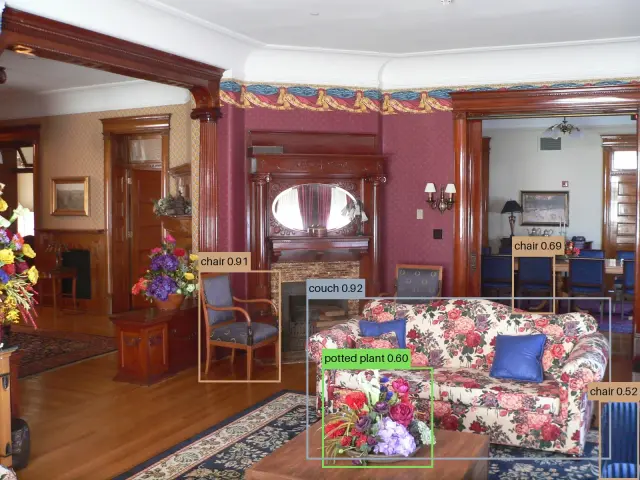 living-room-couch
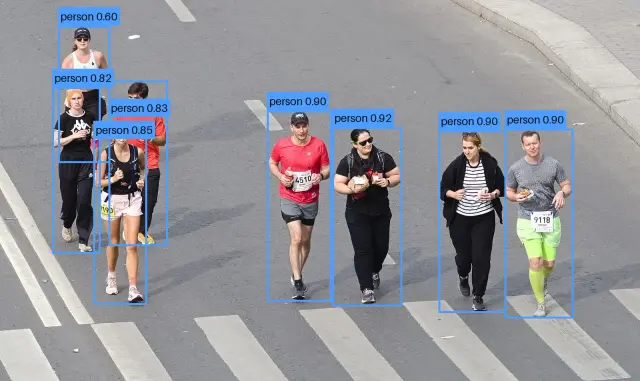 marathon-crossing
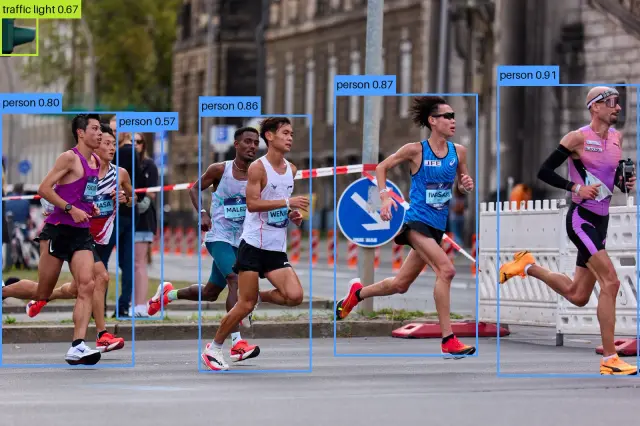 marathon-pack
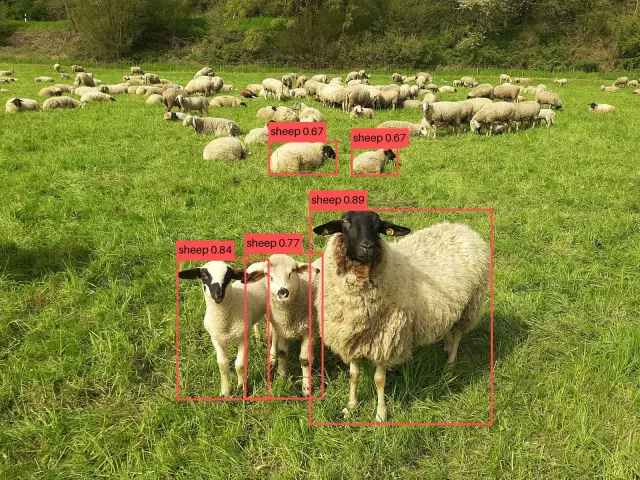 sheep-meadow-lambs
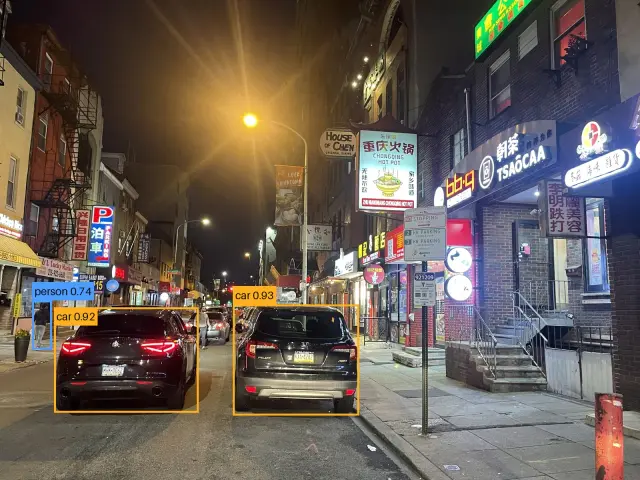 street-night-chinatown
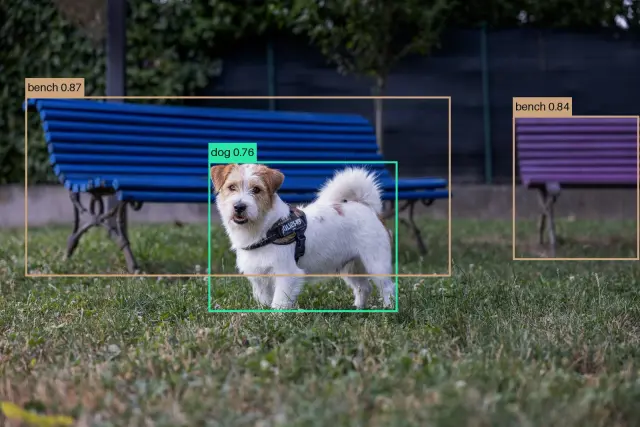 terrier-dog-park
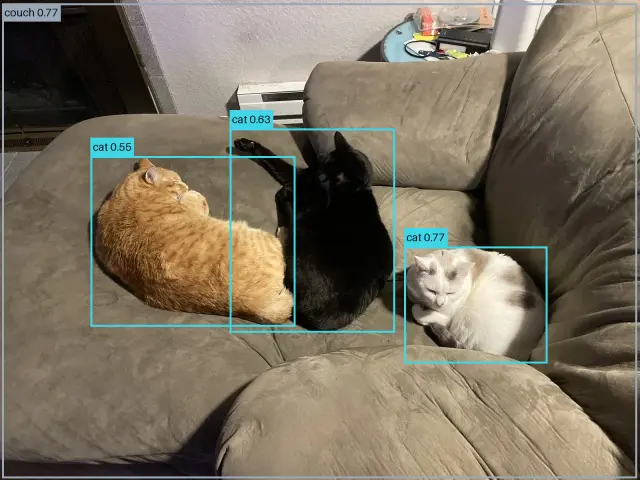 three-cats-couch
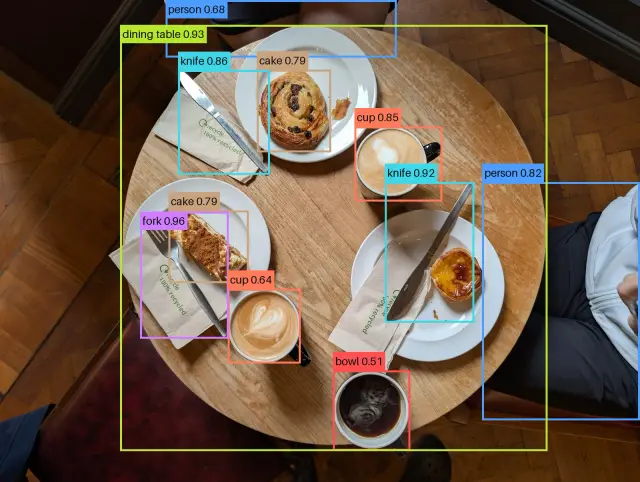 breakfast-top-downFails: labels the black coffee cup as a bowl
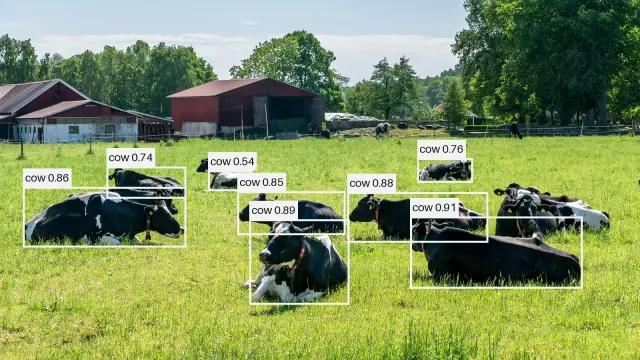 cows-pastureFails: misses the group of cows lying on the right
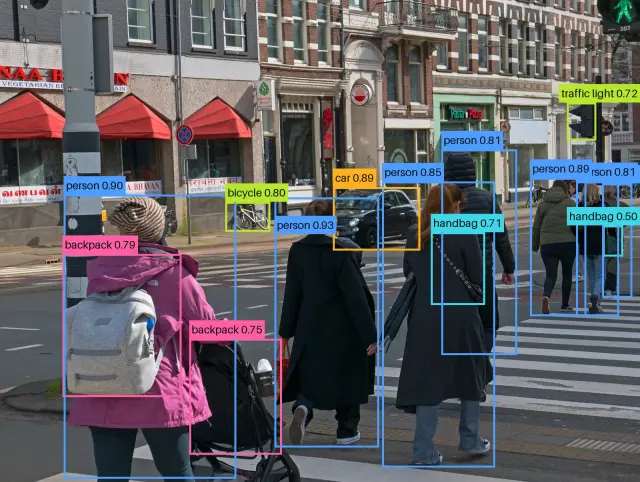 crossing-amsterdamFails: labels the stroller as a backpack
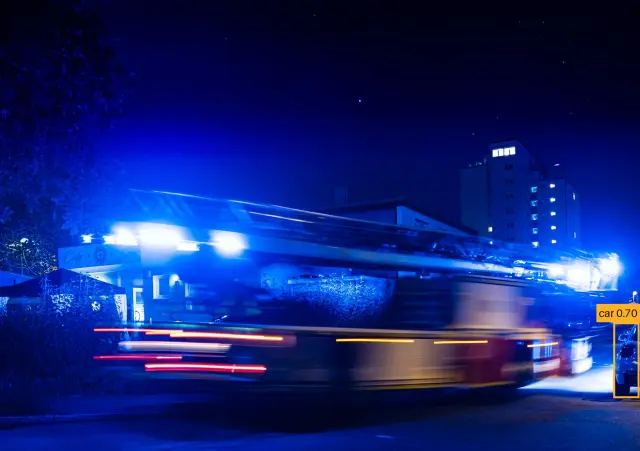 fire-engine-blurFails: misses the blurred fire engine
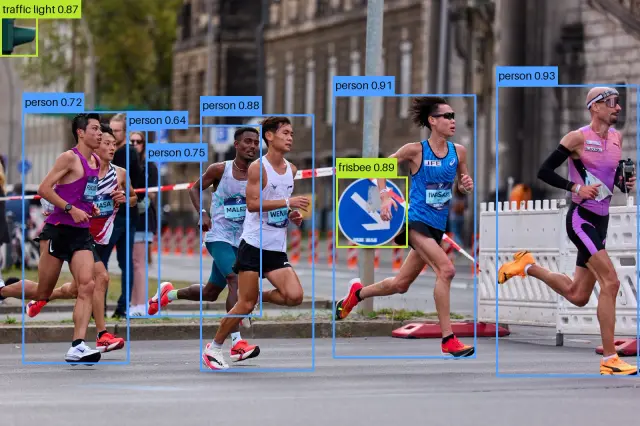 marathon-packFails: labels the blue keep-right sign as a frisbee
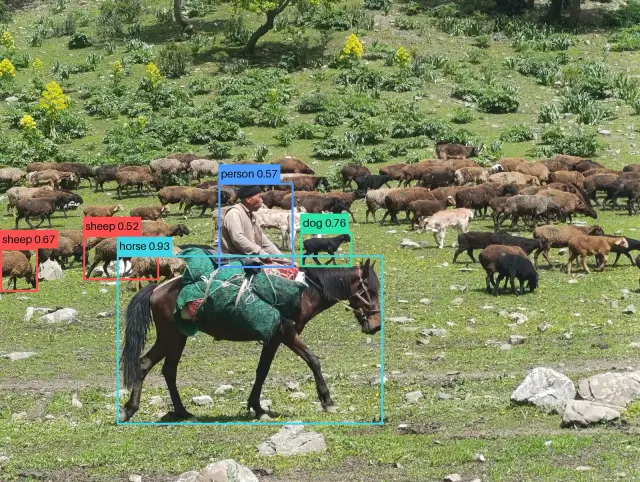 shepherd-sheepFails: misses nearly the whole flock and labels the black lamb as a dog
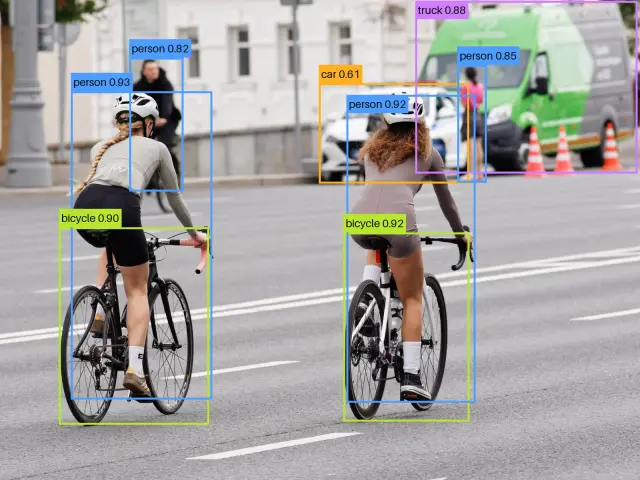 bike-parade-riders
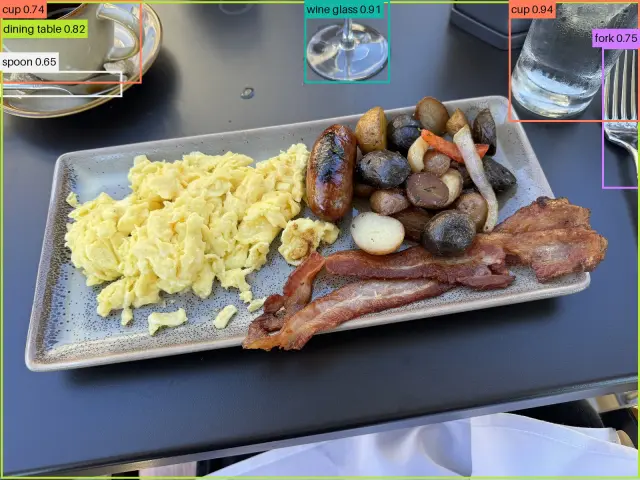 cafe-table-glasses
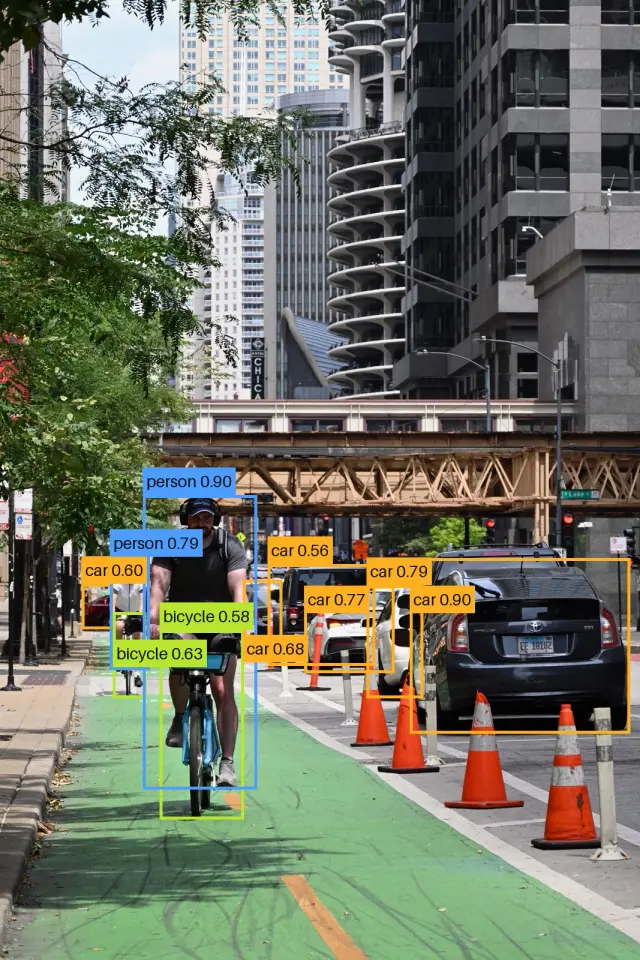 cyclist-bike-lane
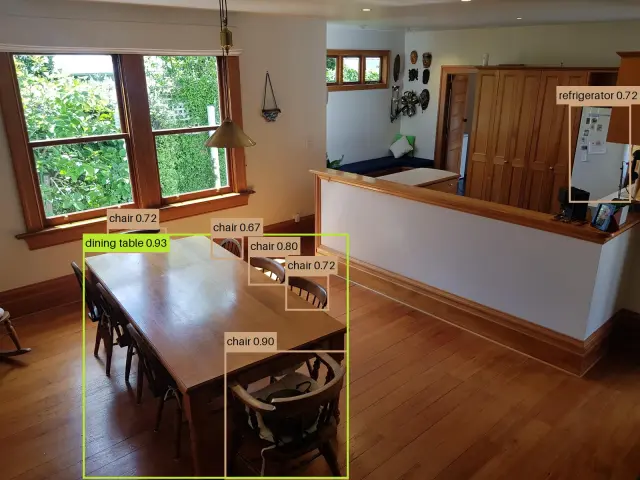 dining-room-kitchen
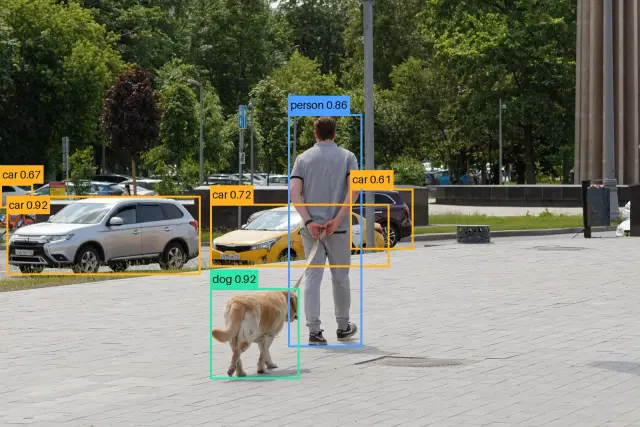 dog-walk-square
- drone-city-block
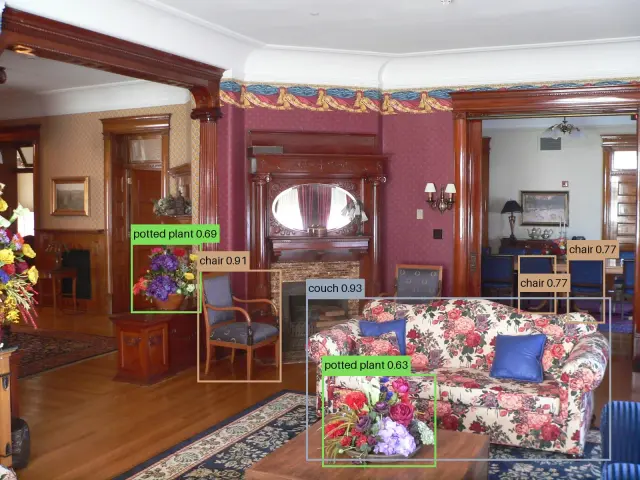 living-room-couch
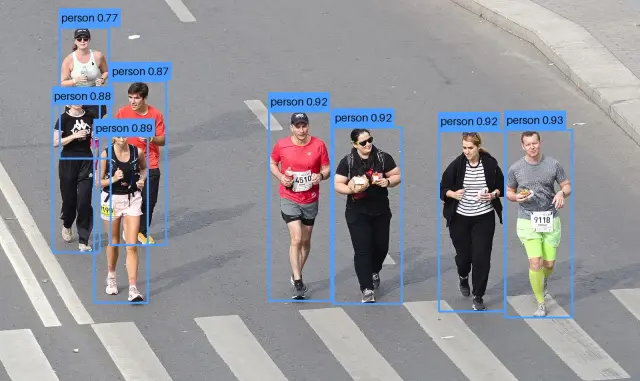 marathon-crossing
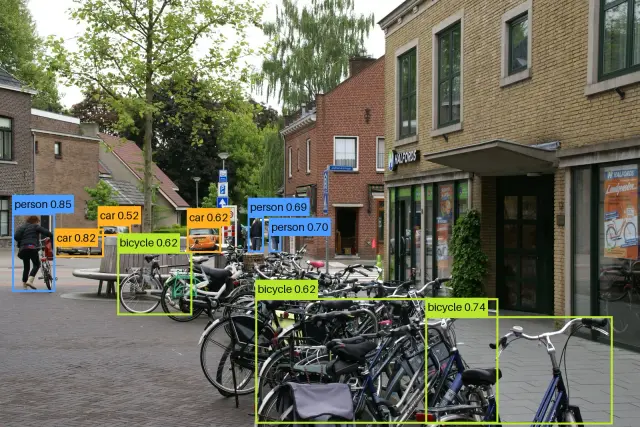 parked-bicycles
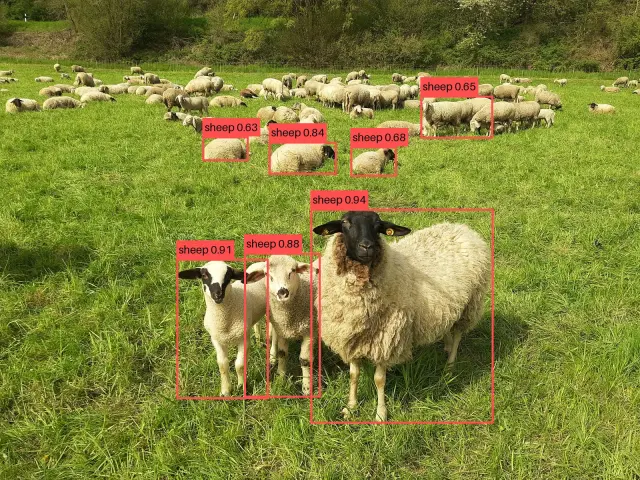 sheep-meadow-lambs
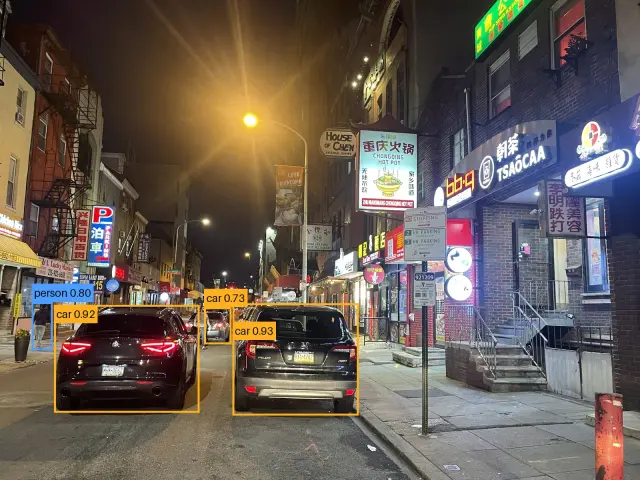 street-night-chinatown
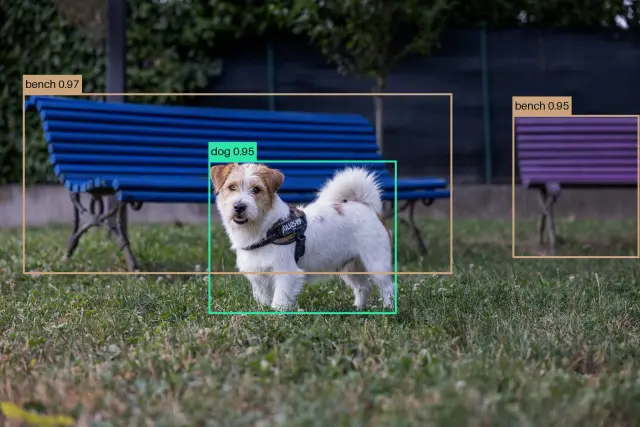 terrier-dog-park
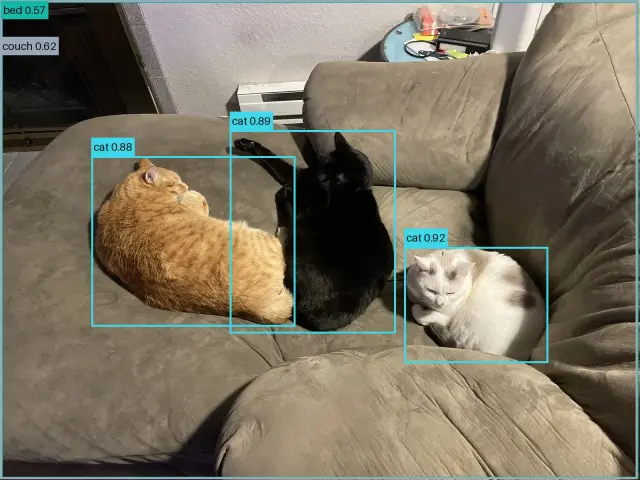 three-cats-couch
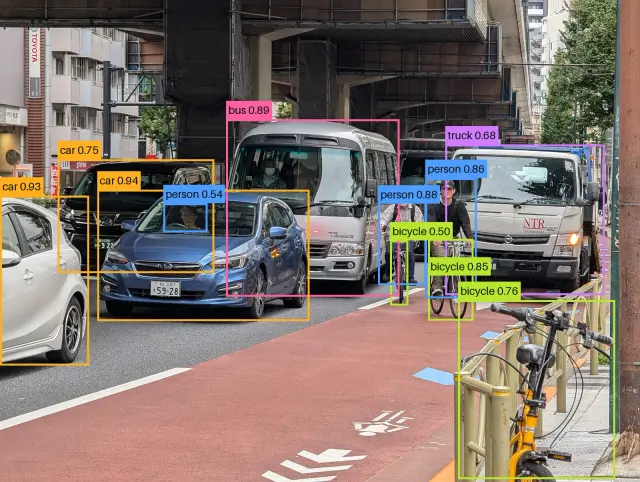 tokyo-street-cyclists
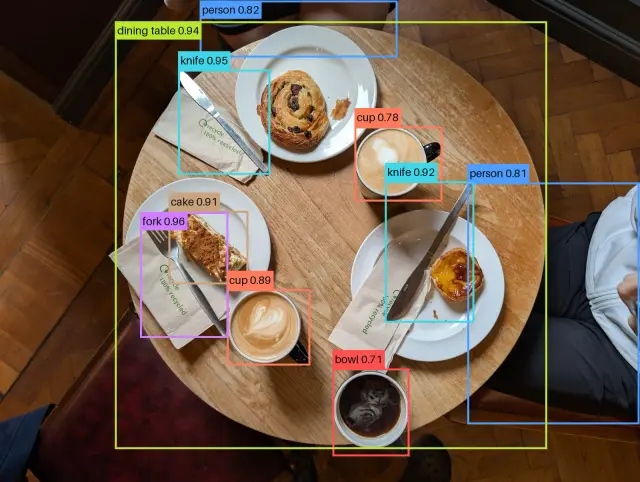 breakfast-top-downFails: labels the black coffee cup as a bowl
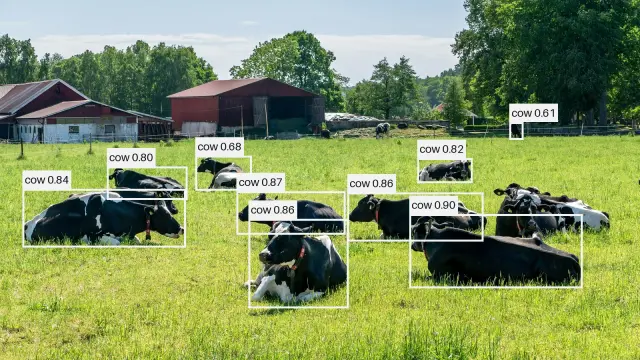 cows-pastureFails: misses the group of cows lying on the right
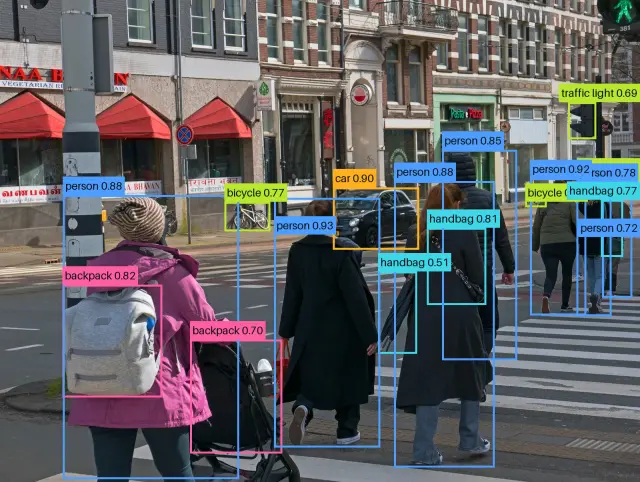 crossing-amsterdamFails: labels the stroller as a backpack
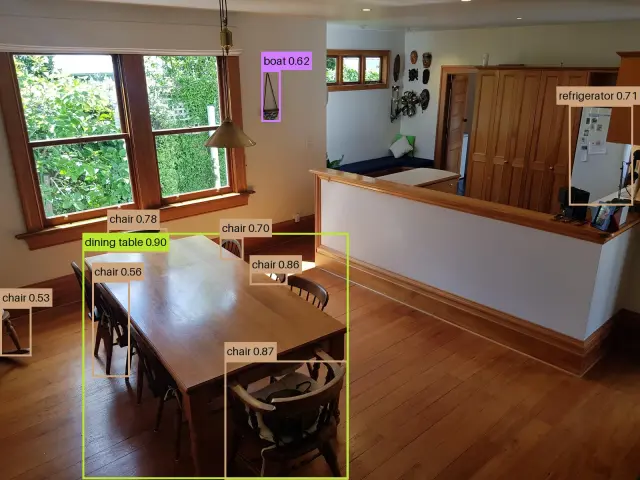 dining-room-kitchenFails: labels the bag hanging on the wall as a boat
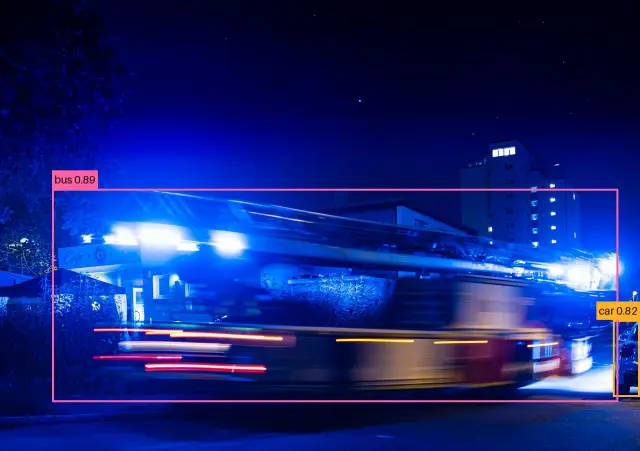 fire-engine-blurFails: labels the fire engine as a bus
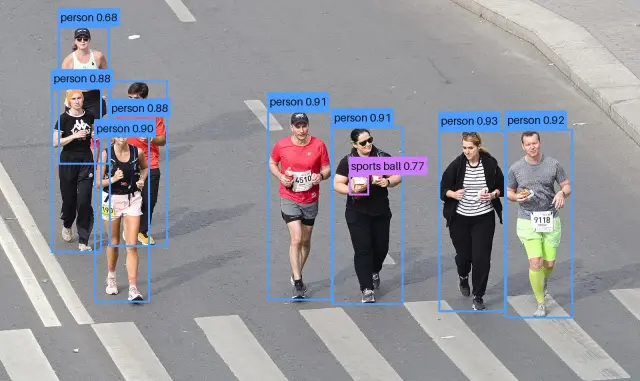 marathon-crossingFails: labels a paper bag in a runner's hands as a sports ball
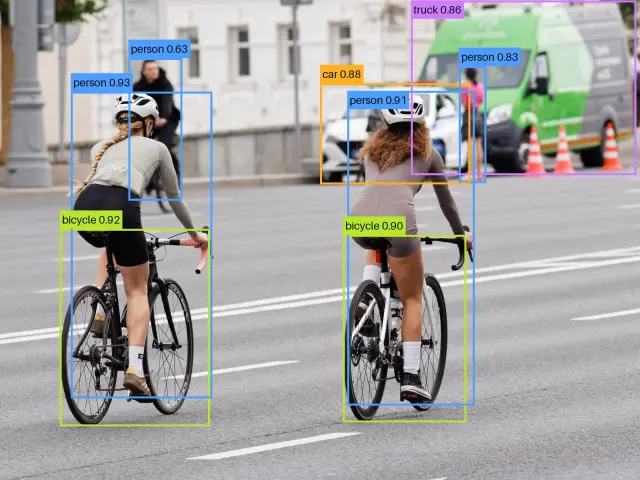 bike-parade-riders
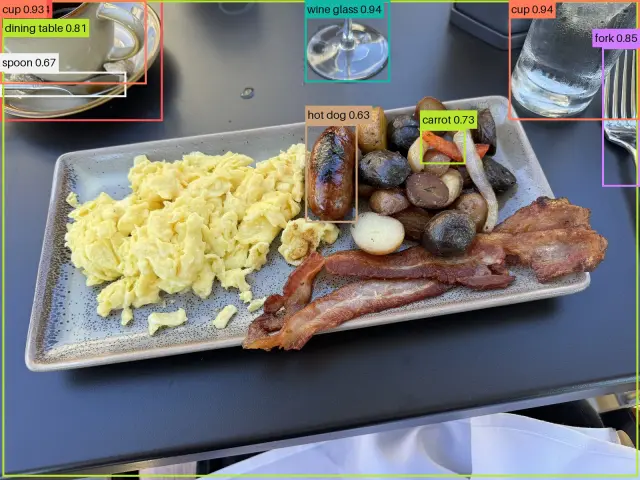 cafe-table-glasses
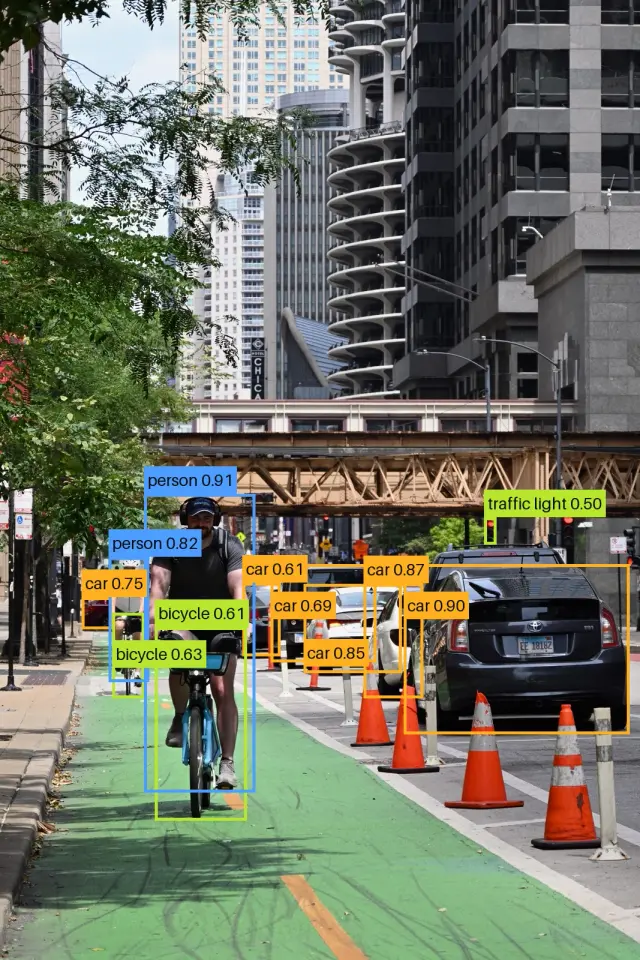 cyclist-bike-lane
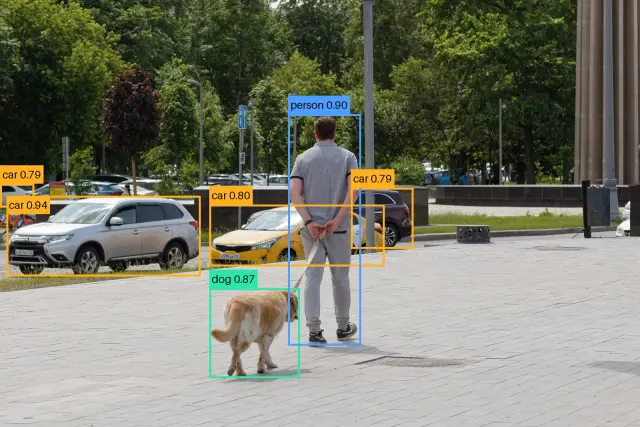 dog-walk-square
- drone-city-block
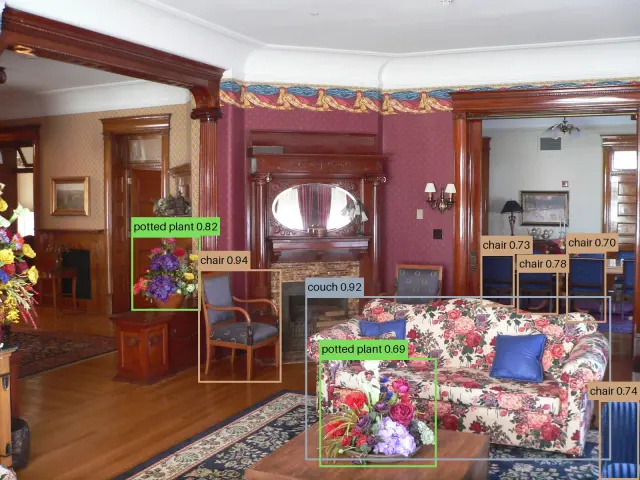 living-room-couch
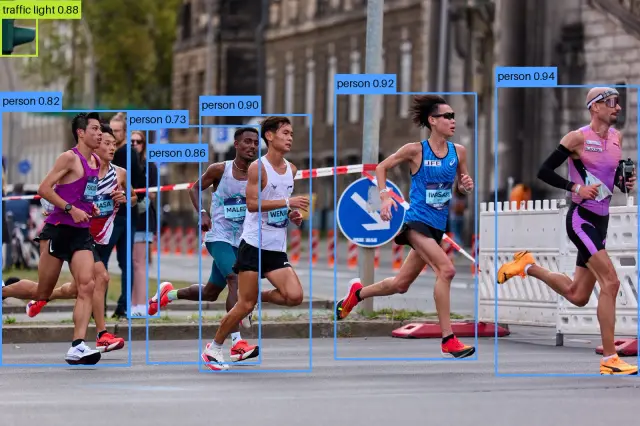 marathon-pack
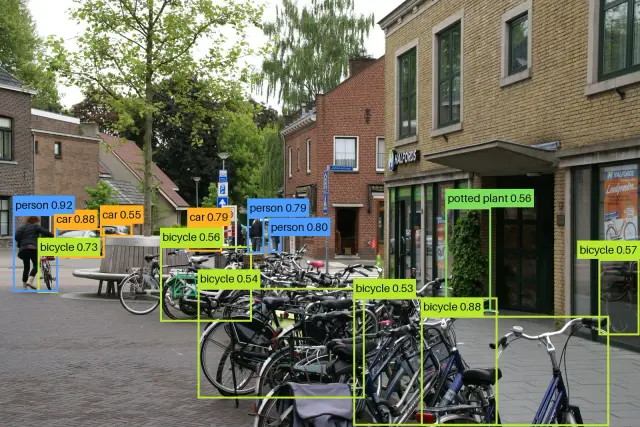 parked-bicycles
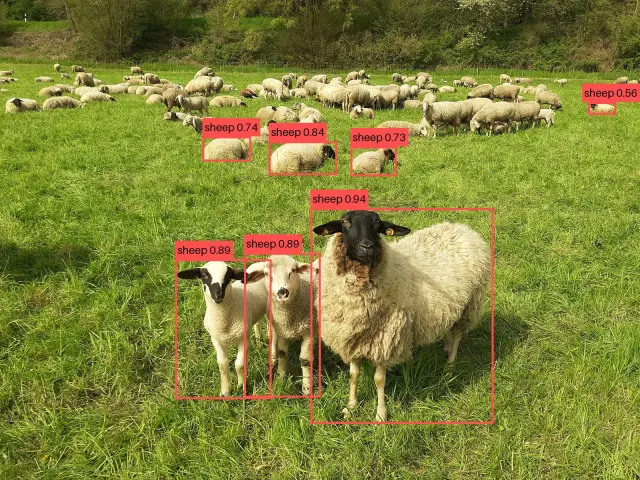 sheep-meadow-lambs
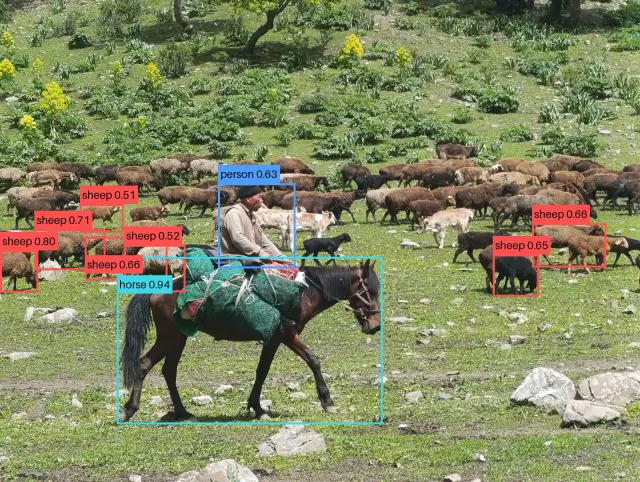 shepherd-sheep
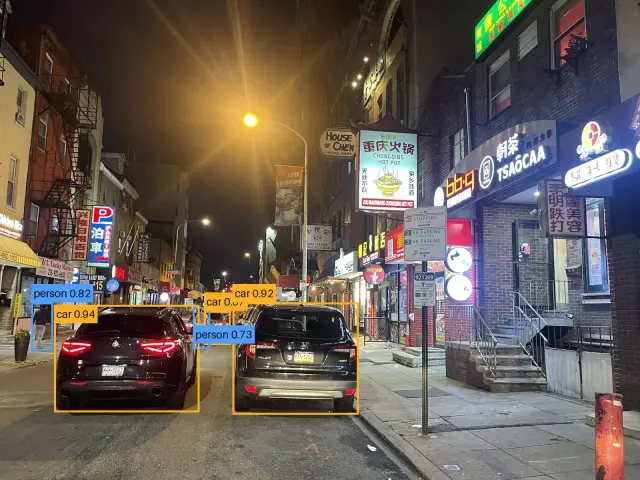 street-night-chinatown
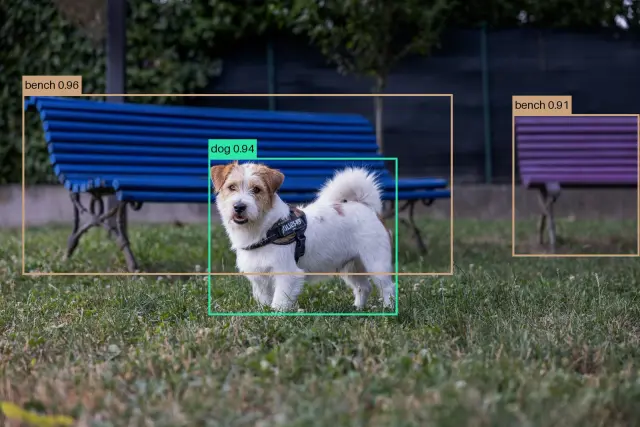 terrier-dog-park
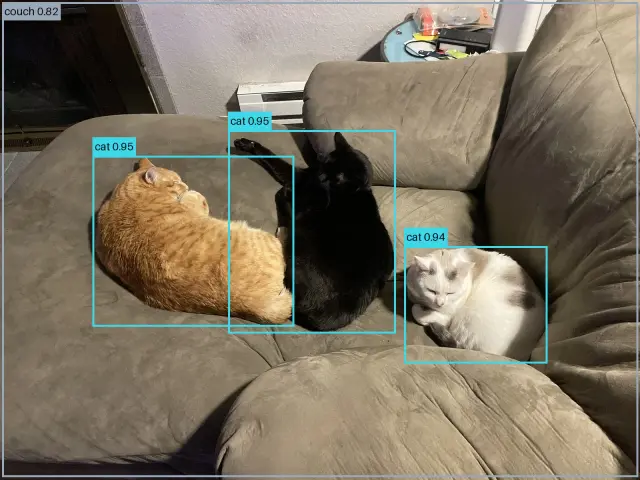 three-cats-couch
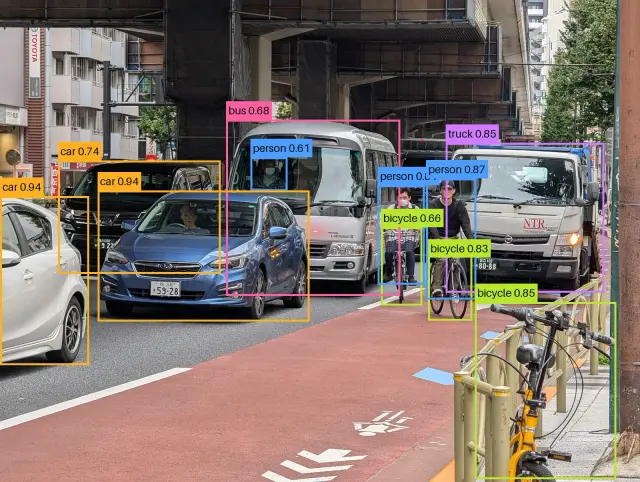 tokyo-street-cyclists
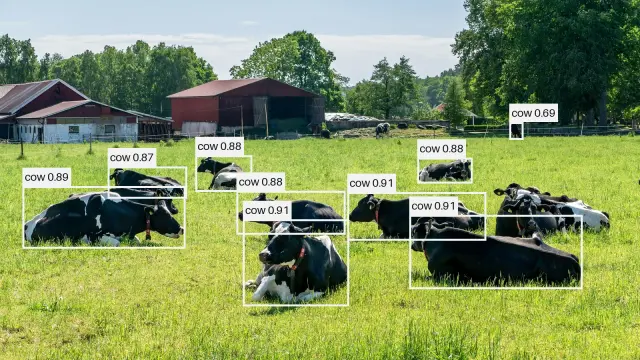 cows-pastureFails: misses the group of cows lying on the right
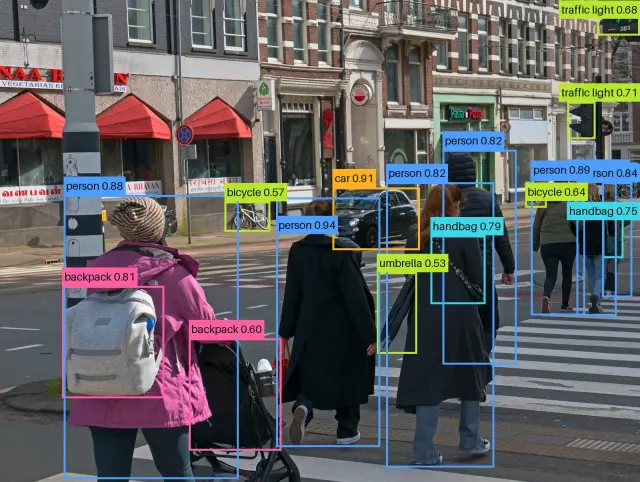 crossing-amsterdamFails: labels the stroller as a backpack
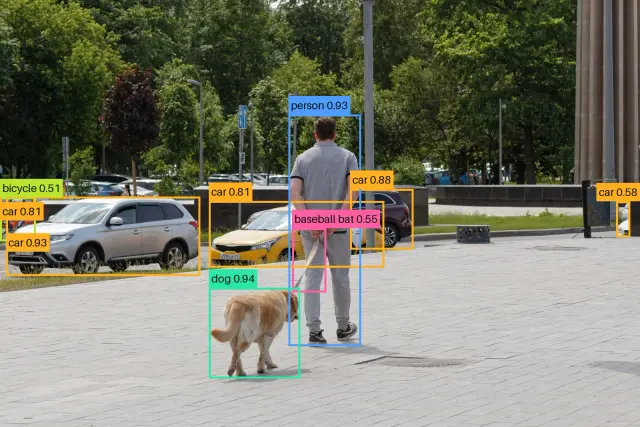 dog-walk-squareFails: labels the dog's leash as a baseball bat
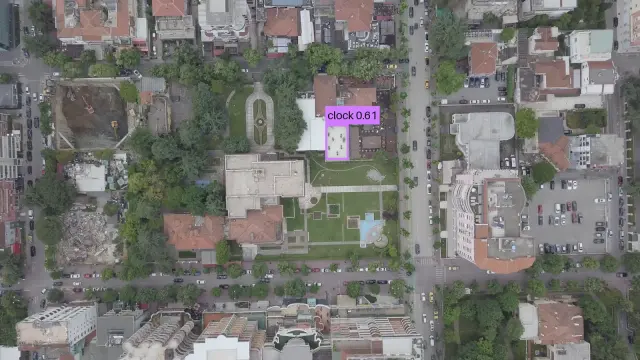 drone-city-blockFails: boxes a paved courtyard as a clock
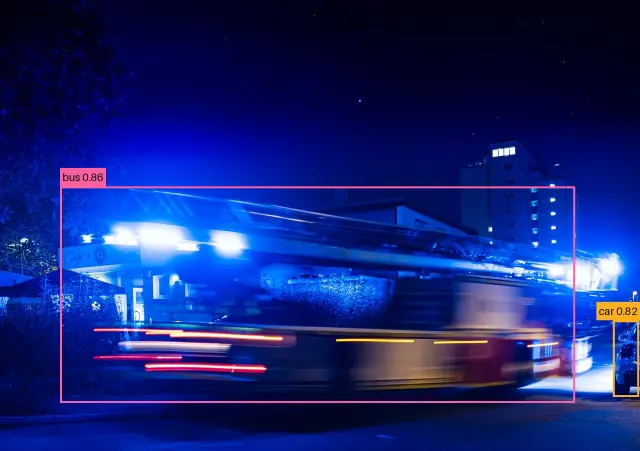 fire-engine-blurFails: labels the fire engine as a bus
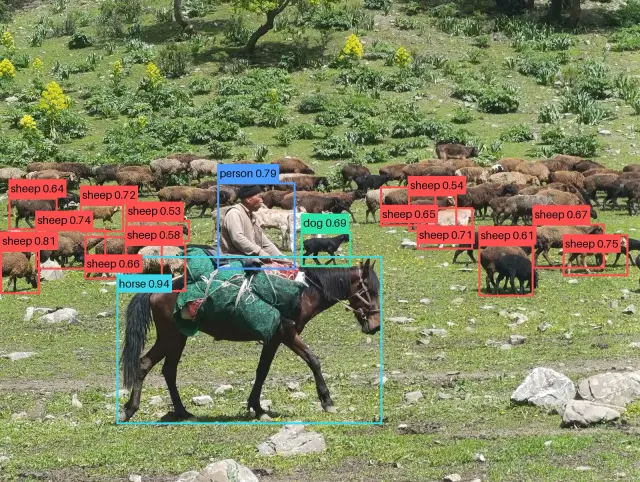 shepherd-sheepFails: labels the black lamb as a dog
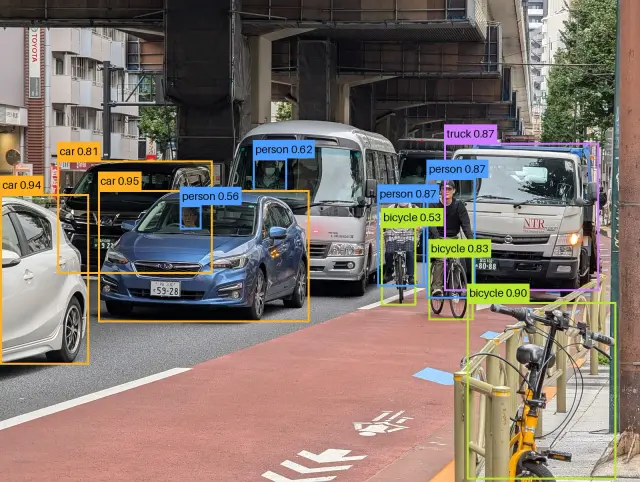 tokyo-street-cyclistsFails: misses the minibus
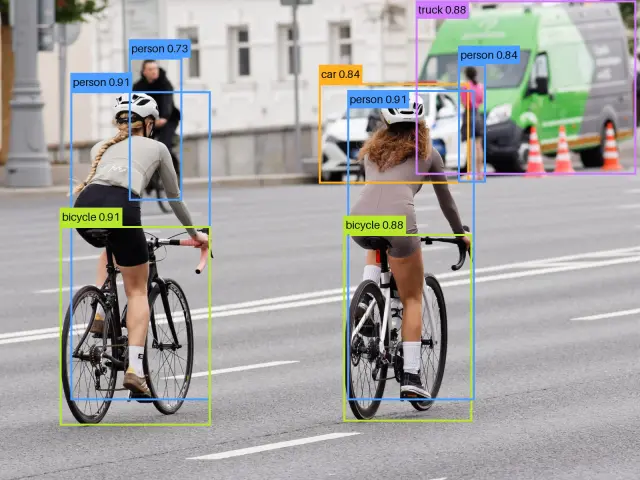 bike-parade-riders
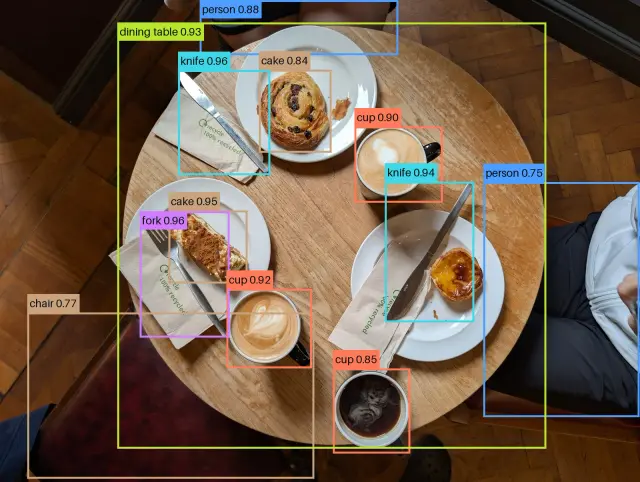 breakfast-top-down
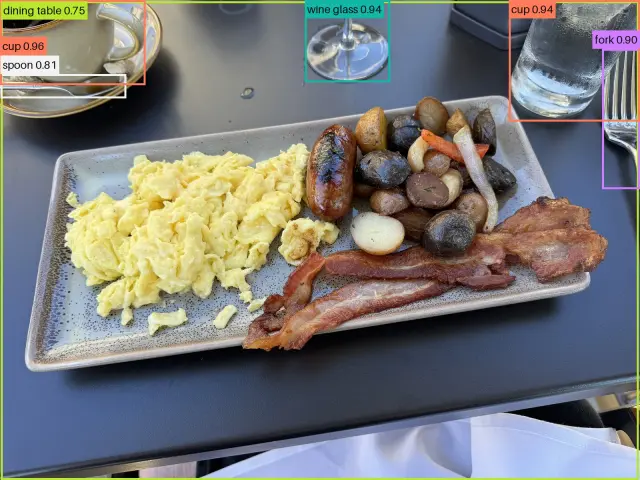 cafe-table-glasses
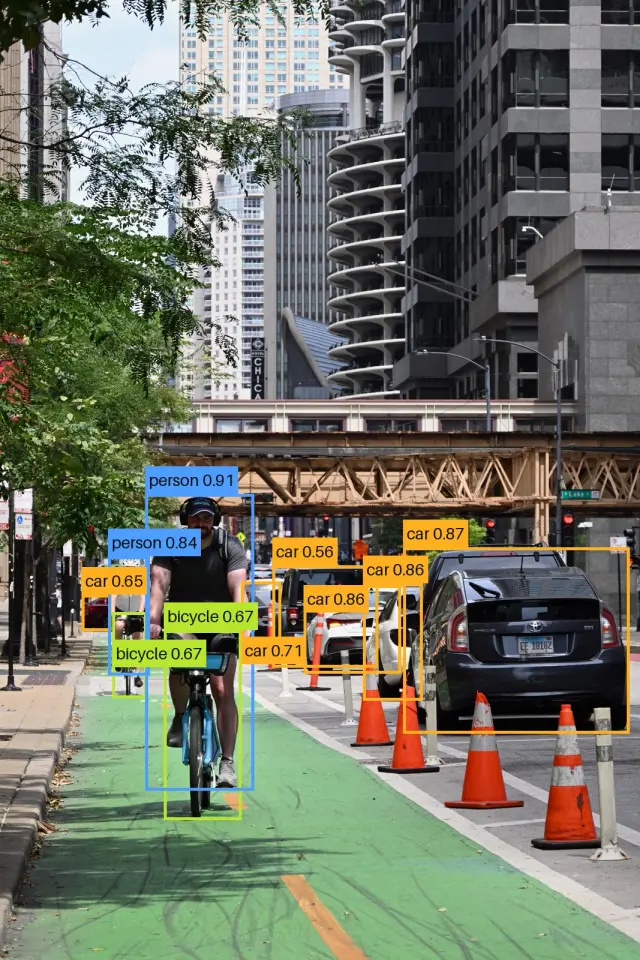 cyclist-bike-lane
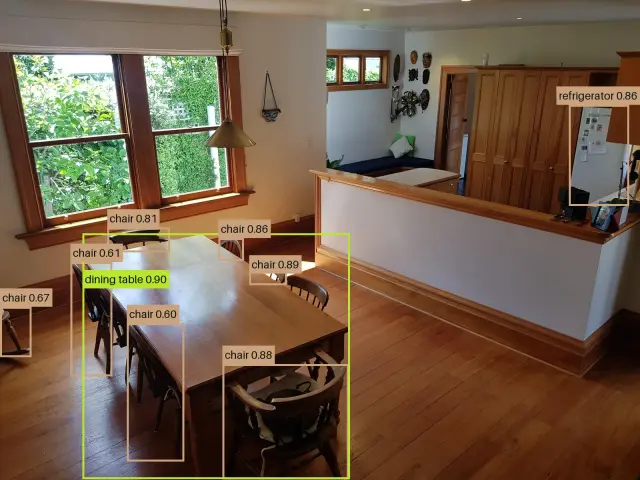 dining-room-kitchen
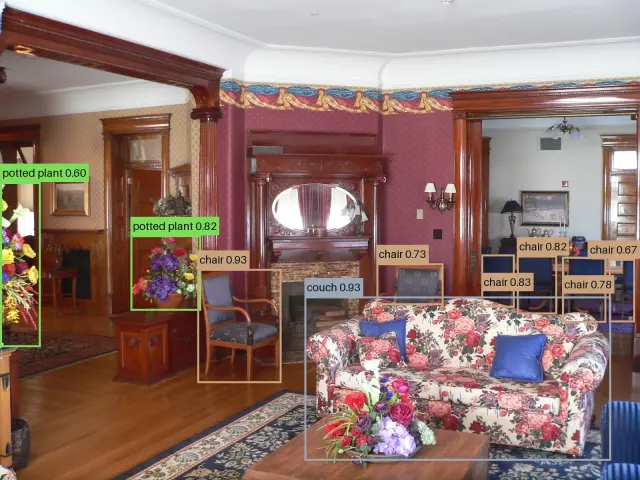 living-room-couch
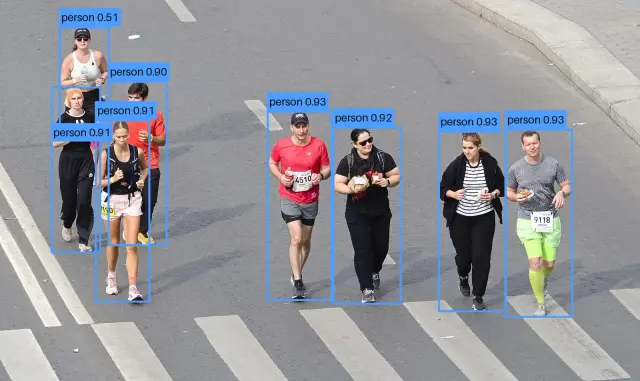 marathon-crossing
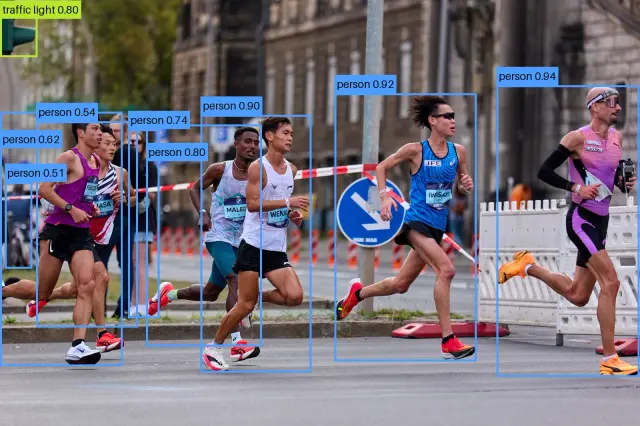 marathon-pack
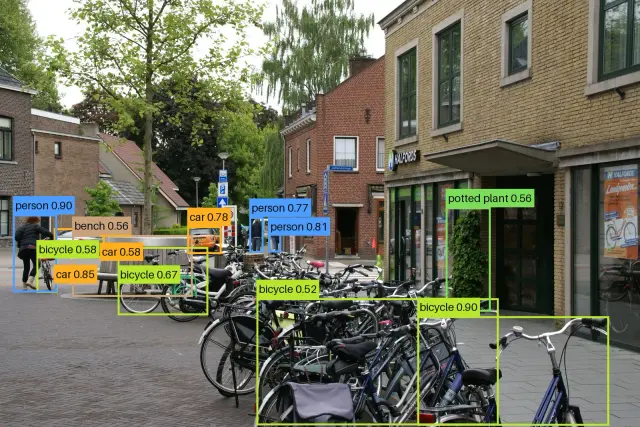 parked-bicycles
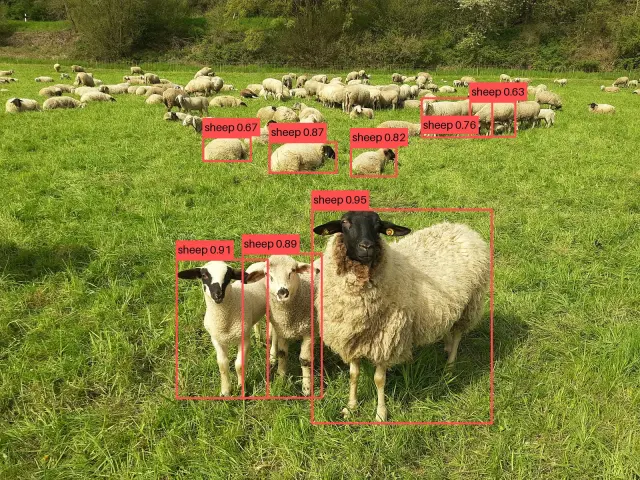 sheep-meadow-lambs
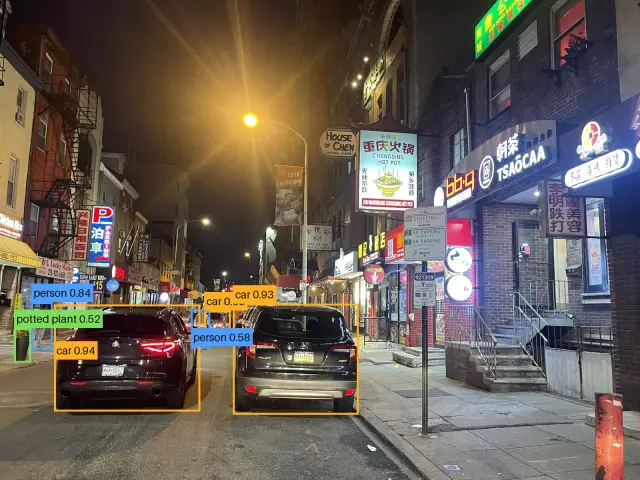 street-night-chinatown
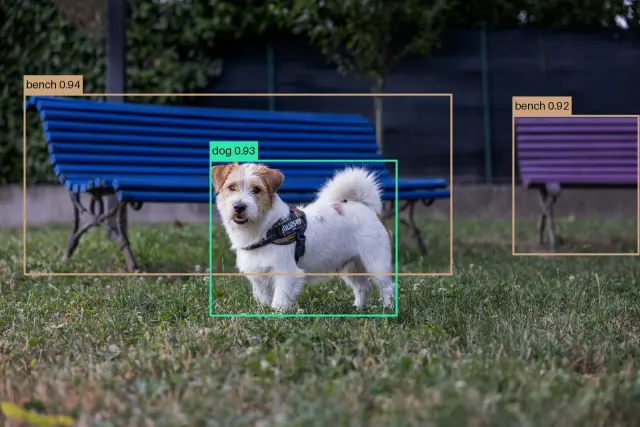 terrier-dog-park
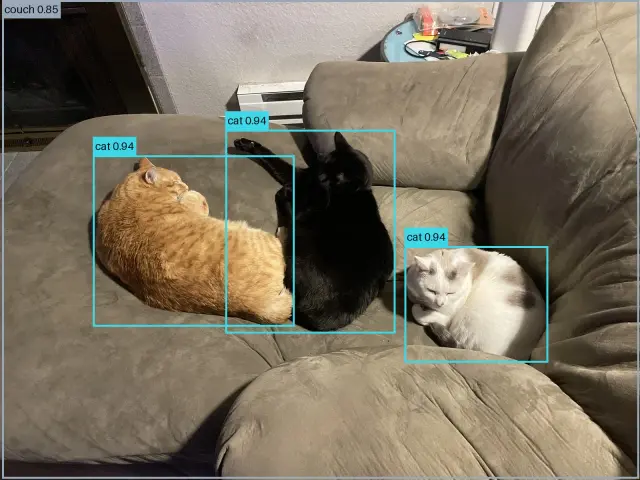 three-cats-couch
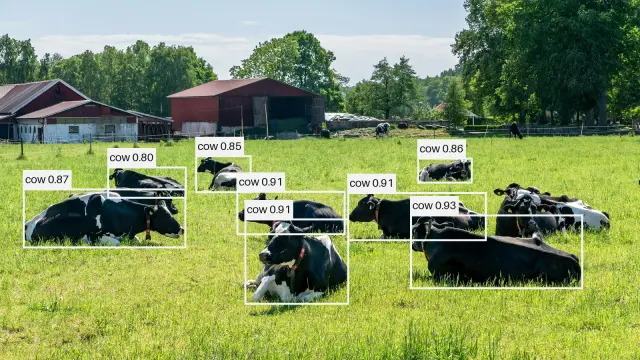 cows-pastureFails: misses the group of cows lying on the right
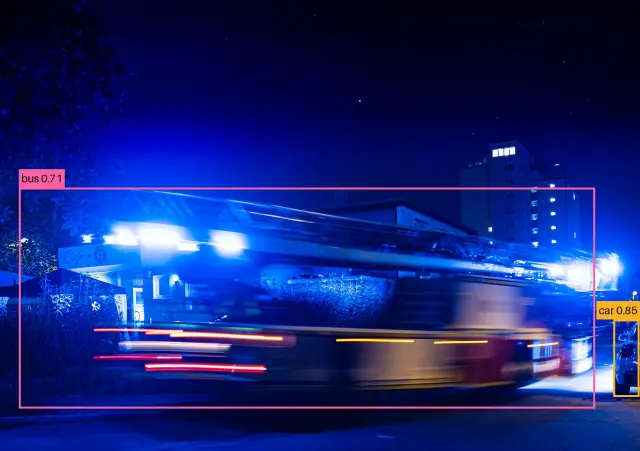 fire-engine-blurFails: labels the fire engine as a bus
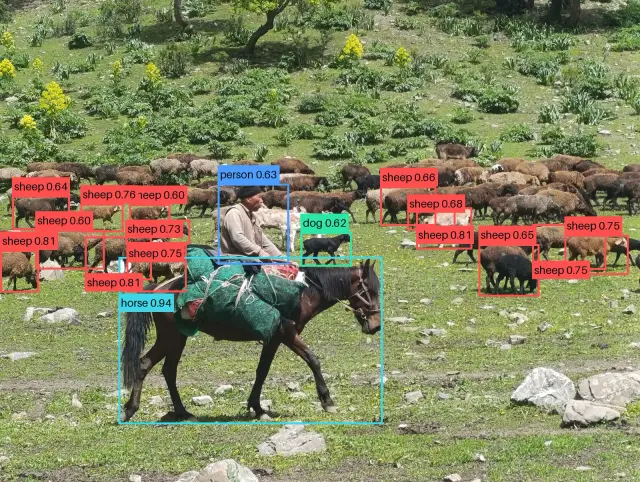 shepherd-sheepFails: labels the black lamb as a dog
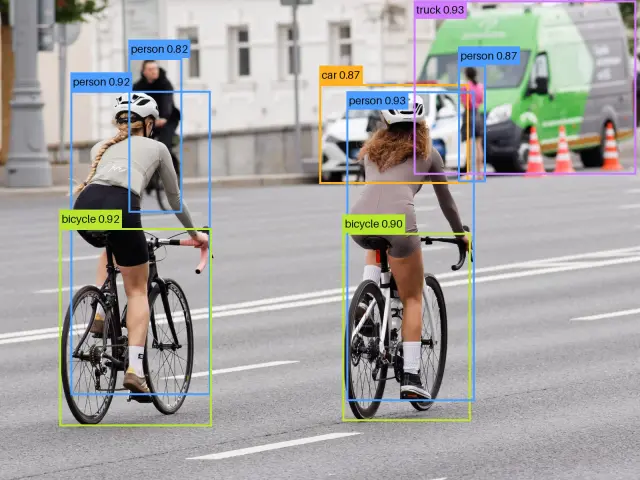 bike-parade-riders
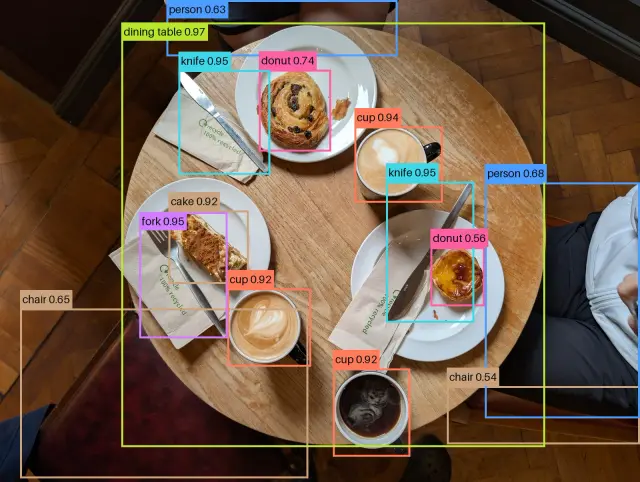 breakfast-top-down
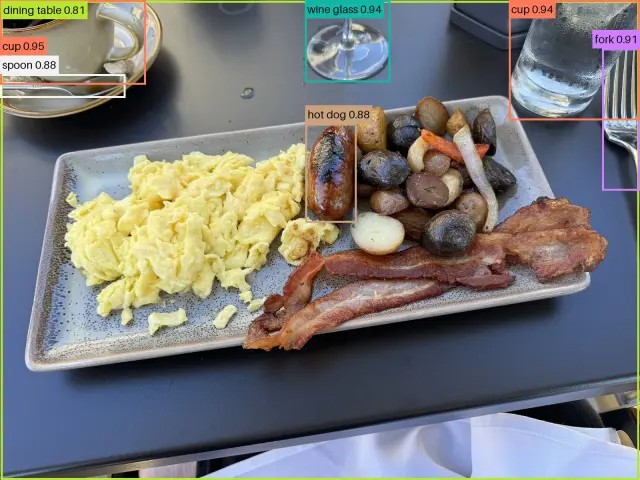 cafe-table-glasses
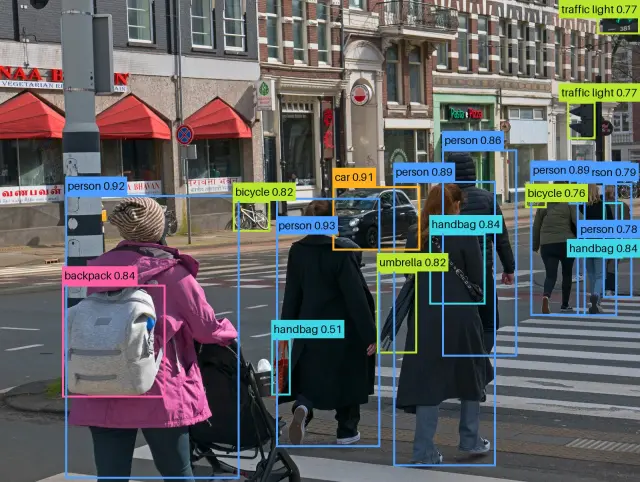 crossing-amsterdam
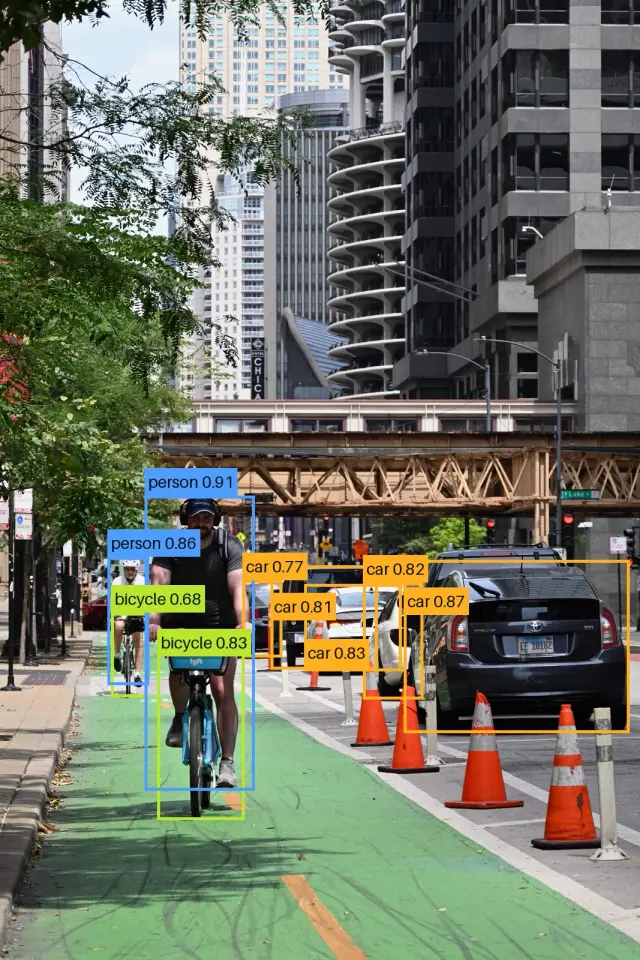 cyclist-bike-lane
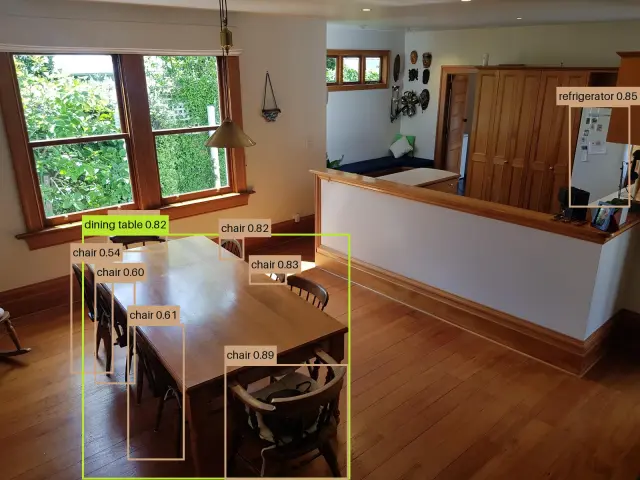 dining-room-kitchen
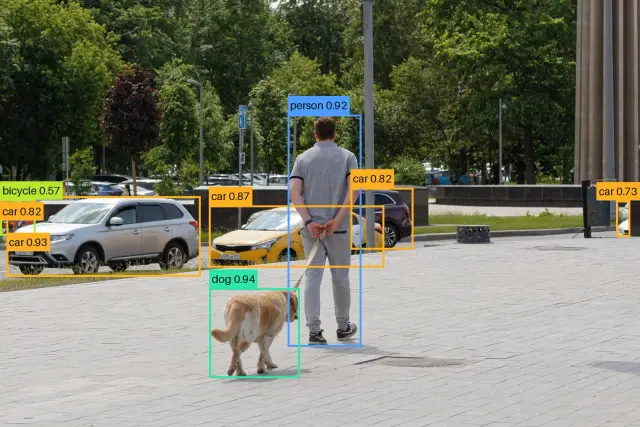 dog-walk-square
- drone-city-block
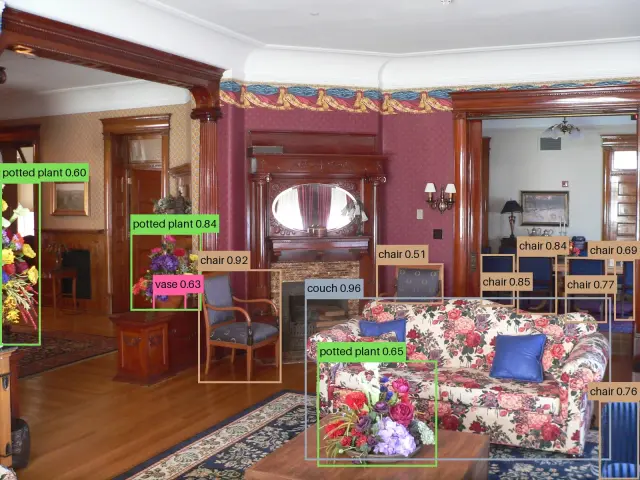 living-room-couch
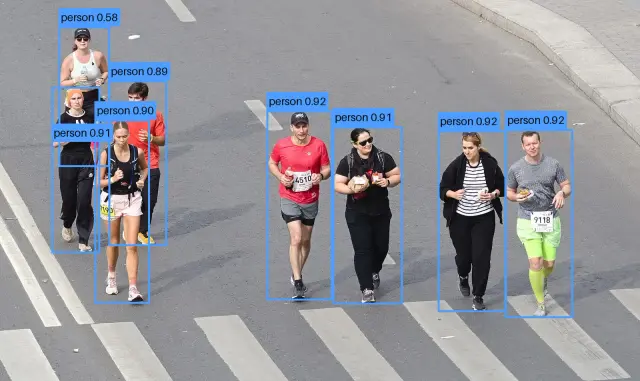 marathon-crossing
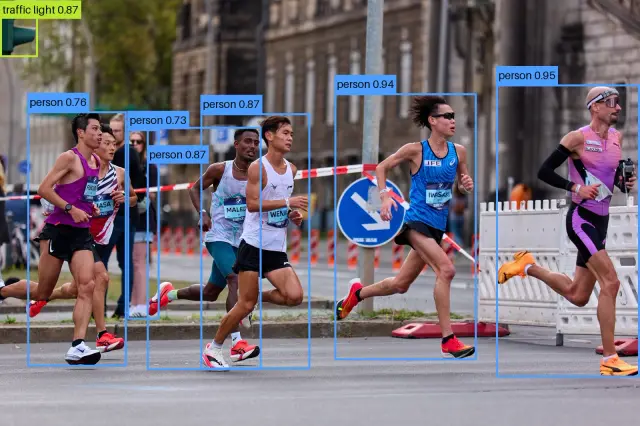 marathon-pack
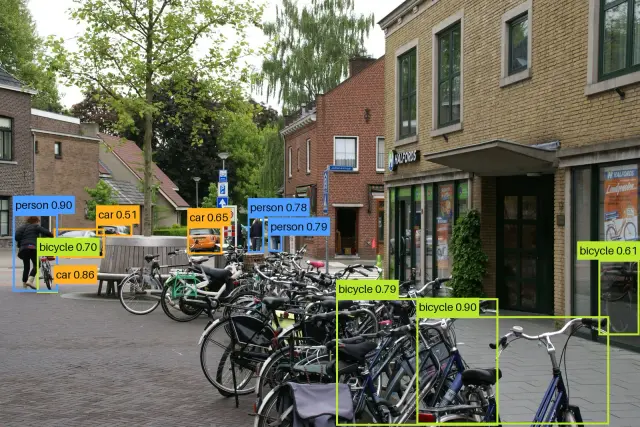 parked-bicycles
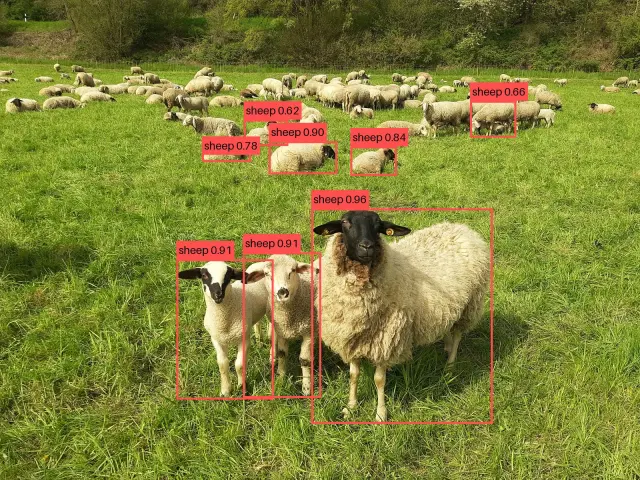 sheep-meadow-lambs
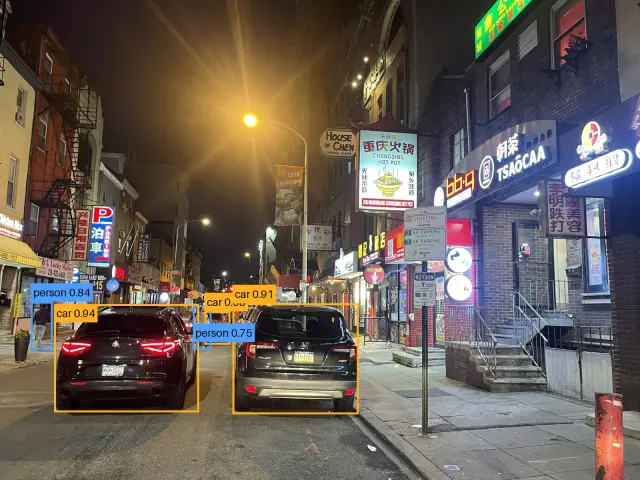 street-night-chinatown
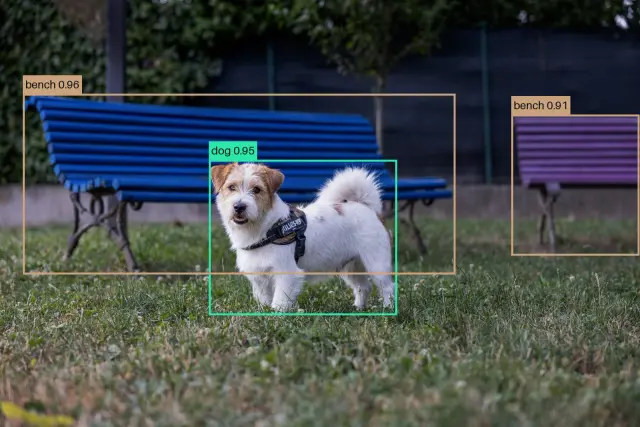 terrier-dog-park
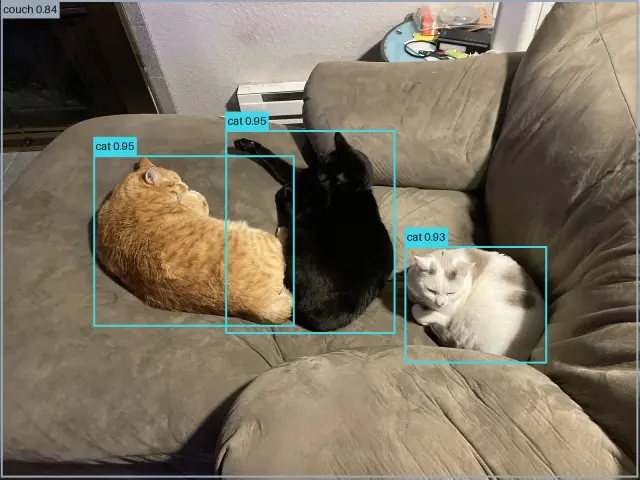 three-cats-couch
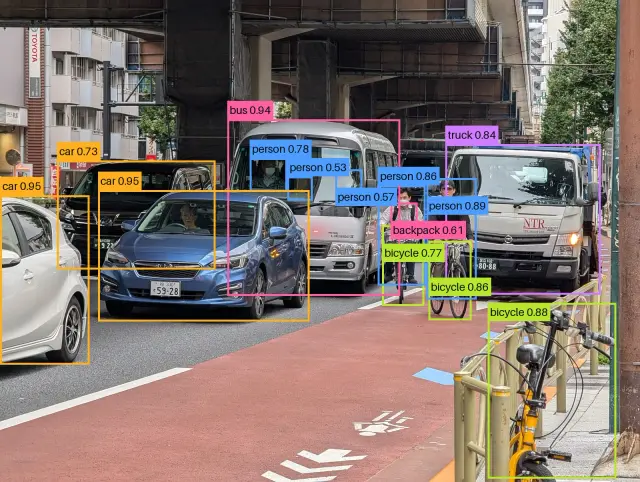 tokyo-street-cyclists
Use it when
You want the paper's GELAN-based YOLO sizes with Ultralytics' tooling: all five scored within 1.1 box AP of Ultralytics' docs, and ran 6.0 to 8.3 ms a call on TensorRT.
Avoid it when
You need a license without copyleft (GPL-3.0 weights, AGPL-3.0 code), or the small sizes fast in PyTorch: t and s took about 19 ms a call there, slower than its own m and c (16 ms).
Sizes
| Size | Latency | VRAM | Accuracy | Weights | Runs | License |
|---|---|---|---|---|---|---|
| t | 18.9 ms640x448 | 523 MiB | 37.7 box AP, measured38.3 COCO mAP50-95 paper | 5 MB | As is | Conditional |
| s | 18.9 ms640x448 | 540 MiB | 46.1 box AP, measured46.8 COCO mAP50-95 paper | 15 MB | As is | Conditional |
| m | 16.2 ms640x448 | 659 MiB | 51.0 box AP, measured51.4 COCO mAP50-95 paper | 39 MB | As is | Conditional |
| c | 15.9 ms640x448 | 692 MiB | 52.3 box AP, measured53 COCO mAP50-95 paper | 49 MB | As is | Conditional |
| e | 24.6 ms640x448 | 1.1 GiB | 54.6 box AP, measured55.6 COCO mAP50-95 paper | 112 MB | As is | Conditional |
Runtimes
Measured on our RTX 4090. Each row is our own measurement, timed under the same protocol and scored through that runtime. The TensorRT engine is built from the authors' own ONNX export of the released weights, with the settings their docs give. The card at the top and the charts use the PyTorch row.
| Runtime, size t | Latency (input under it) | VRAM peak | Accuracy (on that runtime) |
|---|---|---|---|
| PyTorchfp16 · torch 2.14.1+cu130 | 18.9 ms640x448 | 523 MiB | 37.7 box AP, fp16 |
| TensorRT10.16.1.11 · fp16 | 6.0 ms640x640 | 563 MiB | 37.8 box AP, fp16 |
How the TensorRT engine was made, 22 Nov 2026
TensorRT 10.16.1.11, runs as is. Exported with ultralytics YOLO.export format=engine quantize=16 imgsz=640 device=0, opset 18; ONNX sha256 450761b0c68e…. Engine sha256 9e666c4fea28…, 6 MB, built in 227 s. Builder settings: api ultralytics==8.4.189, which builds with TensorRT's Python API, flags ["FP16"], other the package's own settings, input 1x3x640x640, static, workspace TensorRT's default. NVIDIA GeForce RTX 4090, driver 580.173.02, CUDA 13.0, torch 2.14.1+cu130, ultralytics==8.4.189. 10 warm-up + 100 timed, median of 3 runs. Scope: predict(): pre-processing, forward pass and post-processing; input file decoded beforehand.
| Runtime, size s | Latency (input under it) | VRAM peak | Accuracy (on that runtime) |
|---|---|---|---|
| PyTorchfp16 · torch 2.14.1+cu130 | 18.9 ms640x448 | 540 MiB | 46.1 box AP, fp16 |
| TensorRT10.16.1.11 · fp16 | 6.4 ms640x640 | 568 MiB | 46.2 box AP, fp16 |
How the TensorRT engine was made, 22 Nov 2026
TensorRT 10.16.1.11, runs as is. Exported with ultralytics YOLO.export format=engine quantize=16 imgsz=640 device=0, opset 18; ONNX sha256 9b0d5db14e21…. Engine sha256 02b04b435c91…, 17 MB, built in 214 s. Builder settings: api ultralytics==8.4.189, which builds with TensorRT's Python API, flags ["FP16"], other the package's own settings, input 1x3x640x640, static, workspace TensorRT's default. NVIDIA GeForce RTX 4090, driver 580.173.02, CUDA 13.0, torch 2.14.1+cu130, ultralytics==8.4.189. 10 warm-up + 100 timed, median of 3 runs. Scope: predict(): pre-processing, forward pass and post-processing; input file decoded beforehand.
| Runtime, size m | Latency (input under it) | VRAM peak | Accuracy (on that runtime) |
|---|---|---|---|
| PyTorchfp16 · torch 2.14.1+cu130 | 16.2 ms640x448 | 659 MiB | 51.0 box AP, fp16 |
| TensorRT10.16.1.11 · fp16 | 6.6 ms640x640 | 606 MiB | 51.1 box AP, fp16 |
How the TensorRT engine was made, 22 Nov 2026
TensorRT 10.16.1.11, runs as is. Exported with ultralytics YOLO.export format=engine quantize=16 imgsz=640 device=0, opset 18; ONNX sha256 53186f774022…. Engine sha256 d219ef9b7714…, 42 MB, built in 234 s. Builder settings: api ultralytics==8.4.189, which builds with TensorRT's Python API, flags ["FP16"], other the package's own settings, input 1x3x640x640, static, workspace TensorRT's default. NVIDIA GeForce RTX 4090, driver 580.173.02, CUDA 13.0, torch 2.14.1+cu130, ultralytics==8.4.189. 10 warm-up + 100 timed, median of 3 runs. Scope: predict(): pre-processing, forward pass and post-processing; input file decoded beforehand.
| Runtime, size c | Latency (input under it) | VRAM peak | Accuracy (on that runtime) |
|---|---|---|---|
| PyTorchfp16 · torch 2.14.1+cu130 | 15.9 ms640x448 | 692 MiB | 52.3 box AP, fp16 |
| TensorRT10.16.1.11 · fp16 | 6.6 ms640x640 | 607 MiB | 52.5 box AP, fp16 |
How the TensorRT engine was made, 22 Nov 2026
TensorRT 10.16.1.11, runs as is. Exported with ultralytics YOLO.export format=engine quantize=16 imgsz=640 device=0, opset 18; ONNX sha256 b403ef75629e…. Engine sha256 d2a4c3bafd2e…, 52 MB, built in 240 s. Builder settings: api ultralytics==8.4.189, which builds with TensorRT's Python API, flags ["FP16"], other the package's own settings, input 1x3x640x640, static, workspace TensorRT's default. NVIDIA GeForce RTX 4090, driver 580.173.02, CUDA 13.0, torch 2.14.1+cu130, ultralytics==8.4.189. 10 warm-up + 100 timed, median of 3 runs. Scope: predict(): pre-processing, forward pass and post-processing; input file decoded beforehand.
| Runtime, size e | Latency (input under it) | VRAM peak | Accuracy (on that runtime) |
|---|---|---|---|
| PyTorchfp16 · torch 2.14.1+cu130 | 24.6 ms640x448 | 1.1 GiB | 54.6 box AP, fp16 |
| TensorRT10.16.1.11 · fp16 | 8.3 ms640x640 | 887 MiB | 54.6 box AP, fp16 |
How the TensorRT engine was made, 22 Nov 2026
TensorRT 10.16.1.11, runs as is. Exported with ultralytics YOLO.export format=engine quantize=16 imgsz=640 device=0, opset 18; ONNX sha256 9ef3a6a219b4…. Engine sha256 96e3816488ed…, 114 MB, built in 290 s. Builder settings: api ultralytics==8.4.189, which builds with TensorRT's Python API, flags ["FP16"], other the package's own settings, input 1x3x640x640, static, workspace TensorRT's default. NVIDIA GeForce RTX 4090, driver 580.173.02, CUDA 13.0, torch 2.14.1+cu130, ultralytics==8.4.189. 10 warm-up + 100 timed, median of 3 runs. Scope: predict(): pre-processing, forward pass and post-processing; input file decoded beforehand.
Estimated on other GPUs
Estimate, not measured. Worked out from our RTX 4090 run and NVIDIA's spec sheets. Each kind of GPU work is scaled by that GPU's peak for it: tensor cores at the precision the kernels used, CUDA cores, or memory bandwidth. The CPU's part of each call is kept at what it took on our Intel Core i7-10700K. How we estimate
Where a call's time goes on our RTX 4090: CPU and kernel launches 87%, memory-bound 7%, tensor cores, FP16 (FP32 accumulate) 3%, tensor cores, TF32 2%.
GeForce (13)
| GPU | Fits | Latency |
|---|---|---|
| GeForce RTX 5090Blackwell, 32 GB GDDR7 | Yes | ≈ 18–19 ms |
| GeForce RTX 5080Blackwell, 16 GB GDDR7 | Yes | ≈ 19 ms |
| GeForce RTX 5070 TiBlackwell, 16 GB GDDR7 | Yes | ≈ 20 ms |
| GeForce RTX 5070Blackwell, 12 GB GDDR7 | Yes | ≈ 20–21 ms |
| GeForce RTX 5060 Ti 16GBBlackwell, 16 GB GDDR7 | Yes | ≈ 21–23 ms |
| GeForce RTX 5060Blackwell, 8 GB GDDR7 | Yes | ≈ 21–24 ms |
| GeForce RTX 4080Ada Lovelace, 16 GB GDDR6X | Yes | ≈ 19–20 ms |
| GeForce RTX 4070 TiAda Lovelace, 12 GB GDDR6X | Yes | ≈ 20–21 ms |
| GeForce RTX 4070Ada Lovelace, 12 GB GDDR6X | Yes | ≈ 20–22 ms |
| GeForce RTX 3090Ampere, 24 GB GDDR6X | Yes | ≈ 20 ms |
| GeForce RTX 3080Ampere, 10 GB GDDR6X | Yes | ≈ 20–21 ms |
| GeForce RTX 3070 TiAmpere, 8 GB GDDR6X | Yes | ≈ 21–22 ms |
| GeForce RTX 3070Ampere, 8 GB GDDR6 | Yes | ≈ 21–23 ms |
Workstation (4)
| GPU | Fits | Latency |
|---|---|---|
| RTX PRO 6000 Blackwell Workstation EditionBlackwell, 96 GB GDDR7 | Yes | ≈ 18 ms |
| RTX PRO 6000 Blackwell Max-Q Workstation EditionBlackwell, 96 GB GDDR7 | Yes | ≈ 18 ms |
| RTX 6000 Ada GenerationAda Lovelace, 48 GB GDDR6 | Yes | ≈ 19 ms |
| RTX A6000Ampere, 48 GB GDDR6 | Yes | ≈ 19 ms |
Data center (6)
| GPU | Fits | Latency |
|---|---|---|
| B200 (HGX, one GPU)Blackwell, 180 GB HBM3E | Yes | ≈ 17–18 ms |
| H200 SXMHopper, 141 GB HBM3e | Yes | ≈ 17–18 ms |
| H100 SXMHopper, 80 GB HBM3 | Yes | ≈ 17–18 ms |
| A100 SXM 80GBAmpere, 80 GB HBM2e | Yes | ≈ 18–19 ms |
| L40SAda Lovelace, 48 GB GDDR6 | Yes | ≈ 19 ms |
| L4Ada Lovelace, 24 GB GDDR6 | Yes | ≈ 19–23 ms |
Where a call's time goes on our RTX 4090: CPU and kernel launches 87%, memory-bound 8%, tensor cores, FP16 (FP32 accumulate) 5%.
GeForce (13)
| GPU | Fits | Latency |
|---|---|---|
| GeForce RTX 5090Blackwell, 32 GB GDDR7 | Yes | ≈ 18–19 ms |
| GeForce RTX 5080Blackwell, 16 GB GDDR7 | Yes | ≈ 19 ms |
| GeForce RTX 5070 TiBlackwell, 16 GB GDDR7 | Yes | ≈ 19–20 ms |
| GeForce RTX 5070Blackwell, 12 GB GDDR7 | Yes | ≈ 20–21 ms |
| GeForce RTX 5060 Ti 16GBBlackwell, 16 GB GDDR7 | Yes | ≈ 21–23 ms |
| GeForce RTX 5060Blackwell, 8 GB GDDR7 | Yes | ≈ 21–24 ms |
| GeForce RTX 4080Ada Lovelace, 16 GB GDDR6X | Yes | ≈ 19–20 ms |
| GeForce RTX 4070 TiAda Lovelace, 12 GB GDDR6X | Yes | ≈ 20–21 ms |
| GeForce RTX 4070Ada Lovelace, 12 GB GDDR6X | Yes | ≈ 20–22 ms |
| GeForce RTX 3090Ampere, 24 GB GDDR6X | Yes | ≈ 20 ms |
| GeForce RTX 3080Ampere, 10 GB GDDR6X | Yes | ≈ 20–21 ms |
| GeForce RTX 3070 TiAmpere, 8 GB GDDR6X | Yes | ≈ 21–22 ms |
| GeForce RTX 3070Ampere, 8 GB GDDR6 | Yes | ≈ 21–23 ms |
Workstation (4)
| GPU | Fits | Latency |
|---|---|---|
| RTX PRO 6000 Blackwell Workstation EditionBlackwell, 96 GB GDDR7 | Yes | ≈ 18 ms |
| RTX PRO 6000 Blackwell Max-Q Workstation EditionBlackwell, 96 GB GDDR7 | Yes | ≈ 18 ms |
| RTX 6000 Ada GenerationAda Lovelace, 48 GB GDDR6 | Yes | ≈ 18 ms |
| RTX A6000Ampere, 48 GB GDDR6 | Yes | ≈ 19 ms |
Data center (6)
| GPU | Fits | Latency |
|---|---|---|
| B200 (HGX, one GPU)Blackwell, 180 GB HBM3E | Yes | ≈ 17–18 ms |
| H200 SXMHopper, 141 GB HBM3e | Yes | ≈ 17–18 ms |
| H100 SXMHopper, 80 GB HBM3 | Yes | ≈ 17–18 ms |
| A100 SXM 80GBAmpere, 80 GB HBM2e | Yes | ≈ 18 ms |
| L40SAda Lovelace, 48 GB GDDR6 | Yes | ≈ 18–19 ms |
| L4Ada Lovelace, 24 GB GDDR6 | Yes | ≈ 19–23 ms |
Where a call's time goes on our RTX 4090: CPU and kernel launches 82%, memory-bound 10%, tensor cores, FP16 (FP32 accumulate) 8%.
GeForce (13)
| GPU | Fits | Latency |
|---|---|---|
| GeForce RTX 5090Blackwell, 32 GB GDDR7 | Yes | ≈ 15–16 ms |
| GeForce RTX 5080Blackwell, 16 GB GDDR7 | Yes | ≈ 17 ms |
| GeForce RTX 5070 TiBlackwell, 16 GB GDDR7 | Yes | ≈ 17 ms |
| GeForce RTX 5070Blackwell, 12 GB GDDR7 | Yes | ≈ 18–19 ms |
| GeForce RTX 5060 Ti 16GBBlackwell, 16 GB GDDR7 | Yes | ≈ 19–21 ms |
| GeForce RTX 5060Blackwell, 8 GB GDDR7 | Yes | ≈ 20–22 ms |
| GeForce RTX 4080Ada Lovelace, 16 GB GDDR6X | Yes | ≈ 17–18 ms |
| GeForce RTX 4070 TiAda Lovelace, 12 GB GDDR6X | Yes | ≈ 18–19 ms |
| GeForce RTX 4070Ada Lovelace, 12 GB GDDR6X | Yes | ≈ 18–20 ms |
| GeForce RTX 3090Ampere, 24 GB GDDR6X | Yes | ≈ 17–18 ms |
| GeForce RTX 3080Ampere, 10 GB GDDR6X | Yes | ≈ 18–19 ms |
| GeForce RTX 3070 TiAmpere, 8 GB GDDR6X | Yes | ≈ 19–21 ms |
| GeForce RTX 3070Ampere, 8 GB GDDR6 | Yes | ≈ 20–22 ms |
Workstation (4)
| GPU | Fits | Latency |
|---|---|---|
| RTX PRO 6000 Blackwell Workstation EditionBlackwell, 96 GB GDDR7 | Yes | ≈ 15 ms |
| RTX PRO 6000 Blackwell Max-Q Workstation EditionBlackwell, 96 GB GDDR7 | Yes | ≈ 15 ms |
| RTX 6000 Ada GenerationAda Lovelace, 48 GB GDDR6 | Yes | ≈ 16 ms |
| RTX A6000Ampere, 48 GB GDDR6 | Yes | ≈ 16–17 ms |
Data center (6)
| GPU | Fits | Latency |
|---|---|---|
| B200 (HGX, one GPU)Blackwell, 180 GB HBM3E | Yes | ≈ 14–15 ms |
| H200 SXMHopper, 141 GB HBM3e | Yes | ≈ 14–15 ms |
| H100 SXMHopper, 80 GB HBM3 | Yes | ≈ 14–15 ms |
| A100 SXM 80GBAmpere, 80 GB HBM2e | Yes | ≈ 15–16 ms |
| L40SAda Lovelace, 48 GB GDDR6 | Yes | ≈ 16 ms |
| L4Ada Lovelace, 24 GB GDDR6 | Yes | ≈ 17–20 ms |
Where a call's time goes on our RTX 4090: CPU and kernel launches 82%, memory-bound 9%, tensor cores, FP16 (FP32 accumulate) 9%.
GeForce (13)
| GPU | Fits | Latency |
|---|---|---|
| GeForce RTX 5090Blackwell, 32 GB GDDR7 | Yes | ≈ 15–16 ms |
| GeForce RTX 5080Blackwell, 16 GB GDDR7 | Yes | ≈ 16–17 ms |
| GeForce RTX 5070 TiBlackwell, 16 GB GDDR7 | Yes | ≈ 17 ms |
| GeForce RTX 5070Blackwell, 12 GB GDDR7 | Yes | ≈ 18–19 ms |
| GeForce RTX 5060 Ti 16GBBlackwell, 16 GB GDDR7 | Yes | ≈ 19–21 ms |
| GeForce RTX 5060Blackwell, 8 GB GDDR7 | Yes | ≈ 20–22 ms |
| GeForce RTX 4080Ada Lovelace, 16 GB GDDR6X | Yes | ≈ 17 ms |
| GeForce RTX 4070 TiAda Lovelace, 12 GB GDDR6X | Yes | ≈ 17–19 ms |
| GeForce RTX 4070Ada Lovelace, 12 GB GDDR6X | Yes | ≈ 18–20 ms |
| GeForce RTX 3090Ampere, 24 GB GDDR6X | Yes | ≈ 17–18 ms |
| GeForce RTX 3080Ampere, 10 GB GDDR6X | Yes | ≈ 18–19 ms |
| GeForce RTX 3070 TiAmpere, 8 GB GDDR6X | Yes | ≈ 19–21 ms |
| GeForce RTX 3070Ampere, 8 GB GDDR6 | Yes | ≈ 19–22 ms |
Workstation (4)
| GPU | Fits | Latency |
|---|---|---|
| RTX PRO 6000 Blackwell Workstation EditionBlackwell, 96 GB GDDR7 | Yes | ≈ 14–15 ms |
| RTX PRO 6000 Blackwell Max-Q Workstation EditionBlackwell, 96 GB GDDR7 | Yes | ≈ 14–15 ms |
| RTX 6000 Ada GenerationAda Lovelace, 48 GB GDDR6 | Yes | ≈ 15 ms |
| RTX A6000Ampere, 48 GB GDDR6 | Yes | ≈ 16 ms |
Data center (6)
| GPU | Fits | Latency |
|---|---|---|
| B200 (HGX, one GPU)Blackwell, 180 GB HBM3E | Yes | ≈ 13–15 ms |
| H200 SXMHopper, 141 GB HBM3e | Yes | ≈ 14–15 ms |
| H100 SXMHopper, 80 GB HBM3 | Yes | ≈ 14–15 ms |
| A100 SXM 80GBAmpere, 80 GB HBM2e | Yes | ≈ 15 ms |
| L40SAda Lovelace, 48 GB GDDR6 | Yes | ≈ 15 ms |
| L4Ada Lovelace, 24 GB GDDR6 | Yes | ≈ 17–20 ms |
Where a call's time goes on our RTX 4090: CPU and kernel launches 77%, memory-bound 12%, tensor cores, FP16 (FP32 accumulate) 10%.
GeForce (13)
| GPU | Fits | Latency |
|---|---|---|
| GeForce RTX 5090Blackwell, 32 GB GDDR7 | Yes | ≈ 23–24 ms |
| GeForce RTX 5080Blackwell, 16 GB GDDR7 | Yes | ≈ 26 ms |
| GeForce RTX 5070 TiBlackwell, 16 GB GDDR7 | Yes | ≈ 27 ms |
| GeForce RTX 5070Blackwell, 12 GB GDDR7 | Yes | ≈ 28–30 ms |
| GeForce RTX 5060 Ti 16GBBlackwell, 16 GB GDDR7 | Yes | ≈ 30–35 ms |
| GeForce RTX 5060Blackwell, 8 GB GDDR7 | Yes | ≈ 32–37 ms |
| GeForce RTX 4080Ada Lovelace, 16 GB GDDR6X | Yes | ≈ 26–28 ms |
| GeForce RTX 4070 TiAda Lovelace, 12 GB GDDR6X | Yes | ≈ 27–30 ms |
| GeForce RTX 4070Ada Lovelace, 12 GB GDDR6X | Yes | ≈ 29–32 ms |
| GeForce RTX 3090Ampere, 24 GB GDDR6X | Yes | ≈ 27–28 ms |
| GeForce RTX 3080Ampere, 10 GB GDDR6X | Yes | ≈ 28–30 ms |
| GeForce RTX 3070 TiAmpere, 8 GB GDDR6X | Yes | ≈ 31–34 ms |
| GeForce RTX 3070Ampere, 8 GB GDDR6 | Yes | ≈ 32–36 ms |
Workstation (4)
| GPU | Fits | Latency |
|---|---|---|
| RTX PRO 6000 Blackwell Workstation EditionBlackwell, 96 GB GDDR7 | Yes | ≈ 22–23 ms |
| RTX PRO 6000 Blackwell Max-Q Workstation EditionBlackwell, 96 GB GDDR7 | Yes | ≈ 22–23 ms |
| RTX 6000 Ada GenerationAda Lovelace, 48 GB GDDR6 | Yes | ≈ 23 ms |
| RTX A6000Ampere, 48 GB GDDR6 | Yes | ≈ 25–26 ms |
Data center (6)
| GPU | Fits | Latency |
|---|---|---|
| B200 (HGX, one GPU)Blackwell, 180 GB HBM3E | Yes | ≈ 20–22 ms |
| H200 SXMHopper, 141 GB HBM3e | Yes | ≈ 20–23 ms |
| H100 SXMHopper, 80 GB HBM3 | Yes | ≈ 20–23 ms |
| A100 SXM 80GBAmpere, 80 GB HBM2e | Yes | ≈ 22–23 ms |
| L40SAda Lovelace, 48 GB GDDR6 | Yes | ≈ 23–24 ms |
| L4Ada Lovelace, 24 GB GDDR6 | Yes | ≈ 26–33 ms |
CPU only
Measured by us with no GPU on an Intel(R) Core(TM) i7-10700K CPU @ 3.80GHz, 8 cores, 94.2 GiB of memory: the same official code with the GPU hidden, in fp32 on 8 threads. Before it was timed, its output on the timing input was checked against the GPU's. These numbers say what to expect without a GPU. They aren't compared with any GPU's, here or in the charts. How we measure on a CPU
| Size | Runtime | Latency on the CPU | RAM peak |
|---|---|---|---|
| t | PyTorch2.14.1 · fp32 · 8 threads | 38.1 ms640x448 | 815 MiB |
| t | ONNX Runtime1.31.1 · fp32 · 8 threads | 37.5 ms640x640 | 877 MiB |
| s | PyTorch2.14.1 · fp32 · 8 threads | 66.2 ms640x448 | 861 MiB |
| s | ONNX Runtime1.31.1 · fp32 · 8 threads | 74.9 ms640x640 | 944 MiB |
| m | PyTorch2.14.1 · fp32 · 8 threads | 144 ms640x448 | 999 MiB |
| m | ONNX Runtime1.31.1 · fp32 · 8 threads | 156 ms640x640 | 1.1 GiB |
| c | PyTorch2.14.1 · fp32 · 8 threads | 195 ms640x448 | 1.0 GiB |
| c | ONNX Runtime1.31.1 · fp32 · 8 threads | 205 ms640x640 | 1.2 GiB |
| e | PyTorch2.14.1 · fp32 · 8 threads | 615 ms640x448 | 1.6 GiB |
| e | ONNX Runtime1.31.1 · fp32 · 8 threads | 456 ms640x640 | 2.5 GiB |
ONNX Runtime rows run the authors' own ONNX export with their own ONNX Runtime code, whose pre-processing may differ from the PyTorch code's, so their input can differ too.
Alternatives
Changes
First published . Every model's changes
Badge for a README
It says the model ran on our RTX 4090 and links to this page. It carries no number, so it never goes out of date.

[](https://modelsthatrun.dev/models/yolov9/)Something wrong on this page, such as a license or a number? Email us.