OWLv2
Google's open-vocabulary detector: boxes for whatever text queries name. Base and large ensemble checkpoints, Apache-2.0, through transformers.
Commercial use OK for size base: code Apache-2.0, weights Apache-2.0. Measured on our RTX 4090: 110 ms median, 1.3 GiB VRAM peak. We scored it 46.0 box AP on COCO val2017. safetensors weights, 591 MB.
Commercial use OK for size large: code Apache-2.0, weights Apache-2.0. Measured on our RTX 4090: 302 ms median, 2.7 GiB VRAM peak. We scored it 46.0 box AP on COCO val2017. safetensors weights, 1.63 GB.
License
Commercial use OK
Commercial use OK
- Code
- Apache-2.0checked 21 Nov 2026
- Weights
- Apache-2.0all sizes, checked 21 Nov 2026
On our RTX 4090, measured
110ms median
p90 114 ms, fp32, batch 1, 960x960
- VRAM peak
- 1.3 GiB
- Status
- Runs as is
Environment, 22 Nov 2026
NVIDIA GeForce RTX 4090, driver 580.173.02, CUDA 13.0, torch 2.14.1+cu130, Python 3.12.9, transformers==5.20.2. Baseline 1032 MiB. 10 warm-up + 100 timed. Scope: predict(): pre-processing, forward pass and post-processing; input file decoded beforehand.
Accuracy
46.0box APmeasured
COCO val2017, box AP, 5,000 images, fp32, pycocotools==2.0.11 · 21 Nov 2026
302ms median
p90 313 ms, fp32, batch 1, 1008x1008
- VRAM peak
- 2.7 GiB
- Status
- Runs as is
Environment, 22 Nov 2026
NVIDIA GeForce RTX 4090, driver 580.173.02, CUDA 13.0, torch 2.14.1+cu130, Python 3.12.9, transformers==5.20.2. Baseline 1037 MiB. 10 warm-up + 100 timed. Scope: predict(): pre-processing, forward pass and post-processing; input file decoded beforehand.
Accuracy
46.0box APmeasured
COCO val2017, box AP, 5,000 images, fp32, pycocotools==2.0.11 · 21 Nov 2026
Weights
safetensors
- Size
- 591 MB
- sha256
e1e130b9e404cf91a75ad45644c1da9d7fa5284085eecc864266a6923efb99e7
safetensors
- Size
- 1.63 GB
- sha256
d1c2261503c55aaf400667a843a54a5167e3c696334674c4093d6d10f7f40075
Outputs on the shared test photos
Same photos and one score threshold for every model of this task. Failures are marked.
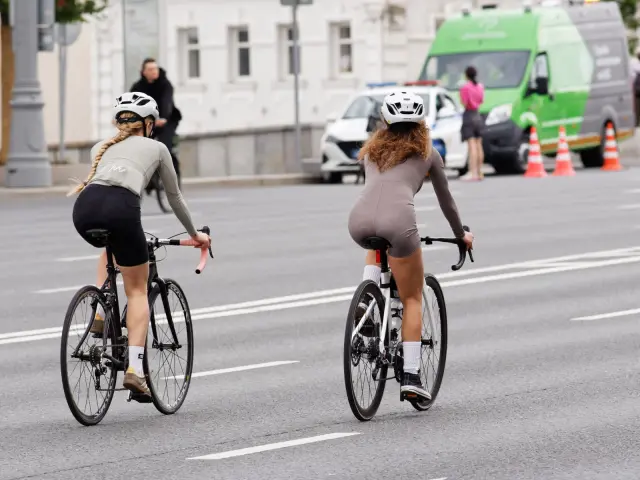 bike-parade-ridersFails: misses both riders and both bicycles
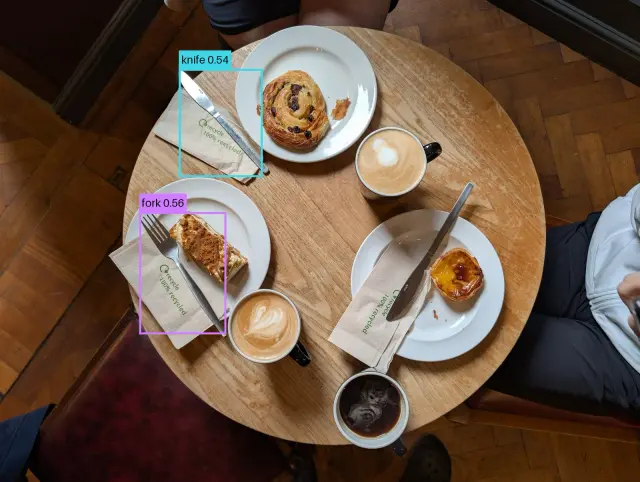 breakfast-top-downFails: misses all three cups and the table
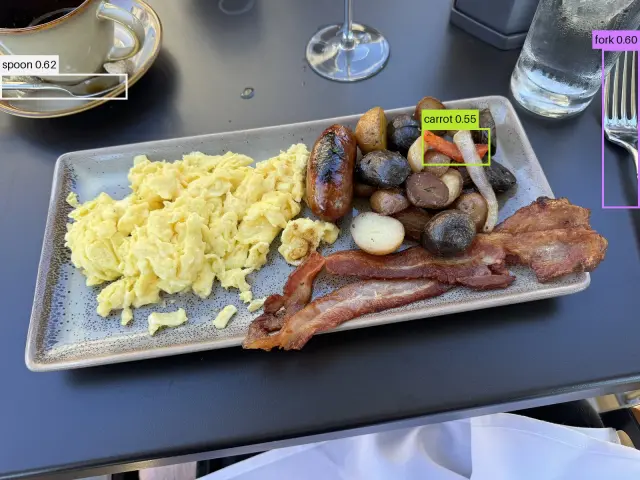 cafe-table-glassesFails: misses the wine glass and both cups
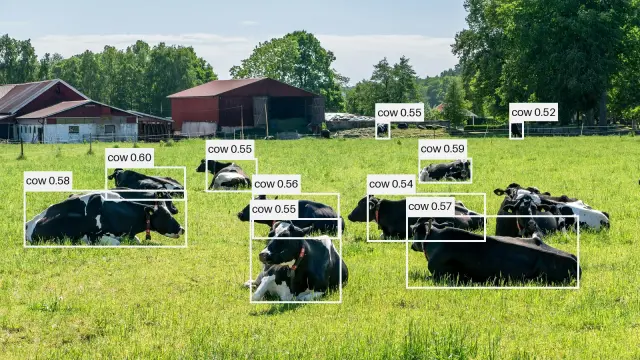 cows-pastureFails: misses the group of cows lying on the right
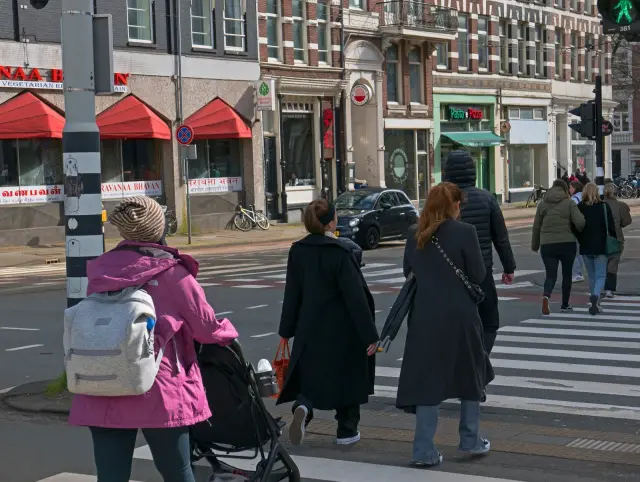 crossing-amsterdamFails: misses every person, the car and the backpack
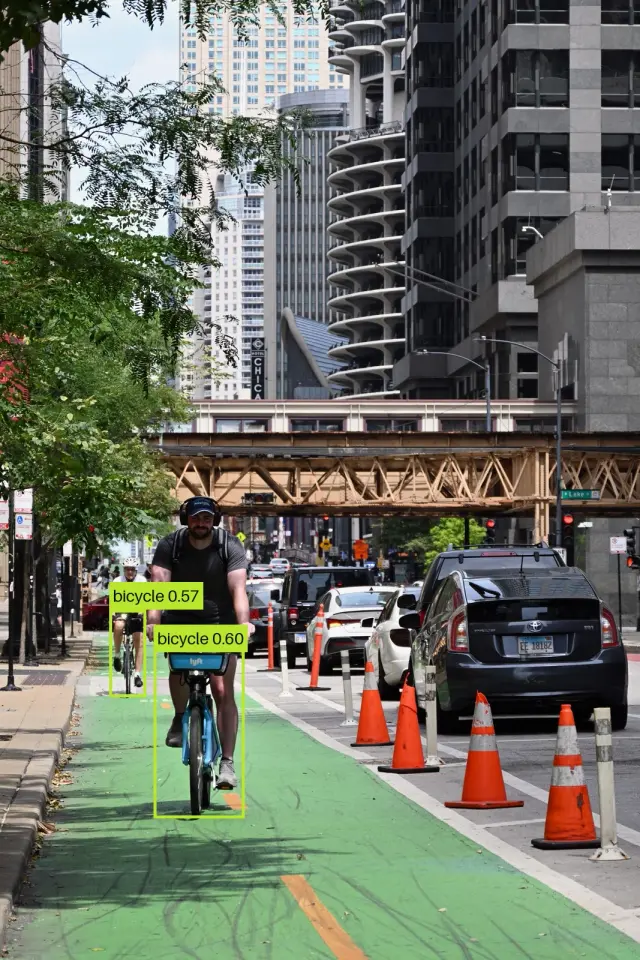 cyclist-bike-laneFails: misses both cyclists and every car
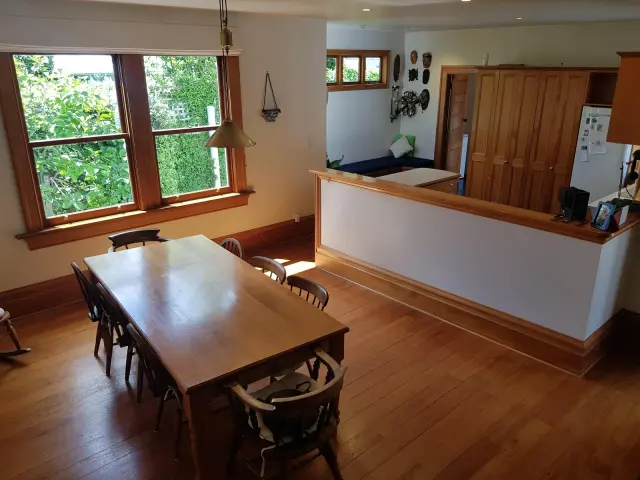 dining-room-kitchenFails: misses the dining table and every chair
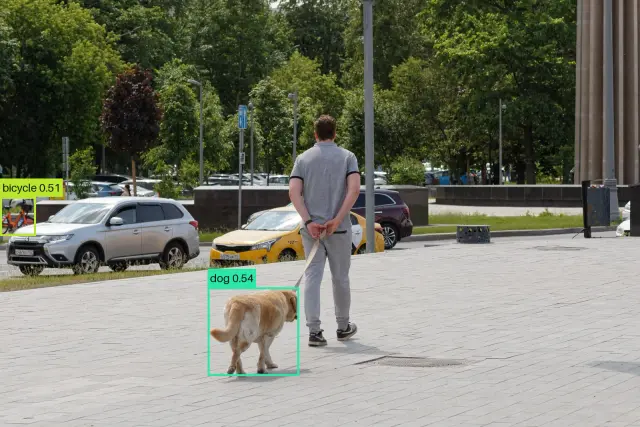 dog-walk-squareFails: misses the man, the silver suv and the taxi
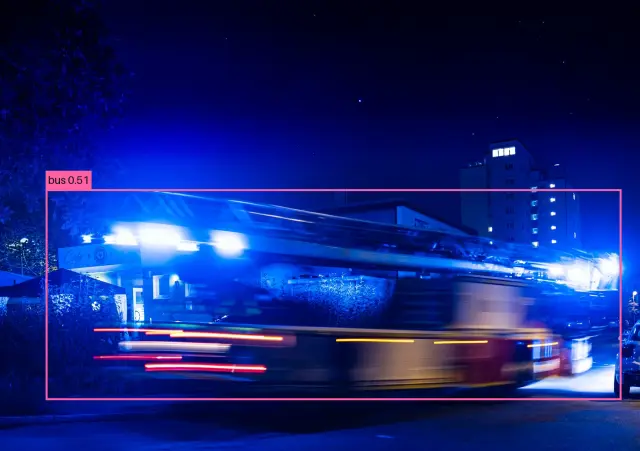 fire-engine-blurFails: labels the fire engine as a bus and misses the car
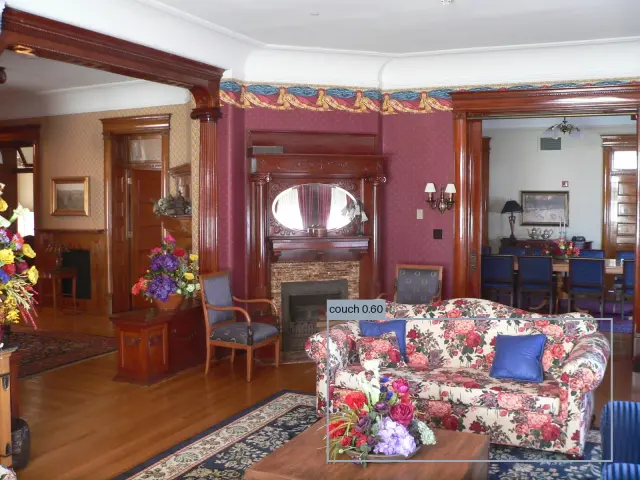 living-room-couchFails: misses the armchair and every other chair
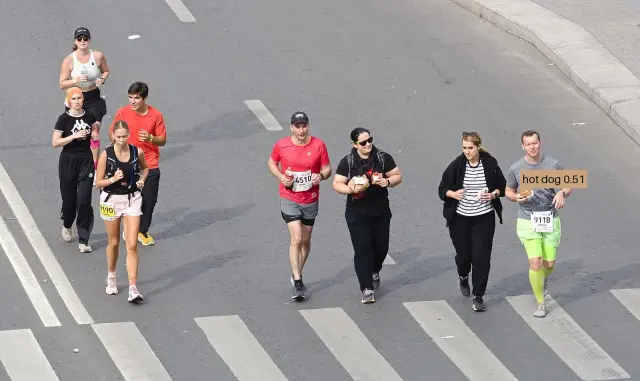 marathon-crossingFails: misses every runner
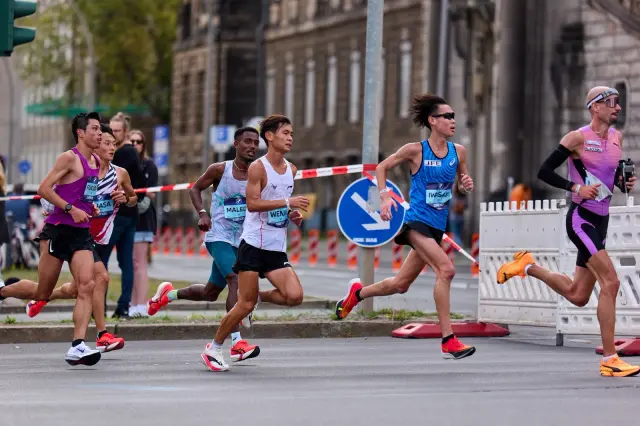 marathon-packFails: misses every runner
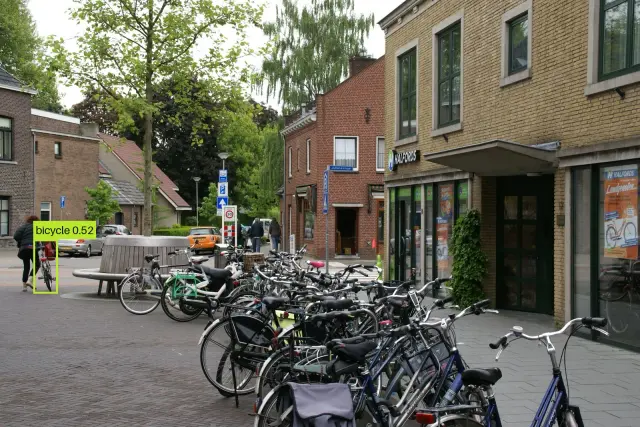 parked-bicyclesFails: misses all the parked bicycles and every person
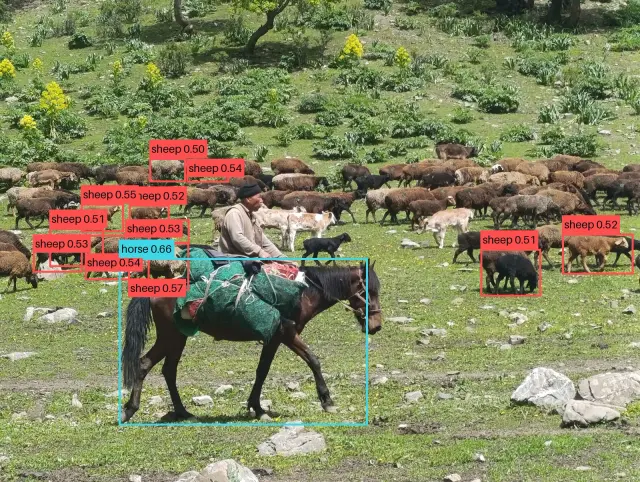 shepherd-sheepFails: misses the man riding the horse
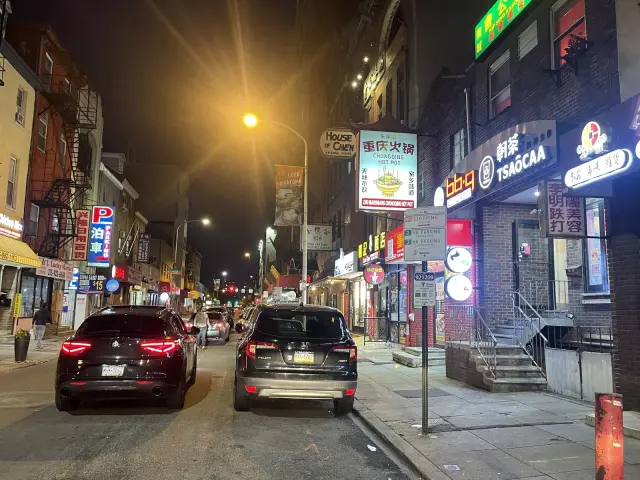 street-night-chinatownFails: misses both cars in the foreground and both people
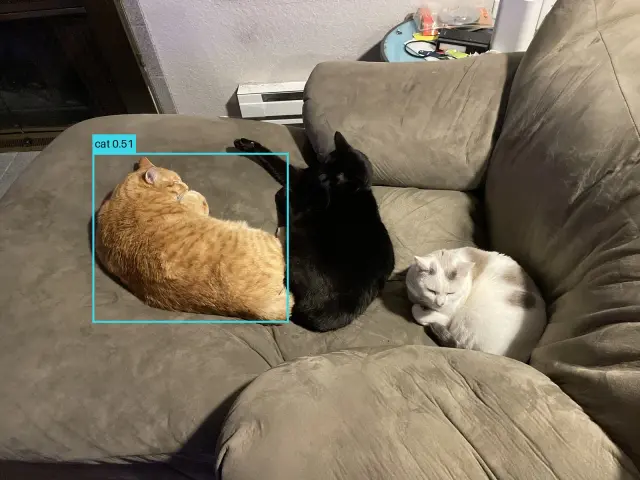 three-cats-couchFails: misses the black cat and the white cat
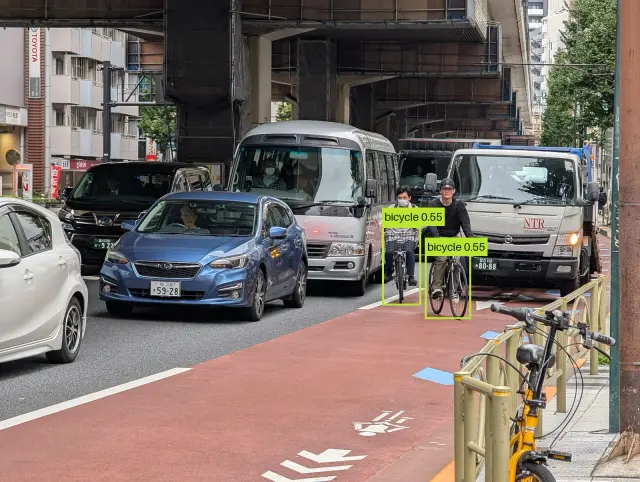 tokyo-street-cyclistsFails: misses both cyclists, every car, the minibus and the truck
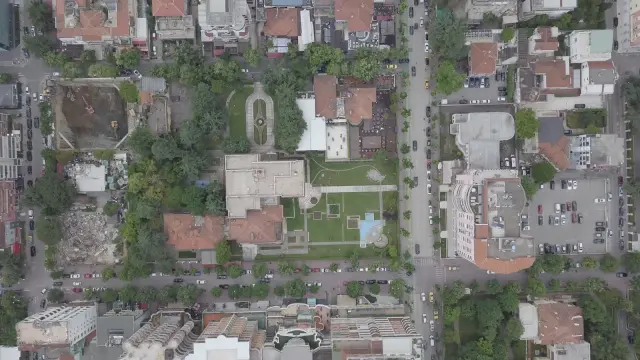 drone-city-block
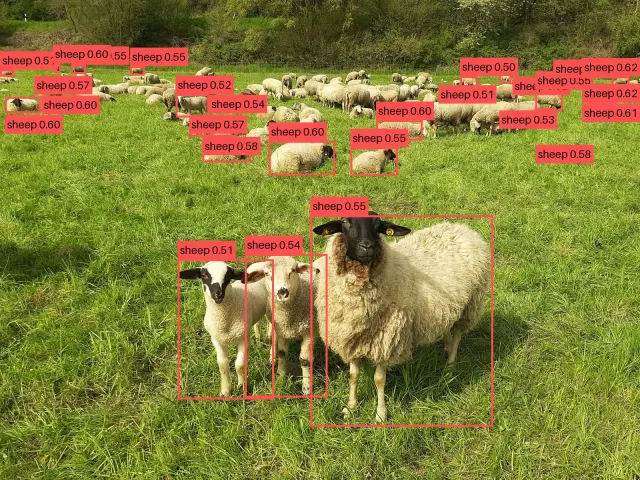 sheep-meadow-lambs
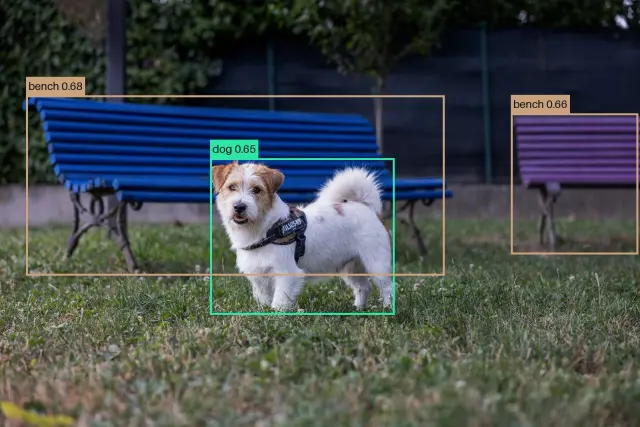 terrier-dog-park
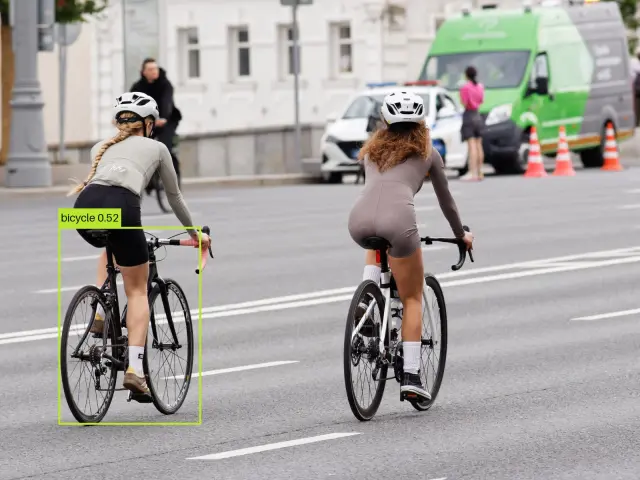 bike-parade-ridersFails: misses both riders and the second bicycle
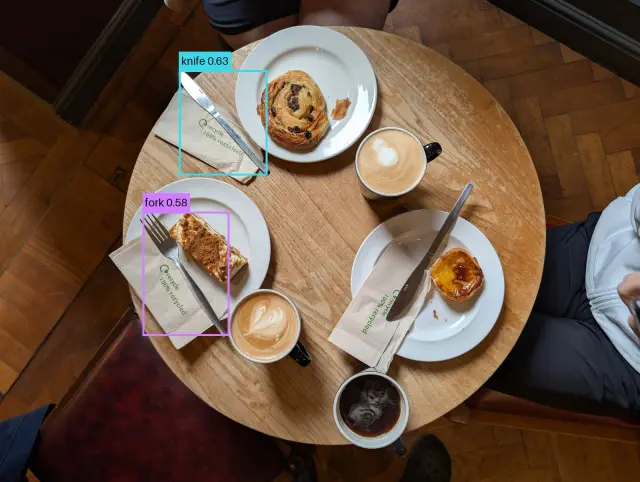 breakfast-top-downFails: misses all three cups and the table
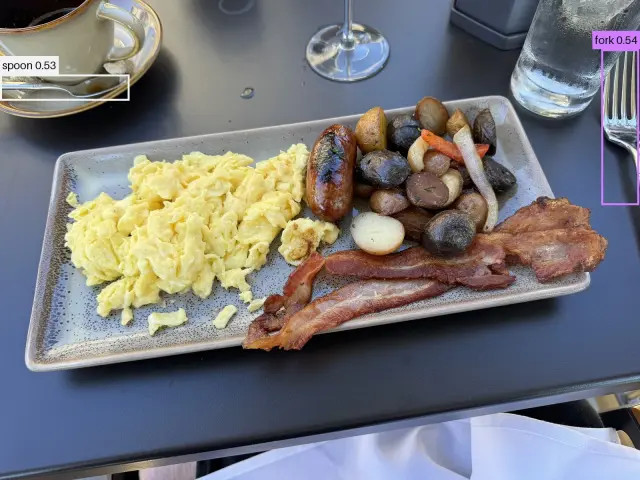 cafe-table-glassesFails: misses the wine glass and both cups
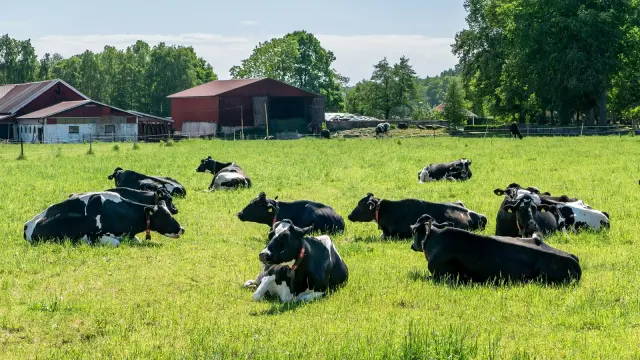 cows-pastureFails: misses every cow
- crossing-amsterdamFails: misses every person, the car and the backpack
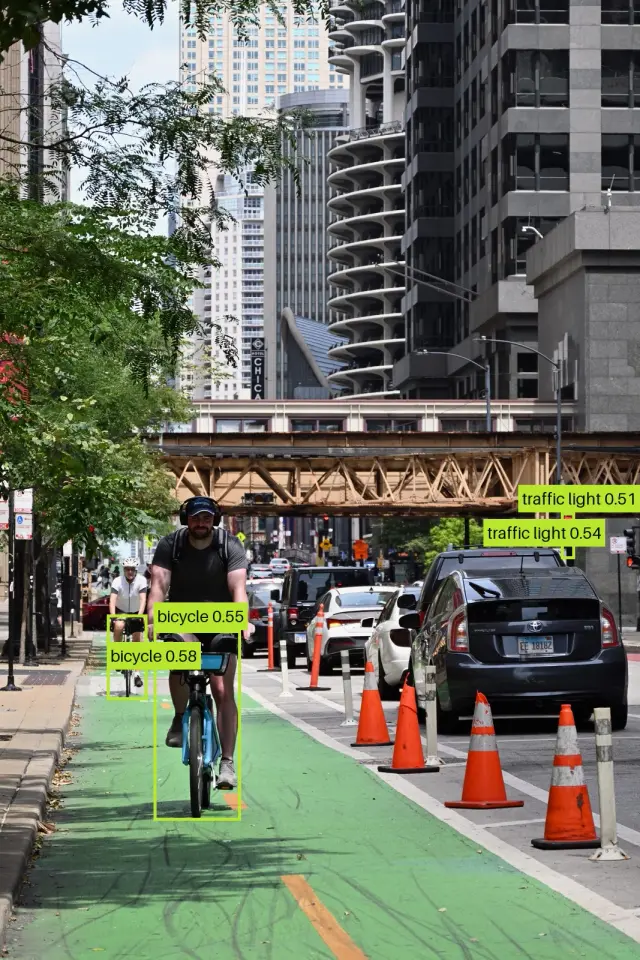 cyclist-bike-laneFails: misses both cyclists and every car
- dining-room-kitchenFails: misses the dining table and every chair
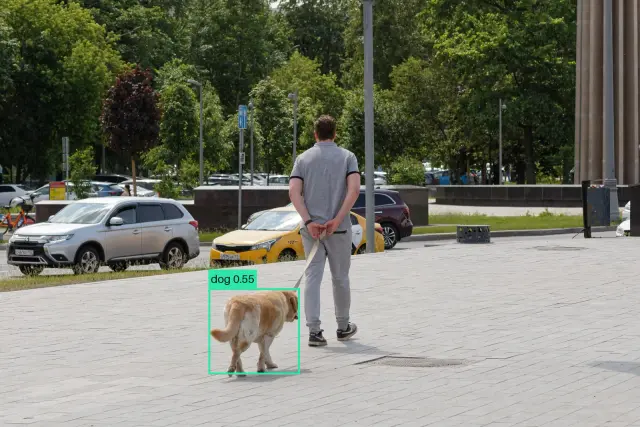 dog-walk-squareFails: misses the man, the silver suv and the taxi
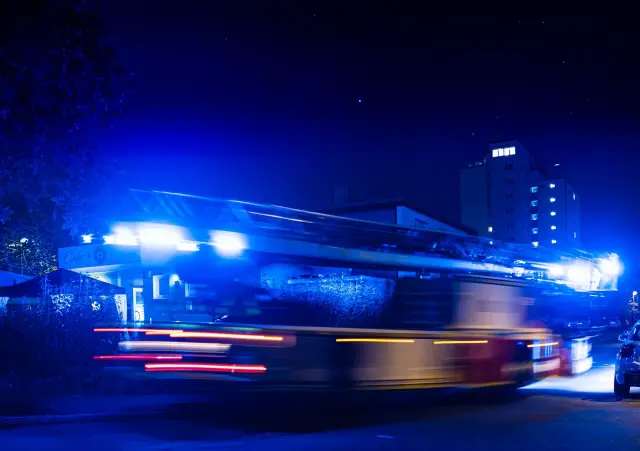 fire-engine-blurFails: misses the fire engine and the car
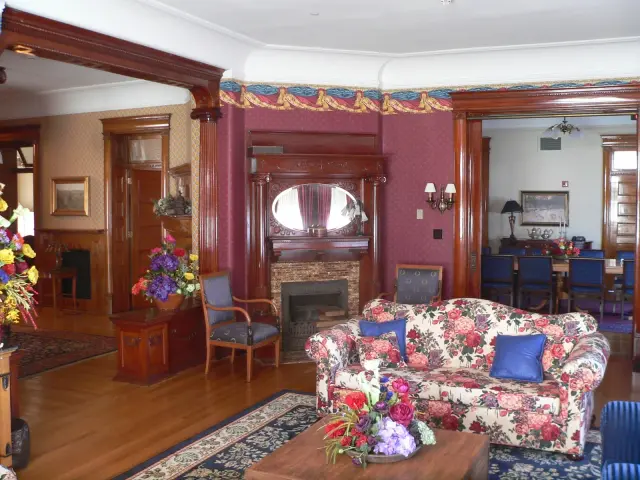 living-room-couchFails: misses the couch, the armchair and every chair
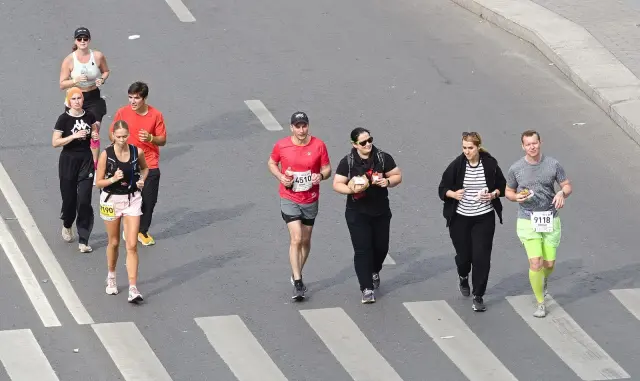 marathon-crossingFails: misses every runner
- marathon-packFails: misses every runner
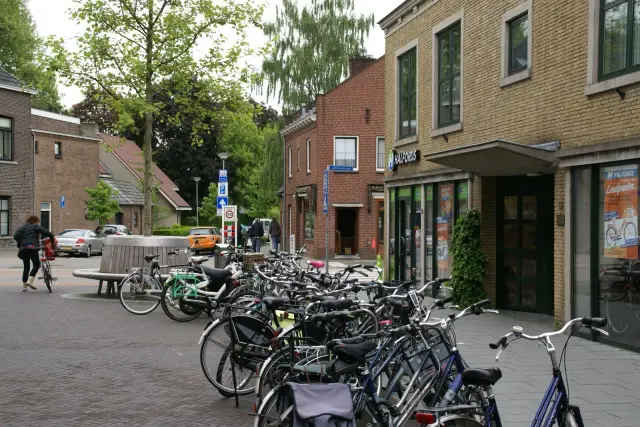 parked-bicyclesFails: misses all the parked bicycles and every person
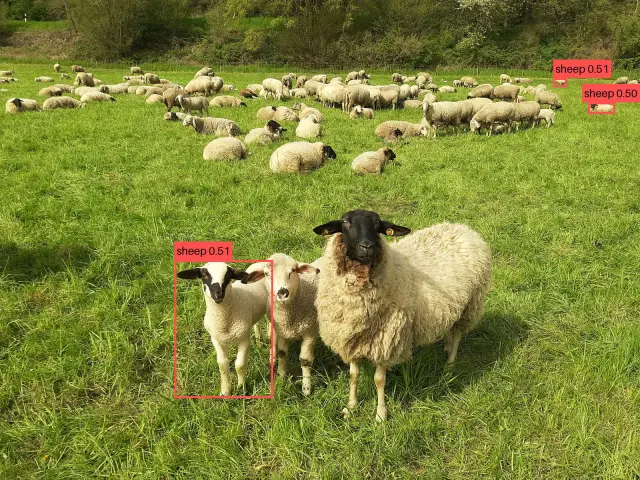 sheep-meadow-lambsFails: misses the large ewe and one of the two lambs in front
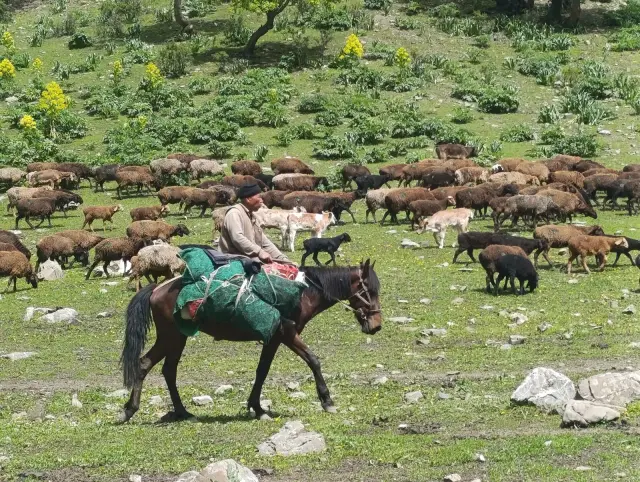 shepherd-sheepFails: misses the rider, the horse and the whole flock
- street-night-chinatownFails: misses both cars in the foreground and both people
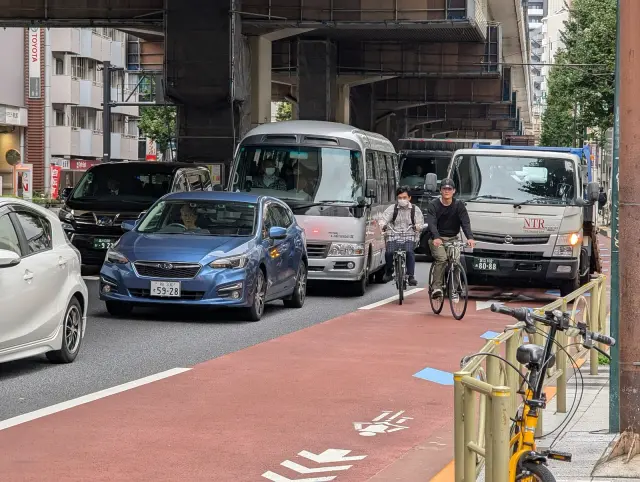 tokyo-street-cyclistsFails: misses the cyclists, every car, the minibus and the truck
- drone-city-block
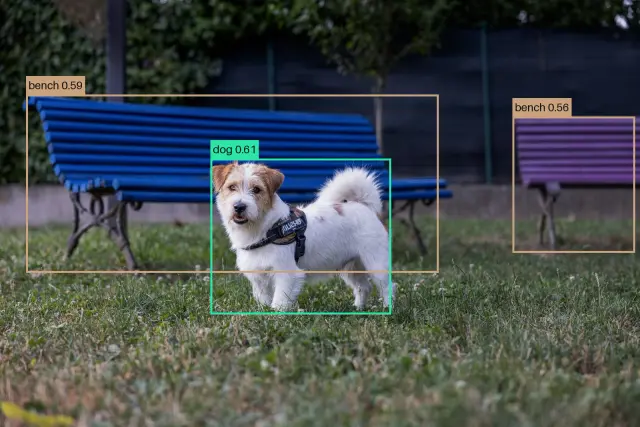 terrier-dog-park
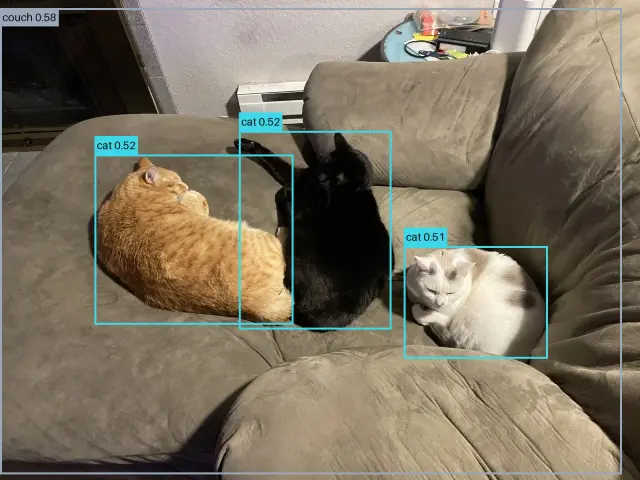 three-cats-couch
Use it when
You need boxes for objects named in free text, under Apache-2.0: base scored 46.0 box AP on COCO given the 80 class names, the same as large in about a third of the time.
Avoid it when
You show boxes at a fixed 0.5 score, as our gallery does: its scores sit low, so it drew few boxes there and missed people, cars or cups in 32 of our 40 outputs. Its model card's example uses 0.1.
Sizes
| Size | Latency | VRAM | Accuracy | Weights | Runs | License |
|---|---|---|---|---|---|---|
| base | 110 ms960x960 | 1.3 GiB | 46.0 box AP, measured | 591 MB | As is | Commercial OK |
| large | 302 ms1008x1008 | 2.7 GiB | 46.0 box AP, measured | 1.63 GB | As is | Commercial OK |
Estimated on other GPUs
Estimate, not measured. Worked out from our RTX 4090 run and NVIDIA's spec sheets. Each kind of GPU work is scaled by that GPU's peak for it: tensor cores at the precision the kernels used, CUDA cores, or memory bandwidth. The CPU's part of each call is kept at what it took on our Intel Core i7-10700K. How we estimate
Where a call's time goes on our RTX 4090: CPU and kernel launches 51%, CUDA cores, FP32 43%, memory-bound 4%, host–device copies 1%.
GeForce (13)
| GPU | Fits | Latency |
|---|---|---|
| GeForce RTX 5090Blackwell, 32 GB GDDR7 | Yes | ≈ 98–99 ms |
| GeForce RTX 5080Blackwell, 16 GB GDDR7 | Yes | ≈ 130 ms |
| GeForce RTX 5070 TiBlackwell, 16 GB GDDR7 | Yes | ≈ 150 ms |
| GeForce RTX 5070Blackwell, 12 GB GDDR7 | Yes | ≈ 190 ms |
| GeForce RTX 5060 Ti 16GBBlackwell, 16 GB GDDR7 | Yes | ≈ 230 ms |
| GeForce RTX 5060Blackwell, 8 GB GDDR7 | Yes | ≈ 270 ms |
| GeForce RTX 4080Ada Lovelace, 16 GB GDDR6X | Yes | ≈ 140–150 ms |
| GeForce RTX 4070 TiAda Lovelace, 12 GB GDDR6X | Yes | ≈ 160–170 ms |
| GeForce RTX 4070Ada Lovelace, 12 GB GDDR6X | Yes | ≈ 200 ms |
| GeForce RTX 3090Ampere, 24 GB GDDR6X | Yes | ≈ 170 ms |
| GeForce RTX 3080Ampere, 10 GB GDDR6X | Yes | ≈ 190–200 ms |
| GeForce RTX 3070 TiAmpere, 8 GB GDDR6X | Yes | ≈ 240–250 ms |
| GeForce RTX 3070Ampere, 8 GB GDDR6 | Yes | ≈ 260 ms |
Workstation (4)
| GPU | Fits | Latency |
|---|---|---|
| RTX PRO 6000 Blackwell Workstation EditionBlackwell, 96 GB GDDR7 | Yes | ≈ 92–93 ms |
| RTX PRO 6000 Blackwell Max-Q Workstation EditionBlackwell, 96 GB GDDR7 | Yes | ≈ 96–97 ms |
| RTX 6000 Ada GenerationAda Lovelace, 48 GB GDDR6 | Yes | ≈ 110 ms |
| RTX A6000Ampere, 48 GB GDDR6 | Yes | ≈ 160–170 ms |
Data center (6)
| GPU | Fits | Latency |
|---|---|---|
| B200 (HGX, one GPU)Blackwell, 180 GB HBM3E | Yes | ≈ 110 ms |
| H200 SXMHopper, 141 GB HBM3e | Yes | ≈ 120 ms |
| H100 SXMHopper, 80 GB HBM3 | Yes | ≈ 120 ms |
| A100 SXM 80GBAmpere, 80 GB HBM2e | Yes | ≈ 260 ms |
| L40SAda Lovelace, 48 GB GDDR6 | Yes | ≈ 110 ms |
| L4Ada Lovelace, 24 GB GDDR6 | Yes | ≈ 200 ms |
Where a call's time goes on our RTX 4090: CUDA cores, FP32 73%, CPU and kernel launches 19%, memory-bound 7%.
GeForce (13)
| GPU | Fits | Latency |
|---|---|---|
| GeForce RTX 5090Blackwell, 32 GB GDDR7 | Yes | ≈ 250 ms |
| GeForce RTX 5080Blackwell, 16 GB GDDR7 | Yes | ≈ 410 ms |
| GeForce RTX 5070 TiBlackwell, 16 GB GDDR7 | Yes | ≈ 500 ms |
| GeForce RTX 5070Blackwell, 12 GB GDDR7 | Yes | ≈ 680 ms |
| GeForce RTX 5060 Ti 16GBBlackwell, 16 GB GDDR7 | Yes | ≈ 880 ms |
| GeForce RTX 5060Blackwell, 8 GB GDDR7 | Yes | ≈ 1,100 ms |
| GeForce RTX 4080Ada Lovelace, 16 GB GDDR6X | Yes | ≈ 460 ms |
| GeForce RTX 4070 TiAda Lovelace, 12 GB GDDR6X | Yes | ≈ 560 ms |
| GeForce RTX 4070Ada Lovelace, 12 GB GDDR6X | Yes | ≈ 730 ms |
| GeForce RTX 3090Ampere, 24 GB GDDR6X | Yes | ≈ 600 ms |
| GeForce RTX 3080Ampere, 10 GB GDDR6X | Yes | ≈ 700 ms |
| GeForce RTX 3070 TiAmpere, 8 GB GDDR6X | Yes | ≈ 940 ms |
| GeForce RTX 3070Ampere, 8 GB GDDR6 | Yes | ≈ 1,000 ms |
Workstation (4)
| GPU | Fits | Latency |
|---|---|---|
| RTX PRO 6000 Blackwell Workstation EditionBlackwell, 96 GB GDDR7 | Yes | ≈ 220 ms |
| RTX PRO 6000 Blackwell Max-Q Workstation EditionBlackwell, 96 GB GDDR7 | Yes | ≈ 240 ms |
| RTX 6000 Ada GenerationAda Lovelace, 48 GB GDDR6 | Yes | ≈ 280 ms |
| RTX A6000Ampere, 48 GB GDDR6 | Yes | ≈ 560 ms |
Data center (6)
| GPU | Fits | Latency |
|---|---|---|
| B200 (HGX, one GPU)Blackwell, 180 GB HBM3E | Yes | ≈ 310 ms |
| H200 SXMHopper, 141 GB HBM3e | Yes | ≈ 340 ms |
| H100 SXMHopper, 80 GB HBM3 | Yes | ≈ 340 ms |
| A100 SXM 80GBAmpere, 80 GB HBM2e | Yes | ≈ 1,000 ms |
| L40SAda Lovelace, 48 GB GDDR6 | Yes | ≈ 280 ms |
| L4Ada Lovelace, 24 GB GDDR6 | Yes | ≈ 730 ms |
CPU only
Measured by us with no GPU on an Intel(R) Core(TM) i7-10700K CPU @ 3.80GHz, 8 cores, 94.2 GiB of memory: the same official code with the GPU hidden, in fp32 on 8 threads. Before it was timed, its output on the timing input was checked against the GPU's. These numbers say what to expect without a GPU. They aren't compared with any GPU's, here or in the charts. How we measure on a CPU
| Size | Runtime | Latency on the CPU | RAM peak |
|---|---|---|---|
| base | PyTorch2.14.1 · fp32 · 8 threads | 2719 ms960x960 | 1.6 GiB |
| large | PyTorch2.14.1 · fp32 · 8 threads | 13612 ms1008x1008 | 3.0 GiB |


Alternatives
Changes
First published . Every model's changes
Badge for a README
It says the model ran on our RTX 4090 and links to this page. It carries no number, so it never goes out of date.

[](https://modelsthatrun.dev/models/owlv2/)Something wrong on this page, such as a license or a number? Email us.