DEIM
D-FINE trained with DEIM's dense one-to-one matching, five sizes from n to x on COCO's 80 classes, Apache-2.0.
Commercial use OK for size n: code Apache-2.0, weights Apache-2.0. Measured on our RTX 4090: 23.4 ms median, 566 MiB VRAM peak. We scored it 42.9 box AP on COCO val2017. PyTorch weights, 15 MB.
Commercial use OK for size s: code Apache-2.0, weights Apache-2.0. Measured on our RTX 4090: 25.3 ms median, 648 MiB VRAM peak. We scored it 48.7 box AP on COCO val2017. PyTorch weights, 40 MB.
Commercial use OK for size m: code Apache-2.0, weights Apache-2.0. Measured on our RTX 4090: 28.7 ms median, 700 MiB VRAM peak. We scored it 52.5 box AP on COCO val2017. PyTorch weights, 75 MB.
Commercial use OK for size l: code Apache-2.0, weights Apache-2.0. Measured on our RTX 4090: 33.3 ms median, 780 MiB VRAM peak. We scored it 54.5 box AP on COCO val2017. PyTorch weights, 120 MB.
Commercial use OK for size x: code Apache-2.0, weights Apache-2.0. Measured on our RTX 4090: 36.7 ms median, 909 MiB VRAM peak. We scored it 56.3 box AP on COCO val2017. PyTorch weights, 241 MB.
License
Commercial use OK
Commercial use OK
Commercial use OK
Commercial use OK
Commercial use OK
- Code
- Apache-2.0checked 17 Nov 2026
- Weights
- Apache-2.0all sizes, checked 17 Nov 2026
The README links the weights on Google Drive and gives them no separate license, so the repository's Apache-2.0 applies. This is DEIM, not DEIMv2, whose repository carries its own license.
The README links the weights on Google Drive and gives them no separate license, so the repository's Apache-2.0 applies. This is DEIM, not DEIMv2, whose repository carries its own license.
The README links the weights on Google Drive and gives them no separate license, so the repository's Apache-2.0 applies. This is DEIM, not DEIMv2, whose repository carries its own license.
The README links the weights on Google Drive and gives them no separate license, so the repository's Apache-2.0 applies. This is DEIM, not DEIMv2, whose repository carries its own license.
The README links the weights on Google Drive and gives them no separate license, so the repository's Apache-2.0 applies. This is DEIM, not DEIMv2, whose repository carries its own license.
On our RTX 4090, measured
23.4ms median
p90 23.6 ms, fp32, batch 1, 640x640
- VRAM peak
- 566 MiB
- Status
- Runs as is
Phases of one call
- Pre-processing
- 9.6 ms
- Network
- 12.7 ms
- Post-processing
- 0.6 ms
Split by our adapter over 20 calls, with a synchronize after each phase. The synchronizes stop the CPU and GPU from overlapping, so the phases don't add up to the median; the whole call took 23.0 ms there.
Environment, 22 Nov 2026
NVIDIA GeForce RTX 4090, driver 580.173.02, CUDA 13.0, torch 2.14.1+cu130, Python 3.12.9, ShihuaHuang95/DEIM@09d35d53d39ee3145a1e61e3a989b28b9468d1dd. Baseline 1032 MiB. 10 warm-up + 100 timed. Scope: predict(): pre-processing, forward pass and post-processing; input file decoded beforehand.
Accuracy
42.9box APmeasured
COCO val2017, box AP, 5,000 images, fp32, pycocotools==2.0.11 · 17 Nov 2026
Paper 43 COCO APREADME, DEIM-D-FINE table (AP DEIM column)
25.3ms median
p90 25.7 ms, fp32, batch 1, 640x640
- VRAM peak
- 648 MiB
- Status
- Runs as is
Phases of one call
- Pre-processing
- 9.2 ms
- Network
- 15.4 ms
- Post-processing
- 0.6 ms
Split by our adapter over 20 calls, with a synchronize after each phase. The synchronizes stop the CPU and GPU from overlapping, so the phases don't add up to the median; the whole call took 25.3 ms there.
Environment, 22 Nov 2026
NVIDIA GeForce RTX 4090, driver 580.173.02, CUDA 13.0, torch 2.14.1+cu130, Python 3.12.9, ShihuaHuang95/DEIM@09d35d53d39ee3145a1e61e3a989b28b9468d1dd. Baseline 1031 MiB. 10 warm-up + 100 timed. Scope: predict(): pre-processing, forward pass and post-processing; input file decoded beforehand.
Accuracy
48.7box APmeasured
COCO val2017, box AP, 5,000 images, fp32, pycocotools==2.0.11 · 17 Nov 2026
Paper 49 COCO APREADME, DEIM-D-FINE table (AP DEIM column)
28.7ms median
p90 29.2 ms, fp32, batch 1, 640x640
- VRAM peak
- 700 MiB
- Status
- Runs as is
Phases of one call
- Pre-processing
- 9.3 ms
- Network
- 18.5 ms
- Post-processing
- 0.6 ms
Split by our adapter over 20 calls, with a synchronize after each phase. The synchronizes stop the CPU and GPU from overlapping, so the phases don't add up to the median; the whole call took 28.4 ms there.
Environment, 22 Nov 2026
NVIDIA GeForce RTX 4090, driver 580.173.02, CUDA 13.0, torch 2.14.1+cu130, Python 3.12.9, ShihuaHuang95/DEIM@09d35d53d39ee3145a1e61e3a989b28b9468d1dd. Baseline 1035 MiB. 10 warm-up + 100 timed. Scope: predict(): pre-processing, forward pass and post-processing; input file decoded beforehand.
Accuracy
52.5box APmeasured
COCO val2017, box AP, 5,000 images, fp32, pycocotools==2.0.11 · 17 Nov 2026
Paper 52.7 COCO APREADME, DEIM-D-FINE table (AP DEIM column)
33.3ms median
p90 35.3 ms, fp32, batch 1, 640x640
- VRAM peak
- 780 MiB
- Status
- Runs as is
Phases of one call
- Pre-processing
- 9.3 ms
- Network
- 22.3 ms
- Post-processing
- 0.6 ms
Split by our adapter over 20 calls, with a synchronize after each phase. The synchronizes stop the CPU and GPU from overlapping, so the phases don't add up to the median; the whole call took 32.1 ms there.
Environment, 22 Nov 2026
NVIDIA GeForce RTX 4090, driver 580.173.02, CUDA 13.0, torch 2.14.1+cu130, Python 3.12.9, ShihuaHuang95/DEIM@09d35d53d39ee3145a1e61e3a989b28b9468d1dd. Baseline 1066 MiB. 10 warm-up + 100 timed. Scope: predict(): pre-processing, forward pass and post-processing; input file decoded beforehand.
Accuracy
54.5box APmeasured
COCO val2017, box AP, 5,000 images, fp32, pycocotools==2.0.11 · 17 Nov 2026
Paper 54.7 COCO APREADME, DEIM-D-FINE table (AP DEIM column)
36.7ms median
p90 37.5 ms, fp32, batch 1, 640x640
- VRAM peak
- 909 MiB
- Status
- Runs as is
Phases of one call
- Pre-processing
- 9.5 ms
- Network
- 27.0 ms
- Post-processing
- 0.6 ms
Split by our adapter over 20 calls, with a synchronize after each phase. The synchronizes stop the CPU and GPU from overlapping, so the phases don't add up to the median; the whole call took 37.2 ms there.
Environment, 22 Nov 2026
NVIDIA GeForce RTX 4090, driver 580.173.02, CUDA 13.0, torch 2.14.1+cu130, Python 3.12.9, ShihuaHuang95/DEIM@09d35d53d39ee3145a1e61e3a989b28b9468d1dd. Baseline 1069 MiB. 10 warm-up + 100 timed. Scope: predict(): pre-processing, forward pass and post-processing; input file decoded beforehand.
Accuracy
56.3box APmeasured
COCO val2017, box AP, 5,000 images, fp32, pycocotools==2.0.11 · 17 Nov 2026
Paper 56.5 COCO APREADME, DEIM-D-FINE table (AP DEIM column)
Weights
PyTorch
- Size
- 15 MB
- sha256
8536a97a57bad2951cb4679e8578be225e4a19db678ab568a44e538f4f0fc917
PyTorch
- Size
- 40 MB
- sha256
a089c9eb798f8a0322e05f757fe8e8188eee34aa578788a35ec253bcec8a6b38
PyTorch
- Size
- 75 MB
- sha256
2b6cd0582a4aa711f583982057b7fb0f3daebdd98e4dc168824714014c3219bc
PyTorch
- Size
- 120 MB
- sha256
a9ac1f9bf51a41a7ec02c373c85e0109f84908dde11d80759b43248dcb638baa
PyTorch
- Size
- 241 MB
- sha256
e729436f96d95e78dbf67452bf3fb654cd5bed37de43067f5cf0aafb24d0fc7a
Outputs on the shared test photos
Same photos and one score threshold for every model of this task. Failures are marked.
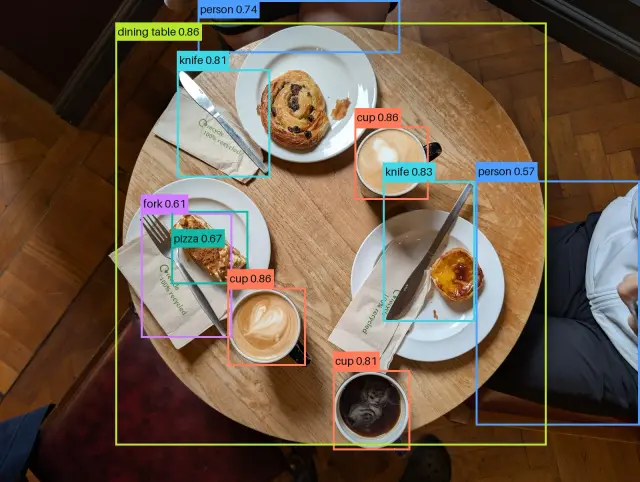 breakfast-top-downFails: labels a pastry slice as pizza and misses the other two pastries
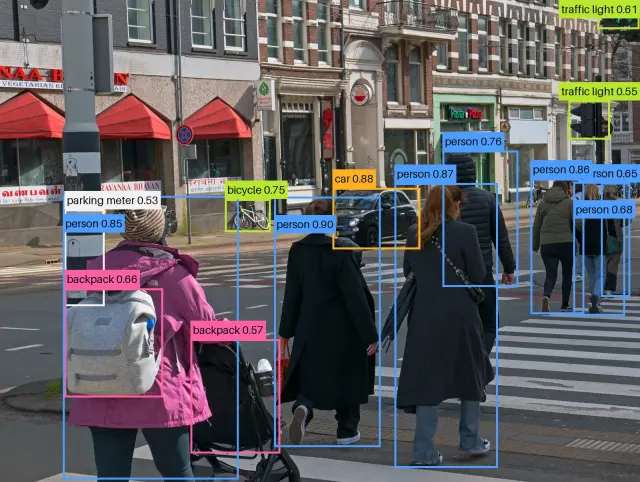 crossing-amsterdamFails: labels the stroller as a backpack
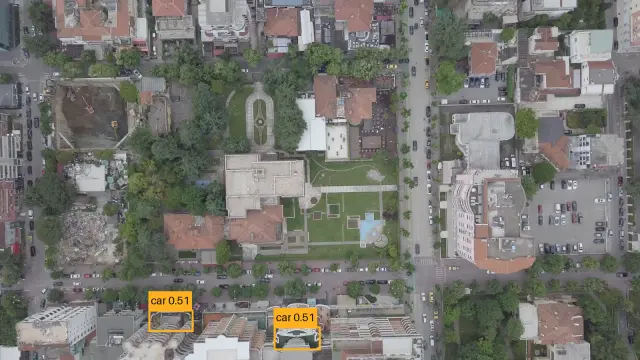 drone-city-blockFails: boxes two rooftops as cars
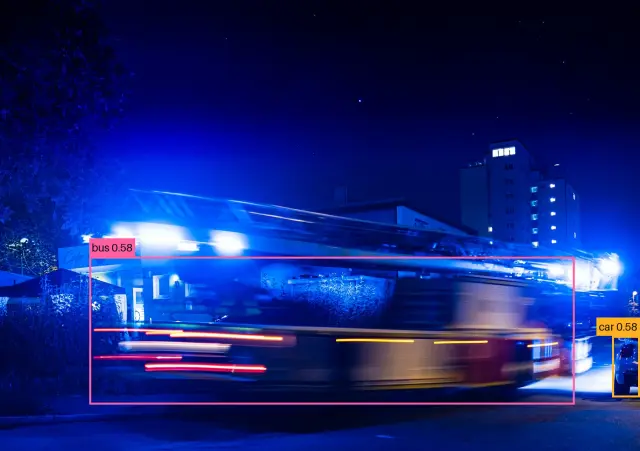 fire-engine-blurFails: labels the fire engine as a bus
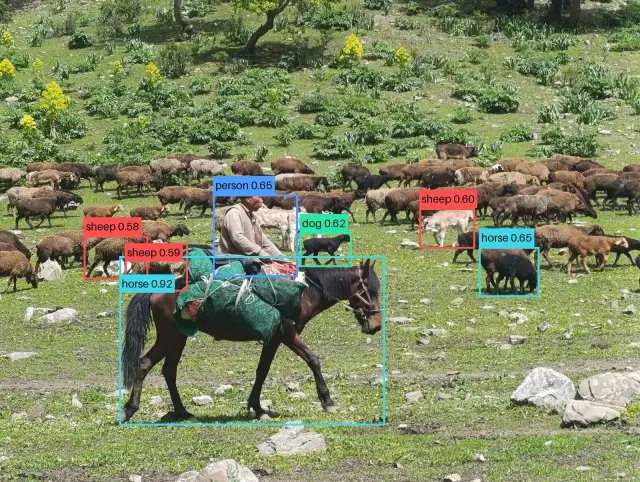 shepherd-sheepFails: labels the black lamb as a dog and two sheep as a horse
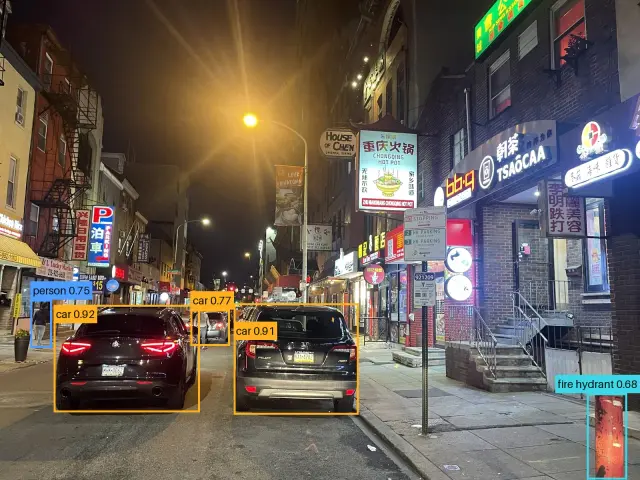 street-night-chinatownFails: labels a red street post as a fire hydrant
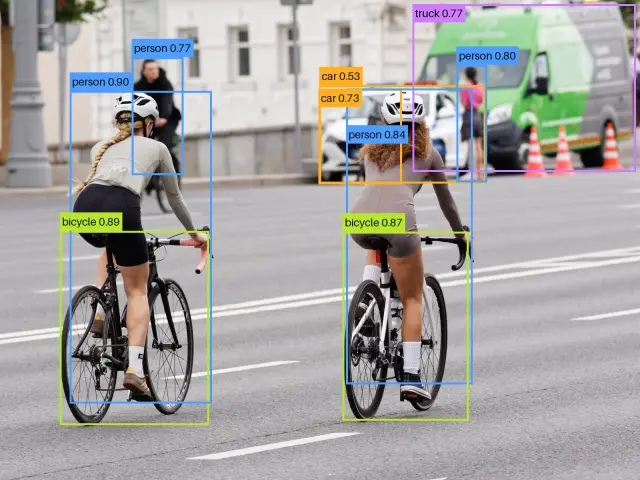 bike-parade-riders
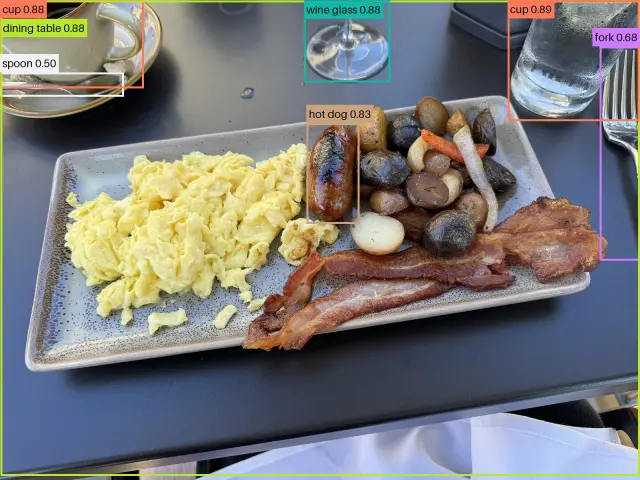 cafe-table-glasses
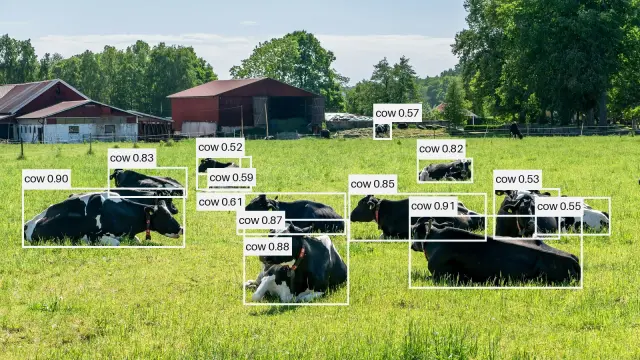 cows-pasture
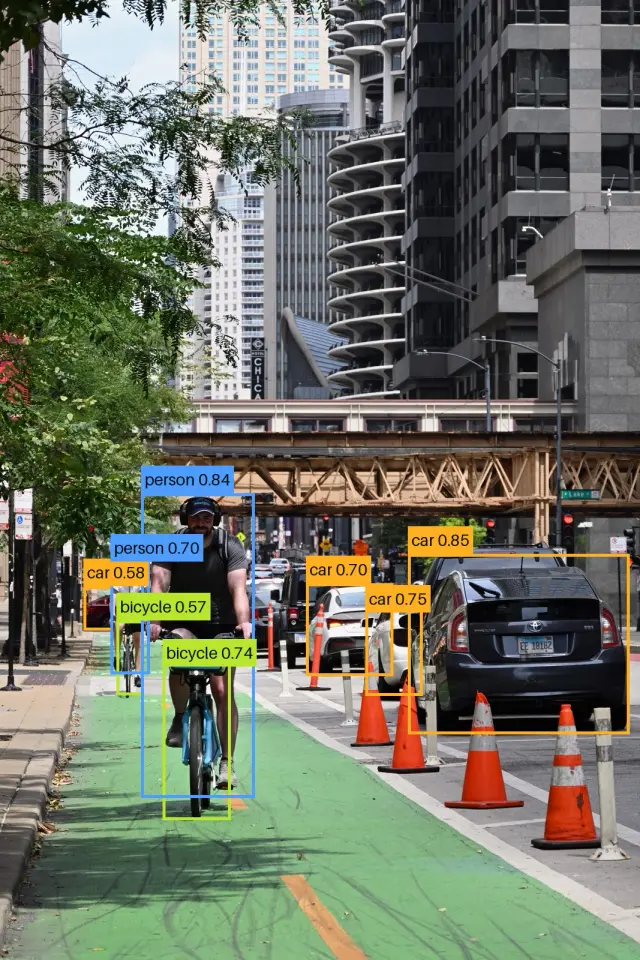 cyclist-bike-lane
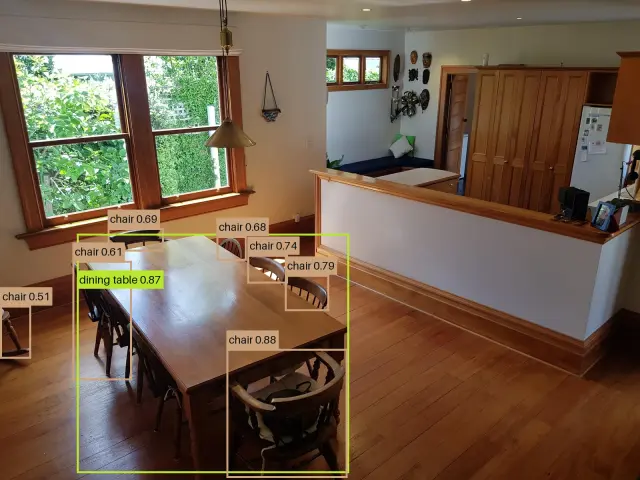 dining-room-kitchen
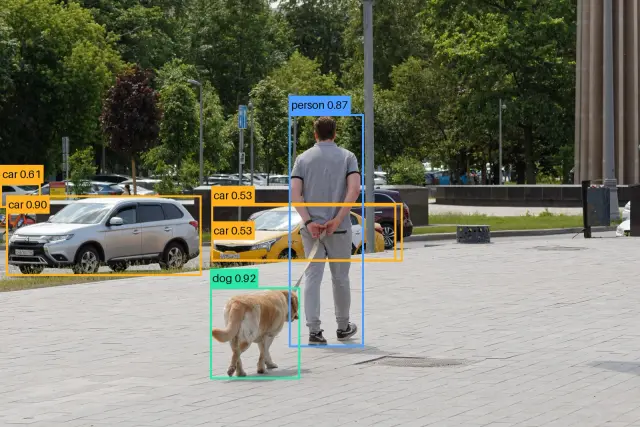 dog-walk-square
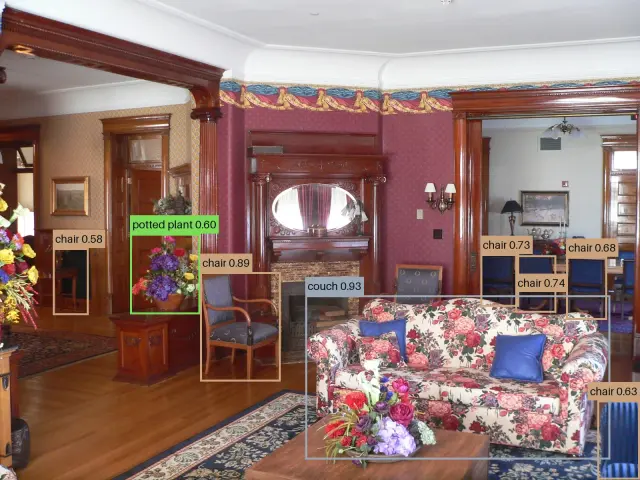 living-room-couch
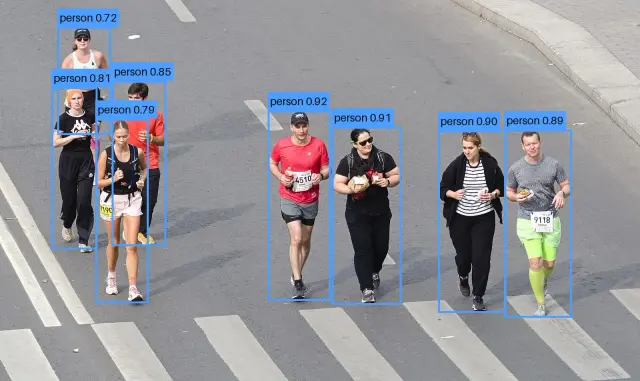 marathon-crossing
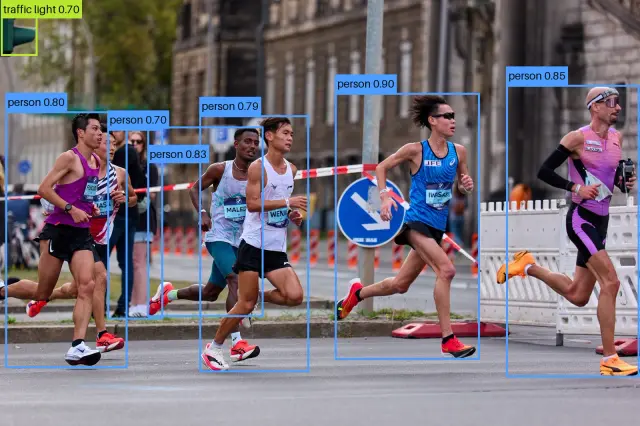 marathon-pack
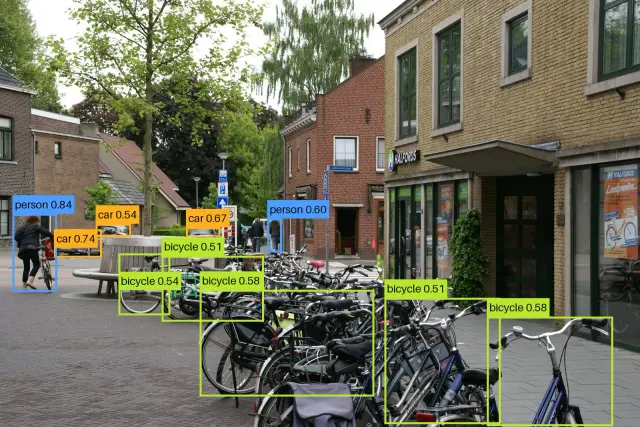 parked-bicycles
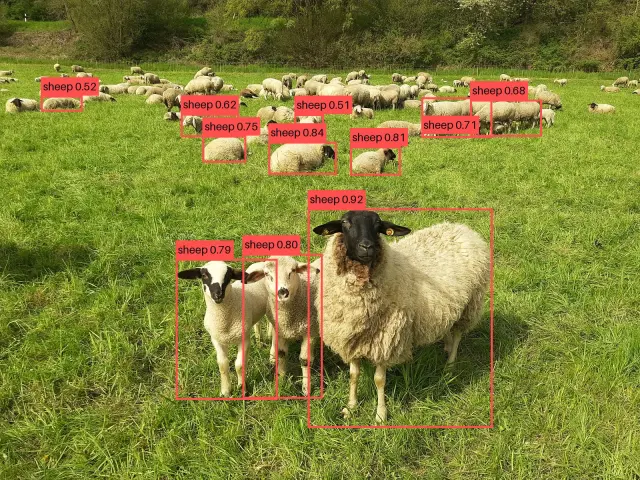 sheep-meadow-lambs
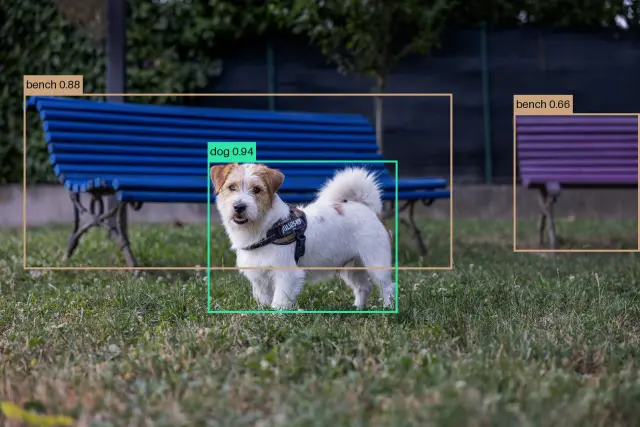 terrier-dog-park
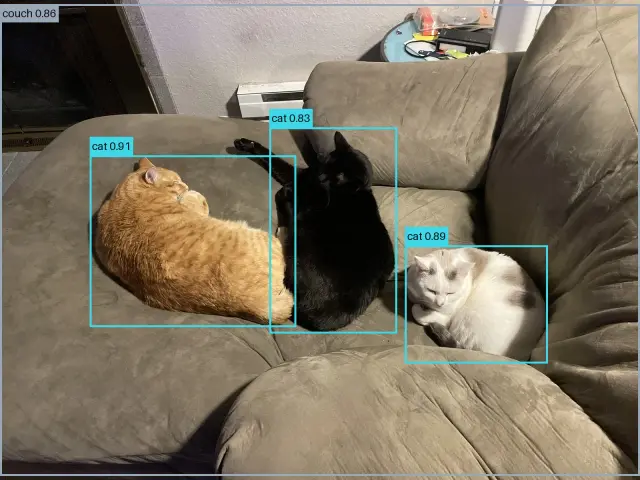 three-cats-couch
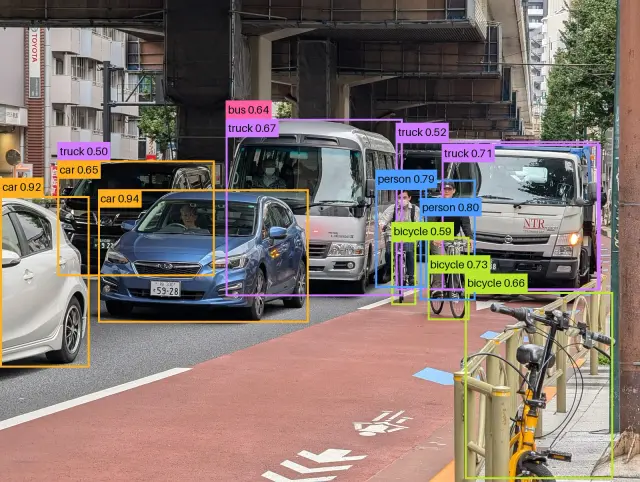 tokyo-street-cyclists
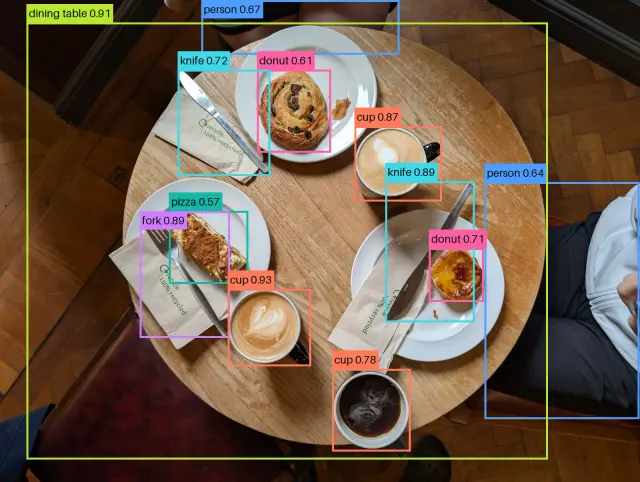 breakfast-top-downFails: labels a pastry slice as pizza
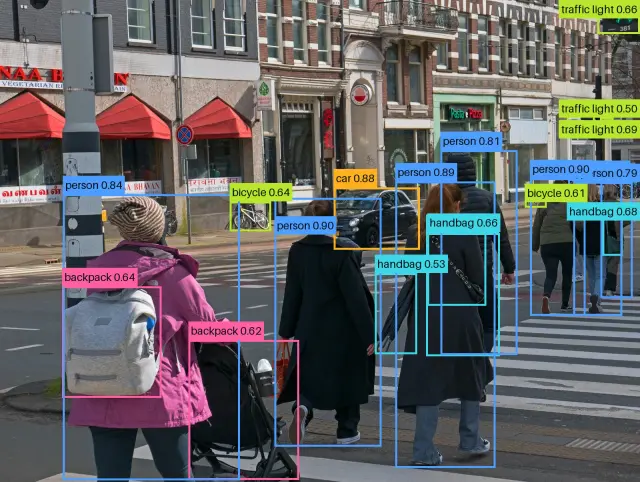 crossing-amsterdamFails: labels the stroller as a backpack
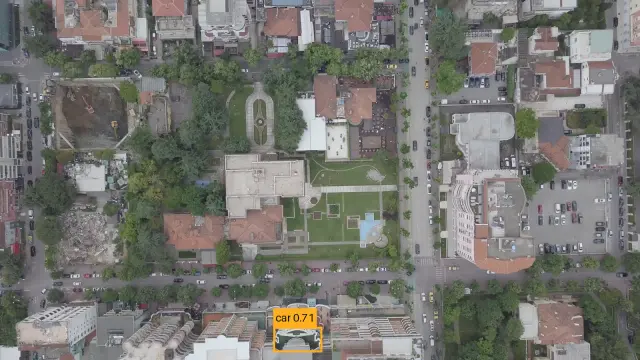 drone-city-blockFails: boxes a rooftop as a car
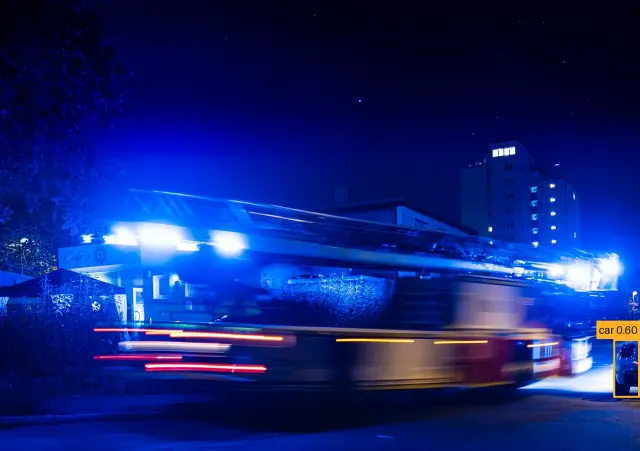 fire-engine-blurFails: misses the blurred fire engine
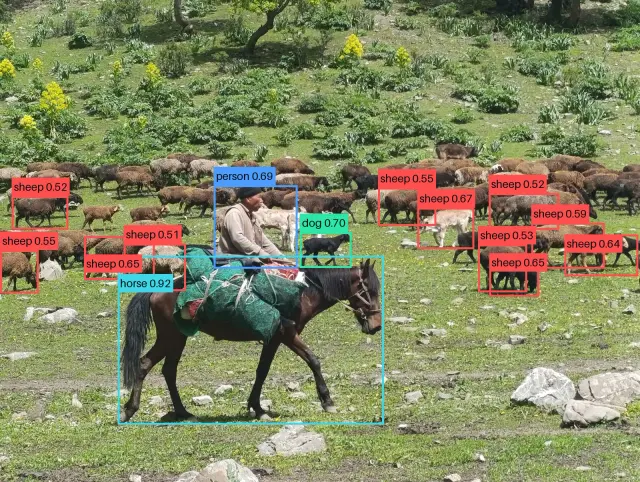 shepherd-sheepFails: labels the black lamb as a dog
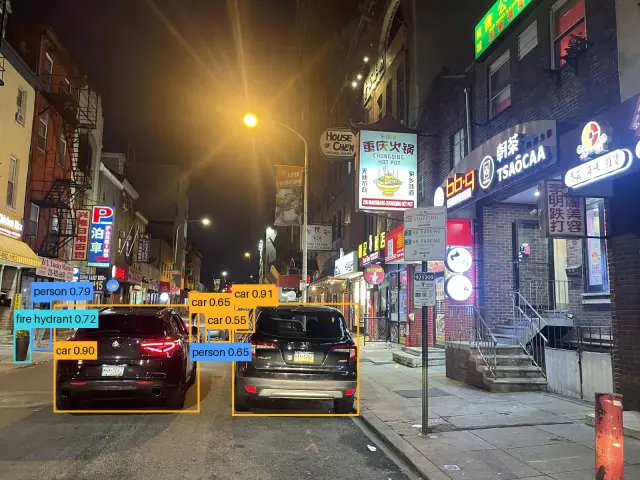 street-night-chinatownFails: labels a sidewalk planter as a fire hydrant
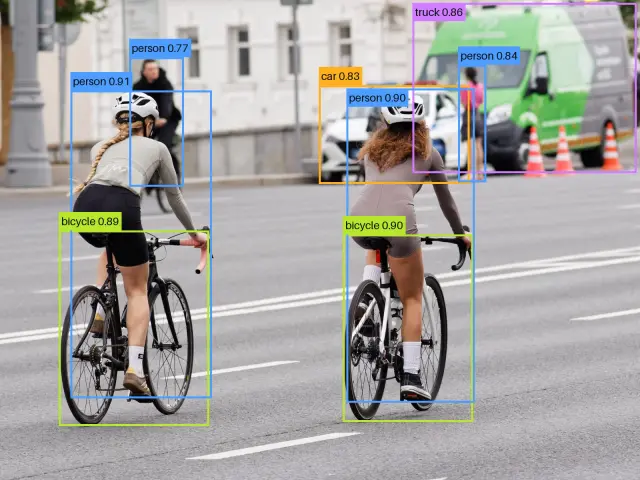 bike-parade-riders
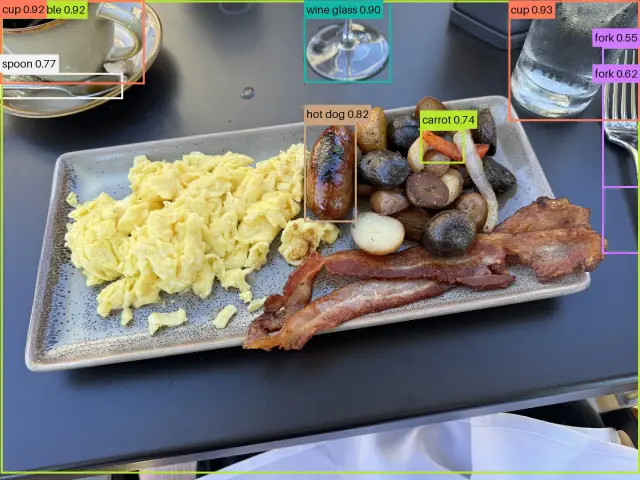 cafe-table-glasses
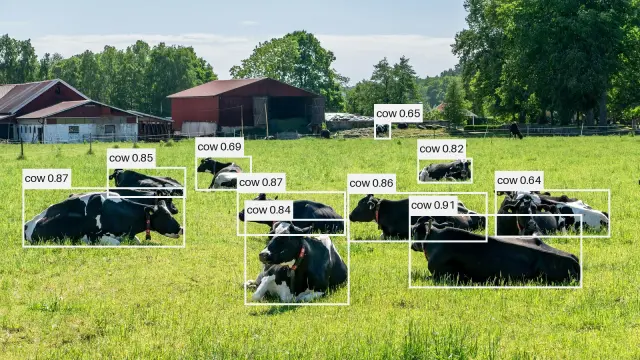 cows-pasture
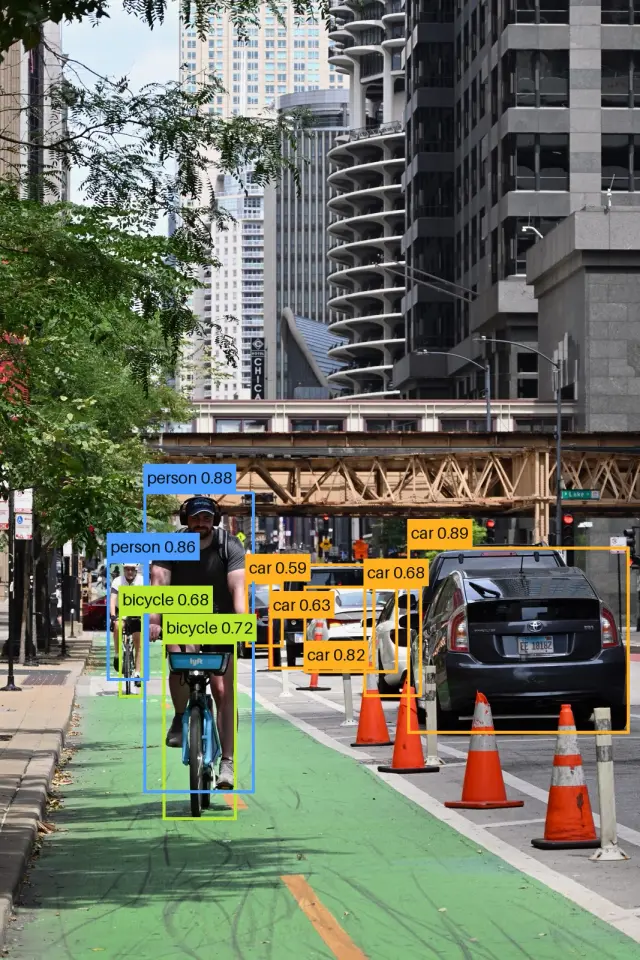 cyclist-bike-lane
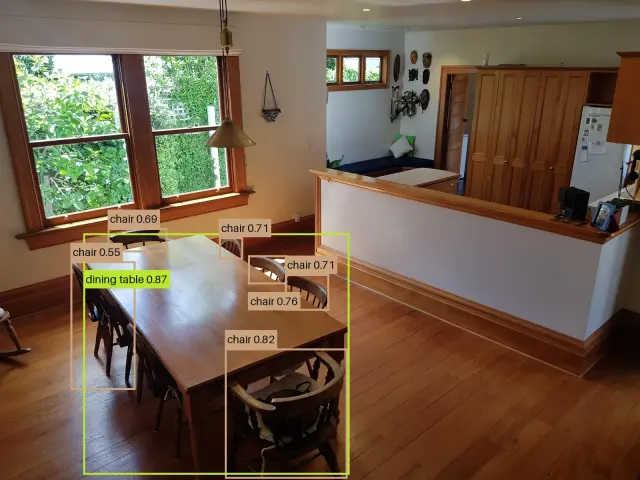 dining-room-kitchen
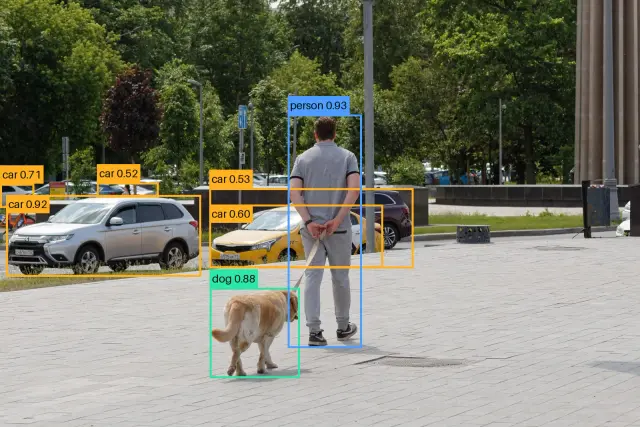 dog-walk-square
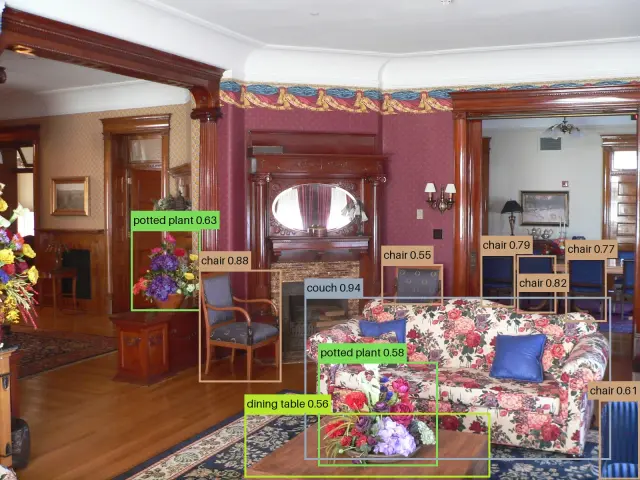 living-room-couch
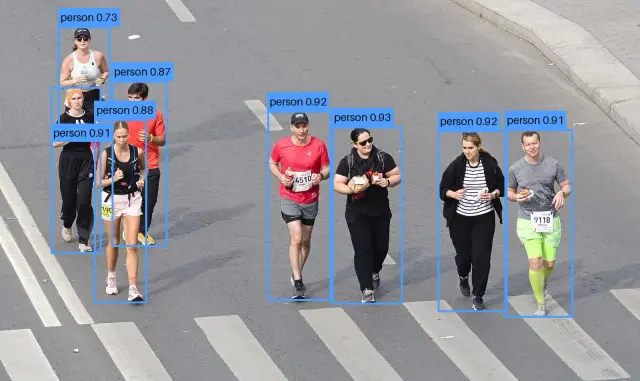 marathon-crossing
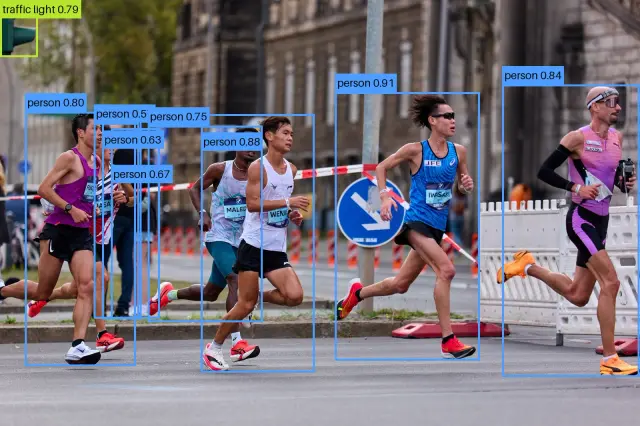 marathon-pack
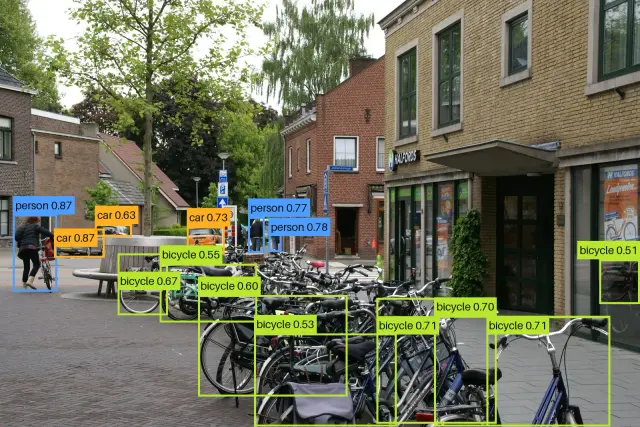 parked-bicycles
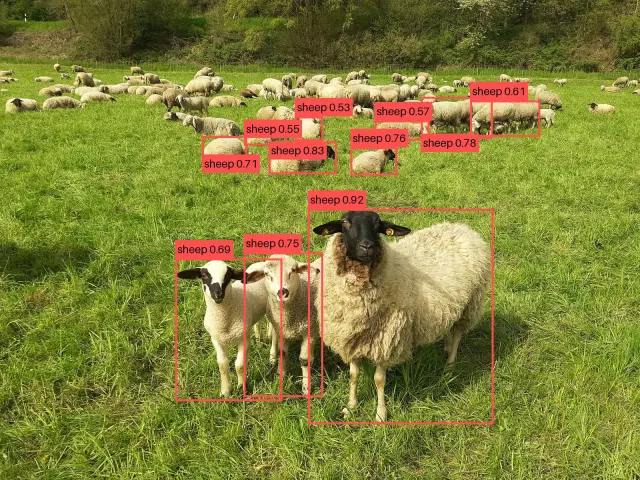 sheep-meadow-lambs
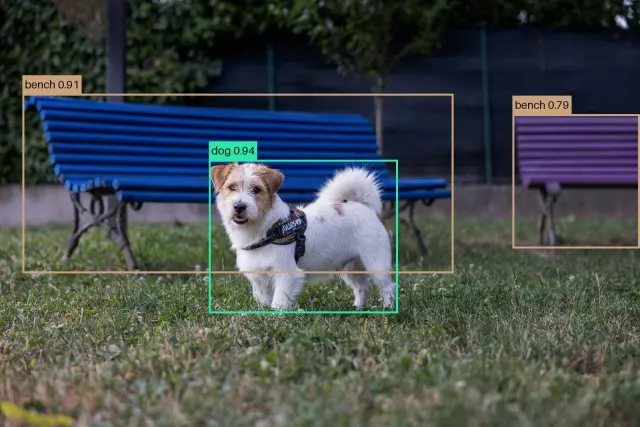 terrier-dog-park
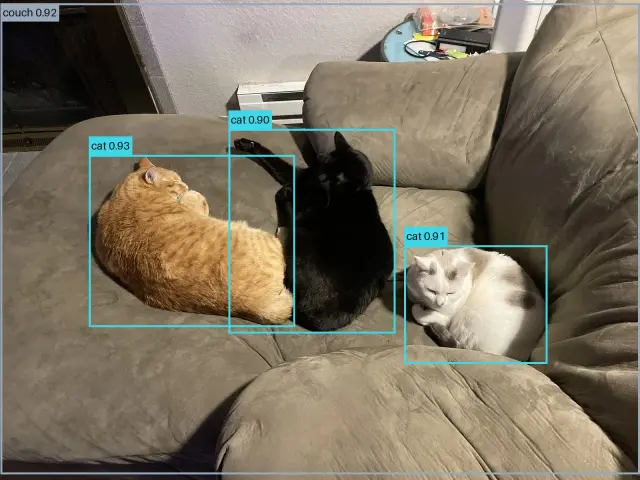 three-cats-couch
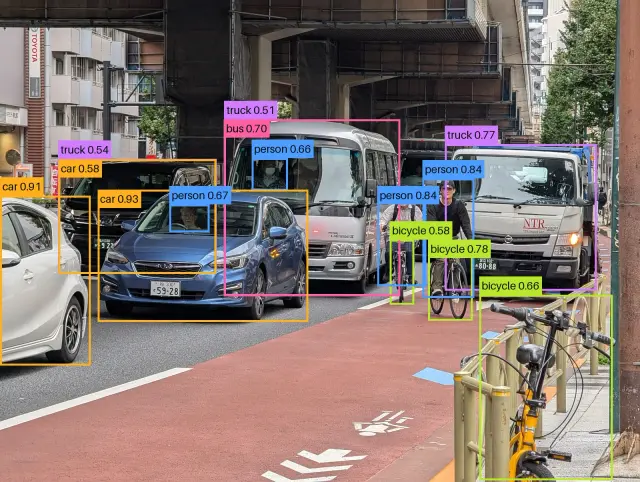 tokyo-street-cyclists
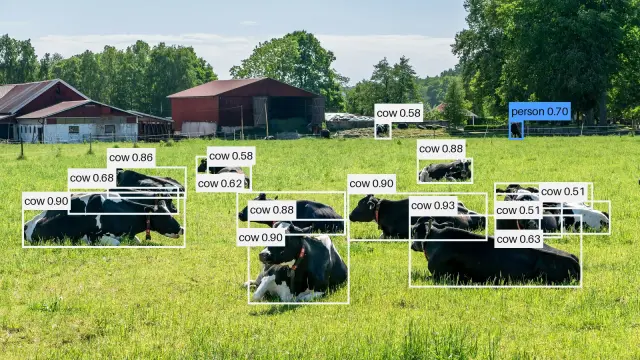 cows-pastureFails: labels a distant cow as a person
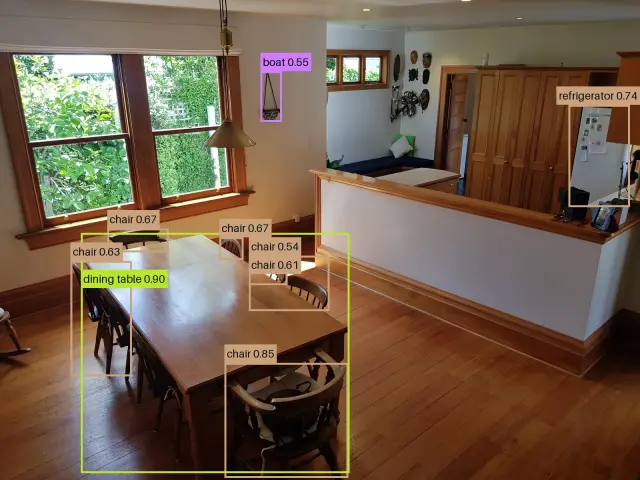 dining-room-kitchenFails: labels the bag hanging on the wall as a boat
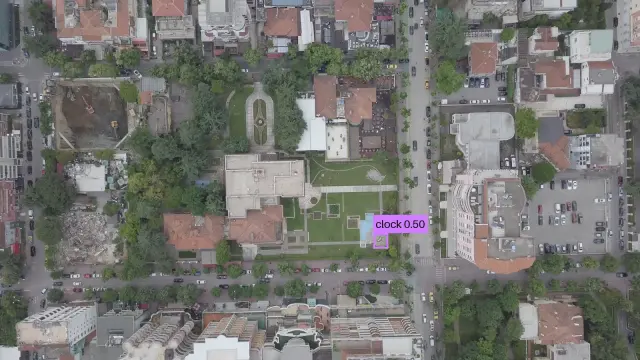 drone-city-blockFails: boxes a courtyard fountain as a clock
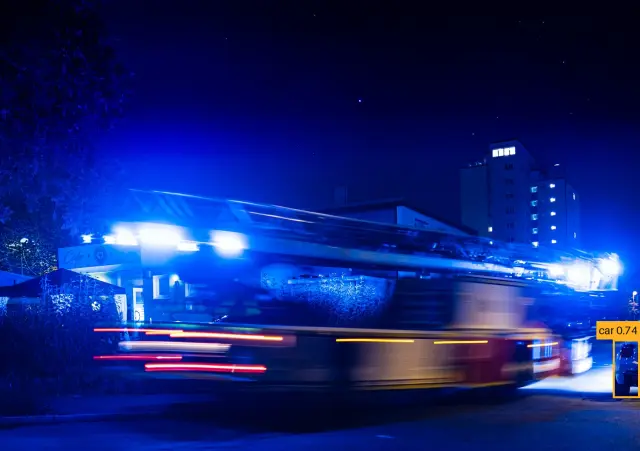 fire-engine-blurFails: misses the blurred fire engine
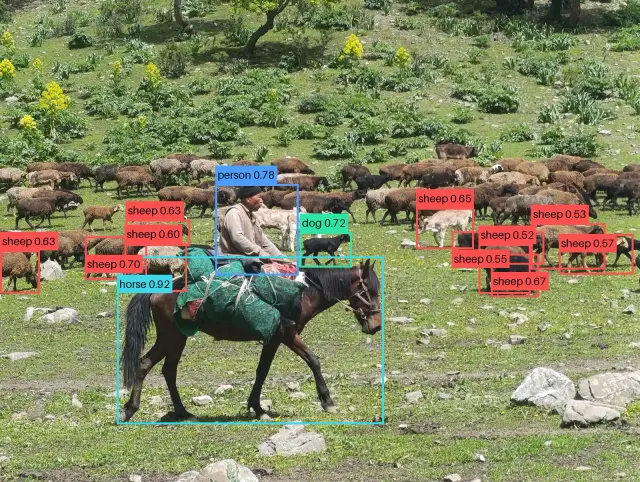 shepherd-sheepFails: labels the black lamb as a dog
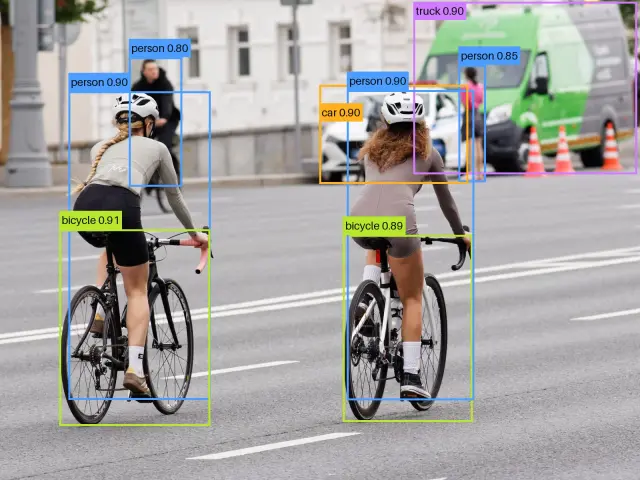 bike-parade-riders
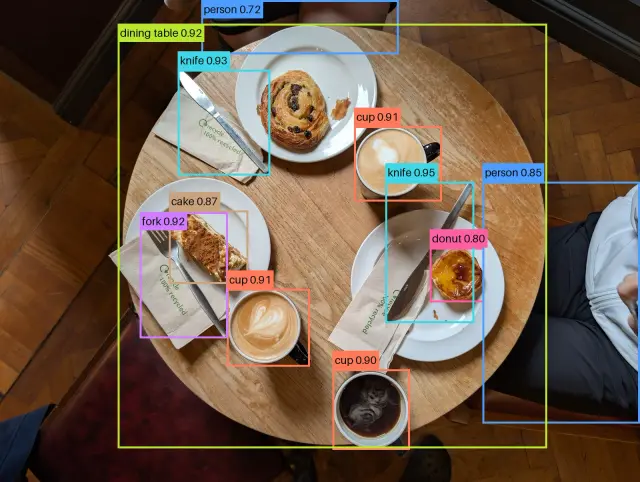 breakfast-top-down
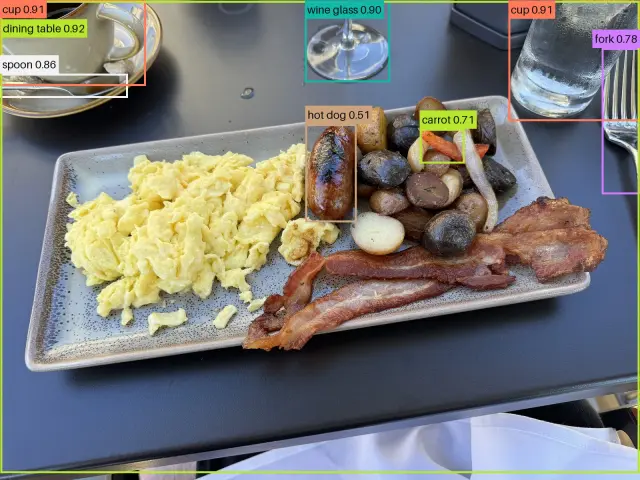 cafe-table-glasses
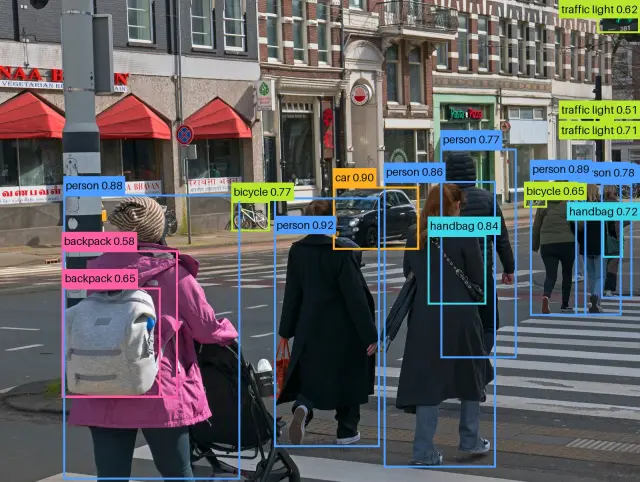 crossing-amsterdam
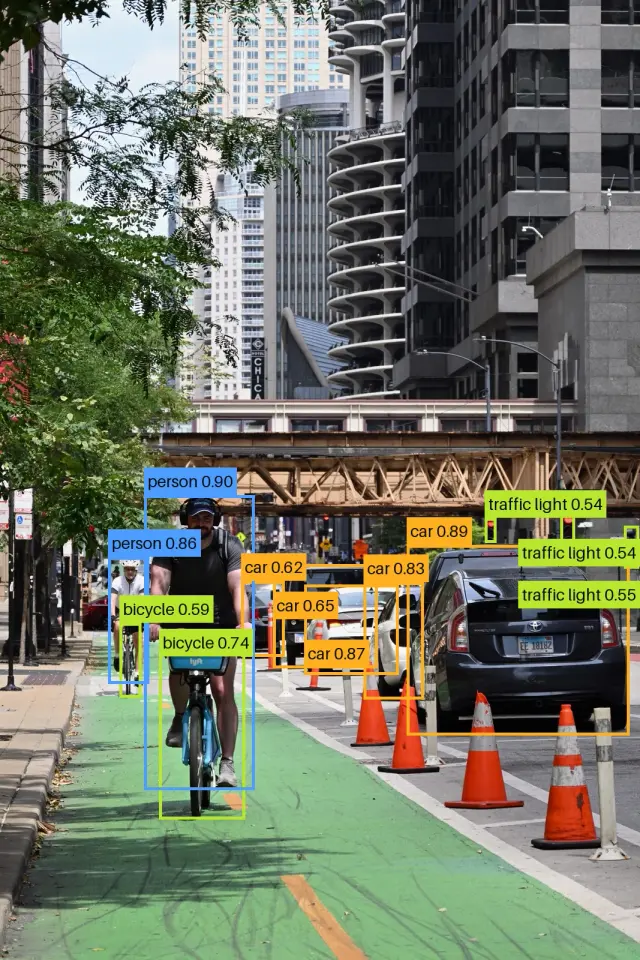 cyclist-bike-lane
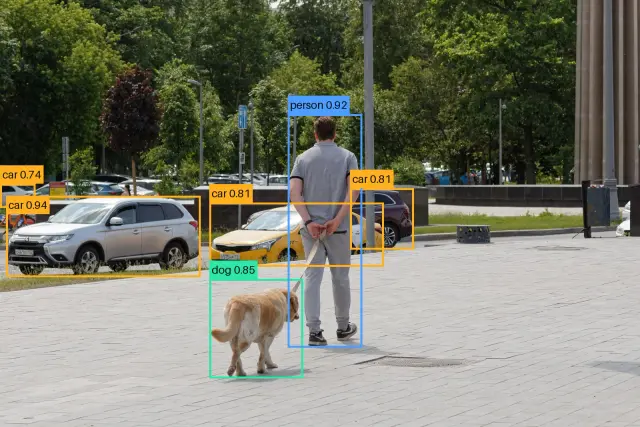 dog-walk-square
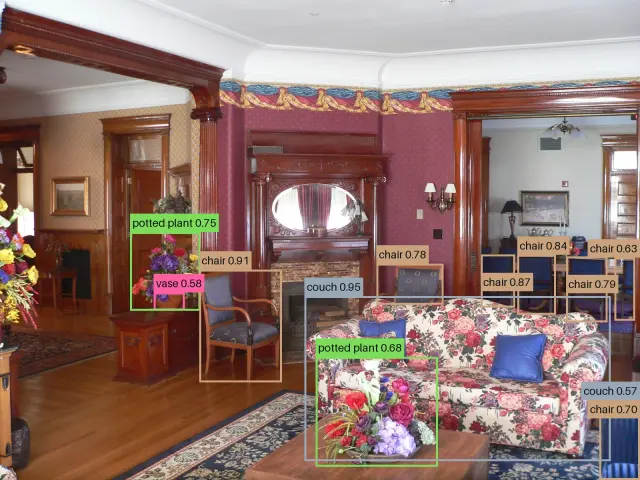 living-room-couch
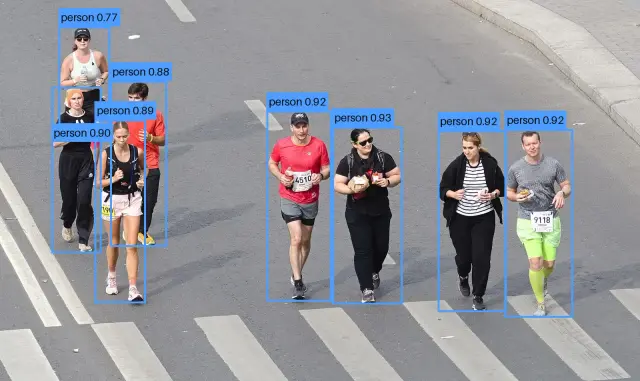 marathon-crossing
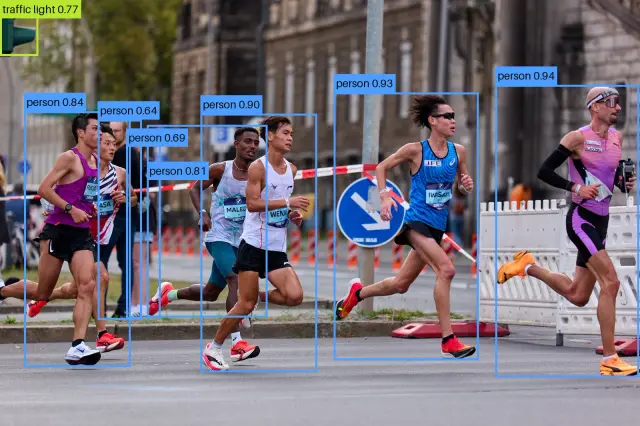 marathon-pack
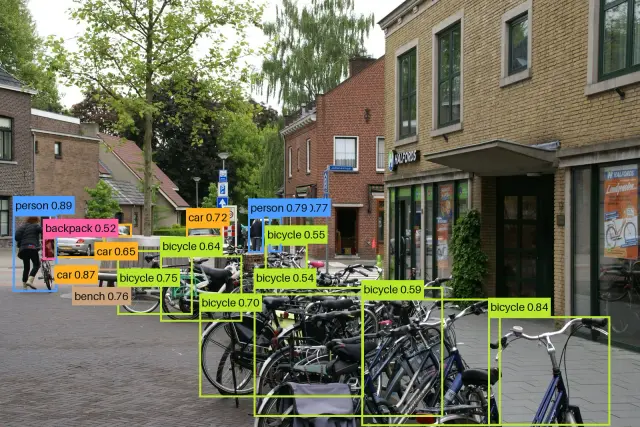 parked-bicycles
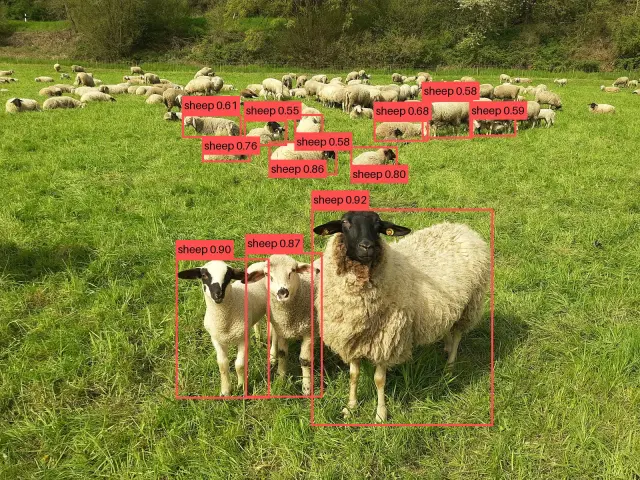 sheep-meadow-lambs
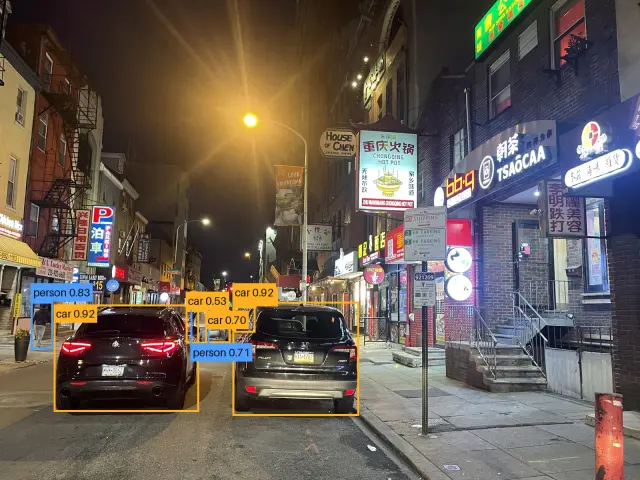 street-night-chinatown
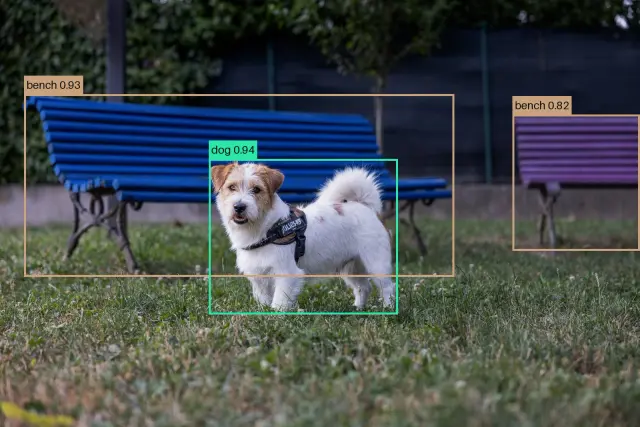 terrier-dog-park
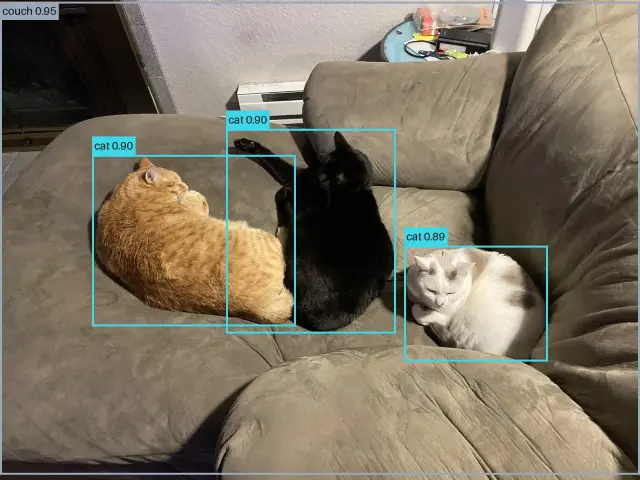 three-cats-couch
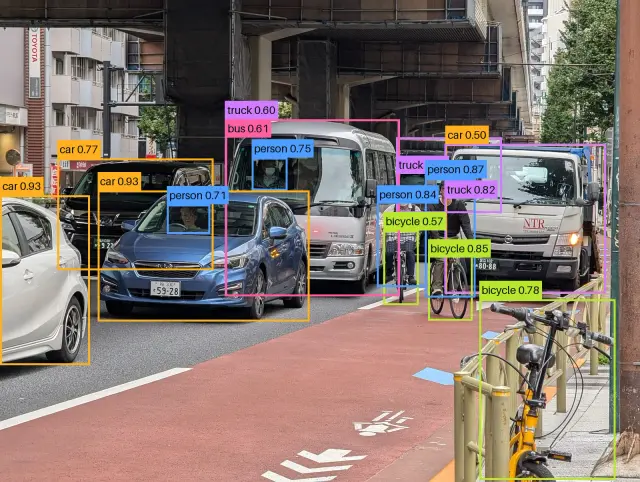 tokyo-street-cyclists
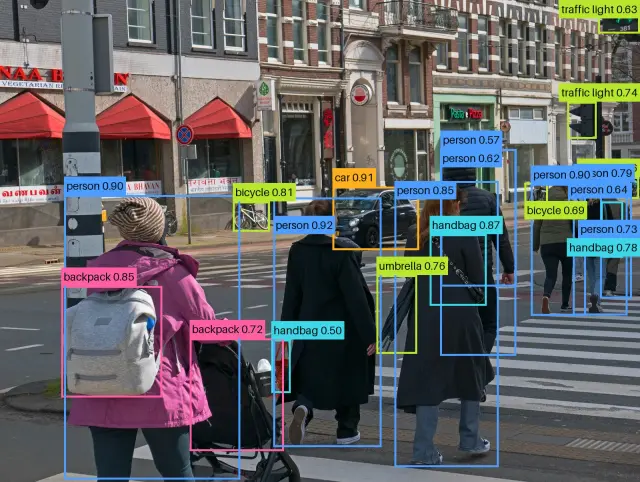 crossing-amsterdamFails: labels the stroller as a backpack
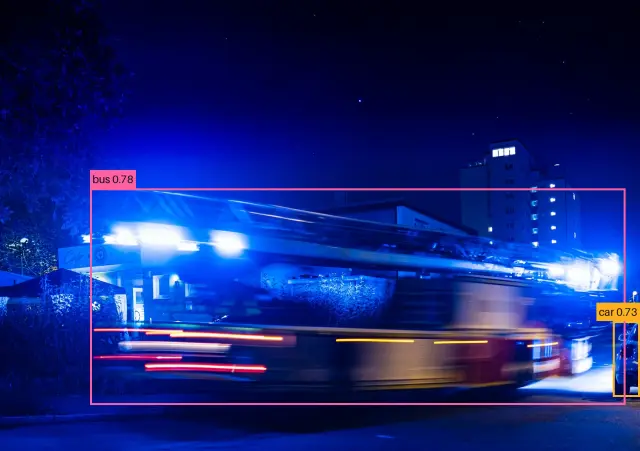 fire-engine-blurFails: labels the fire engine as a bus
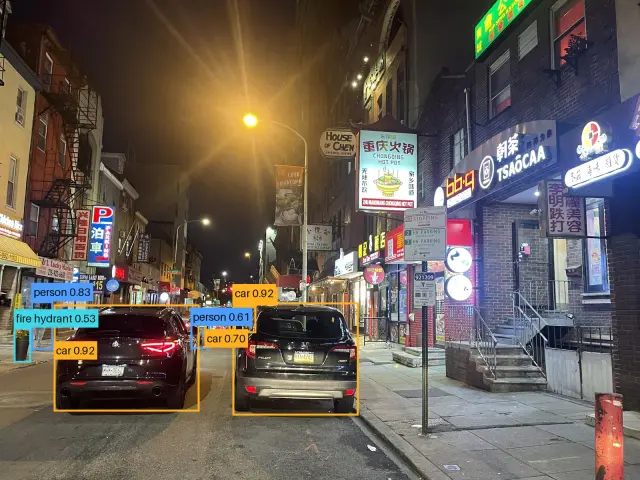 street-night-chinatownFails: labels a sidewalk planter as a fire hydrant
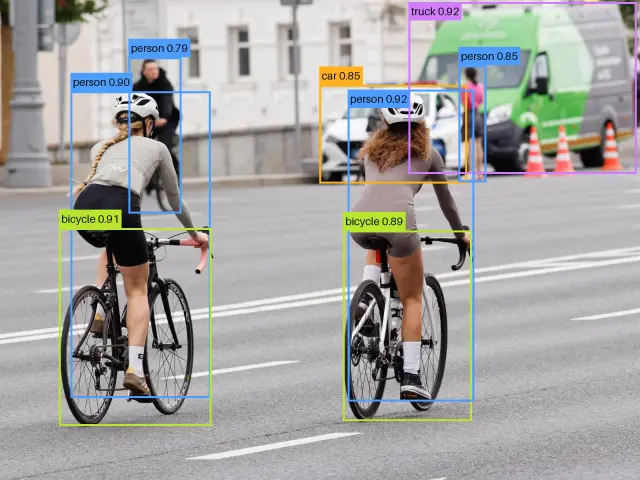 bike-parade-riders
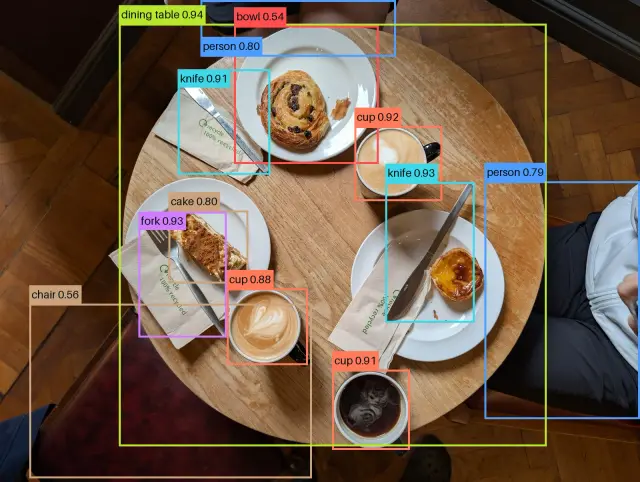 breakfast-top-down
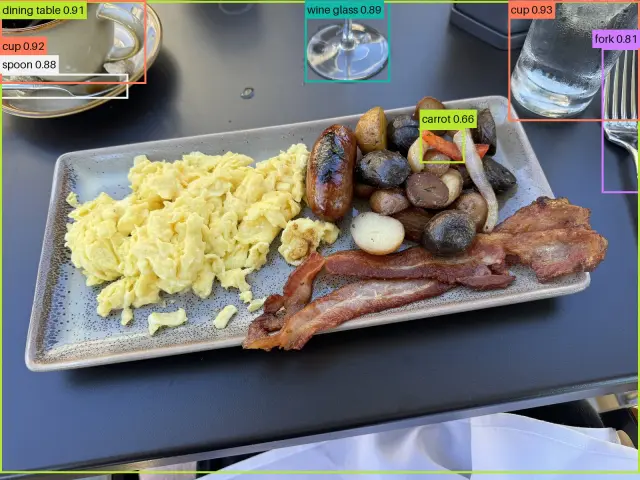 cafe-table-glasses
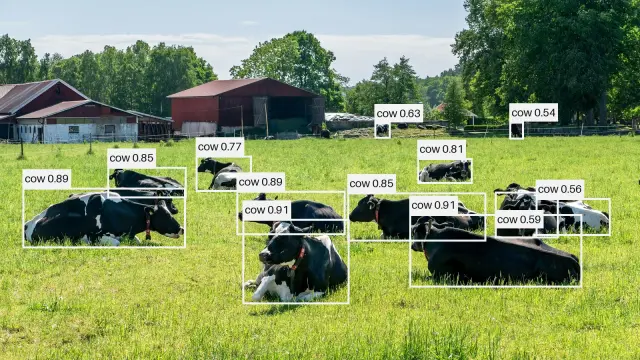 cows-pasture
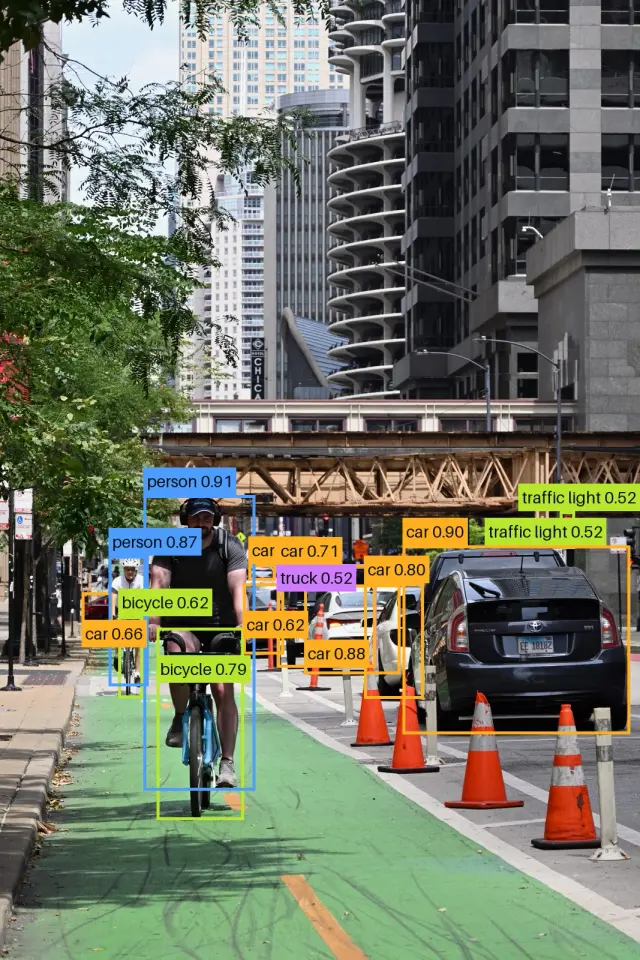 cyclist-bike-lane
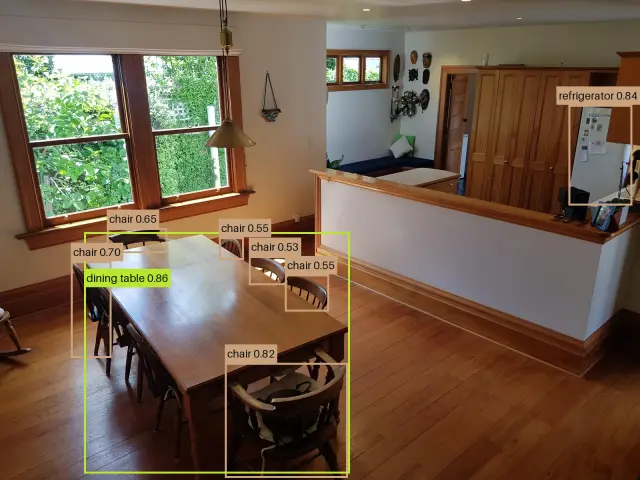 dining-room-kitchen
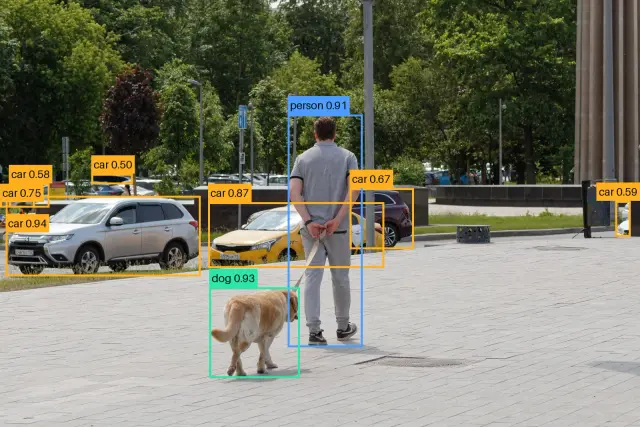 dog-walk-square
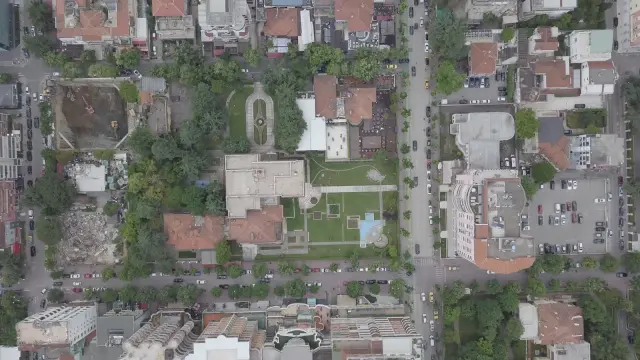 drone-city-block
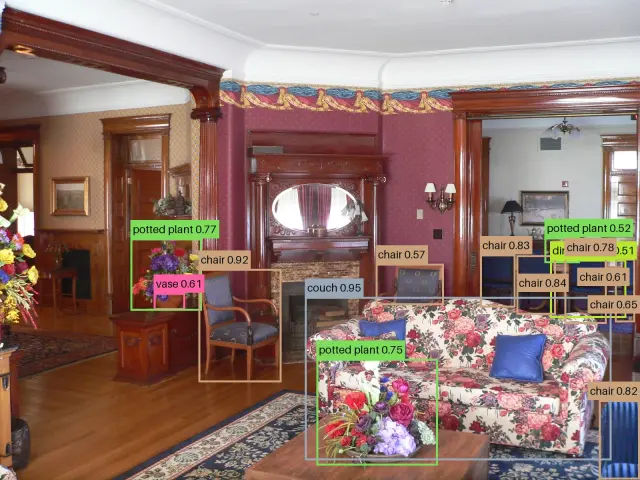 living-room-couch
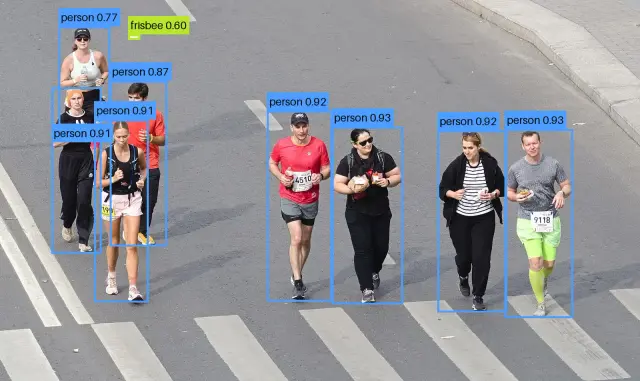 marathon-crossing
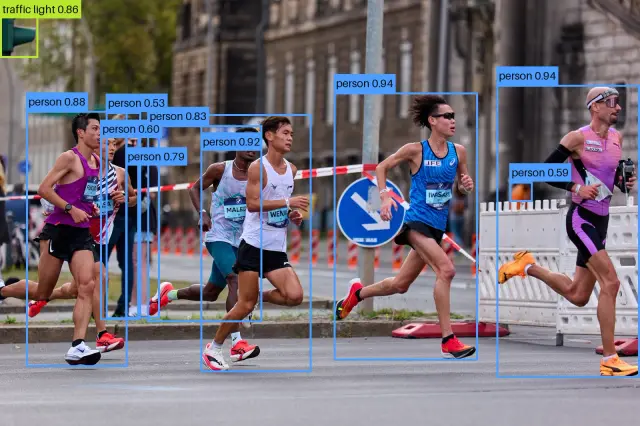 marathon-pack
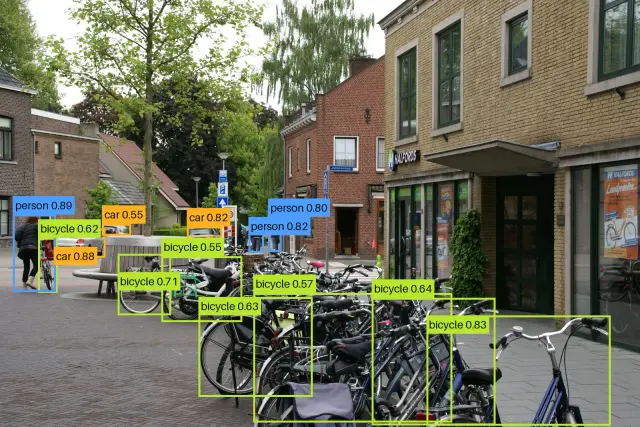 parked-bicycles
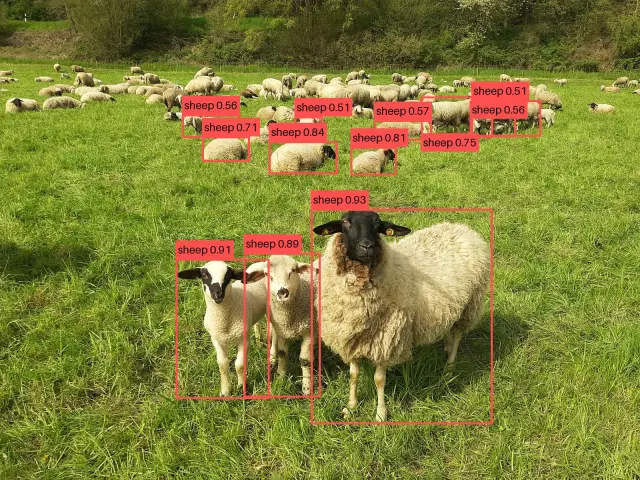 sheep-meadow-lambs
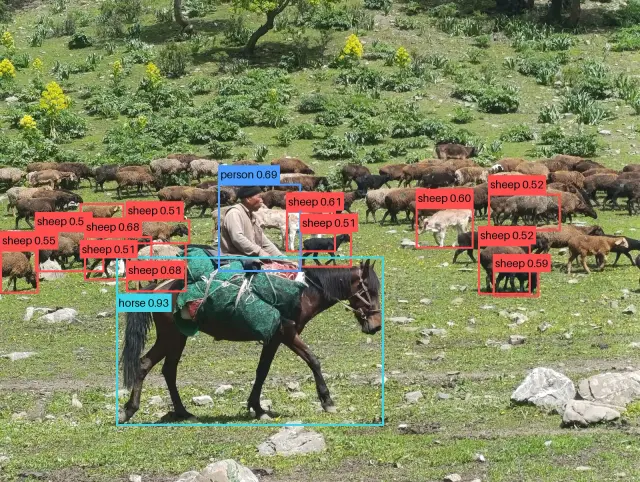 shepherd-sheep
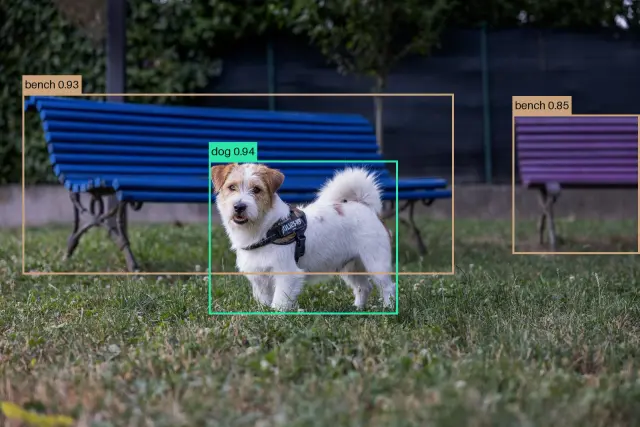 terrier-dog-park
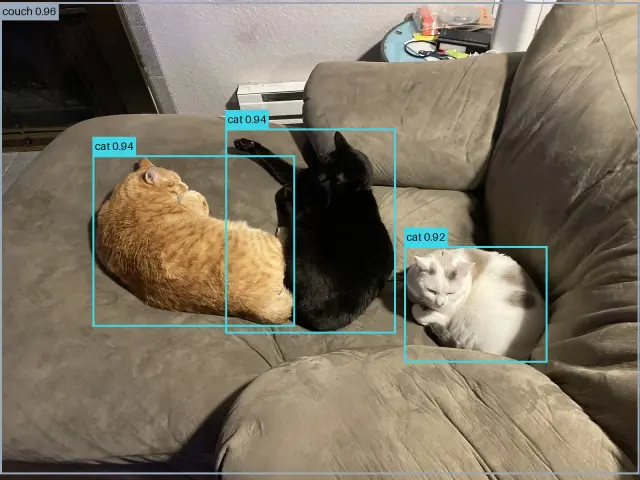 three-cats-couch
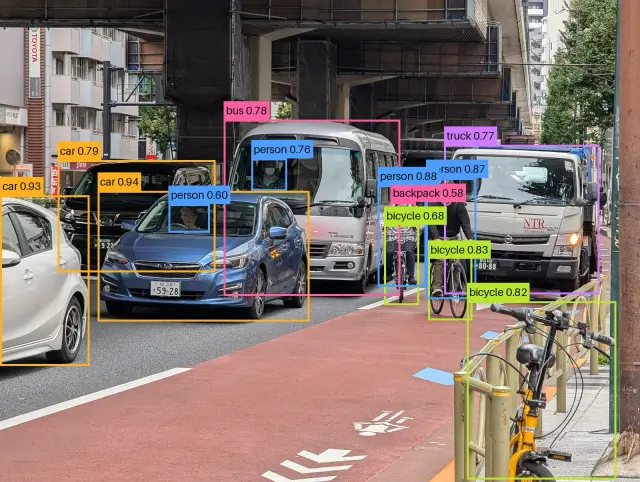 tokyo-street-cyclists
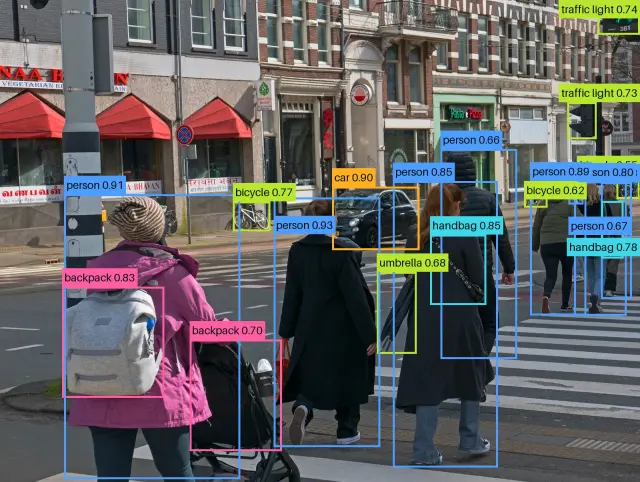 crossing-amsterdamFails: labels the stroller as a backpack
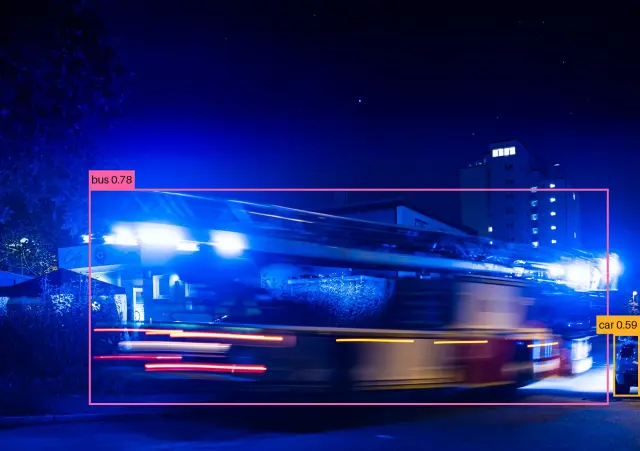 fire-engine-blurFails: labels the fire engine as a bus
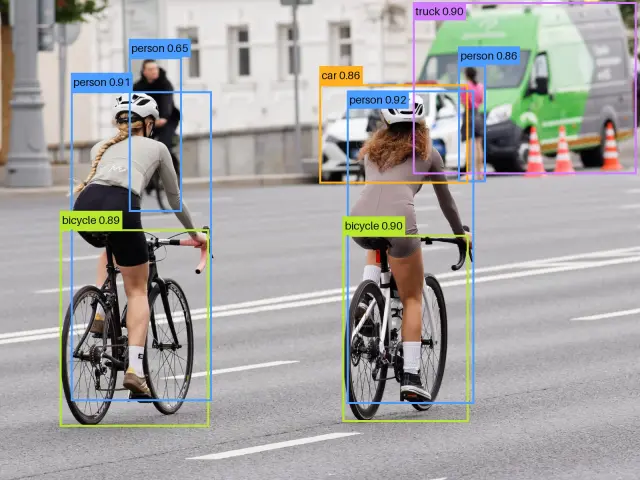 bike-parade-riders
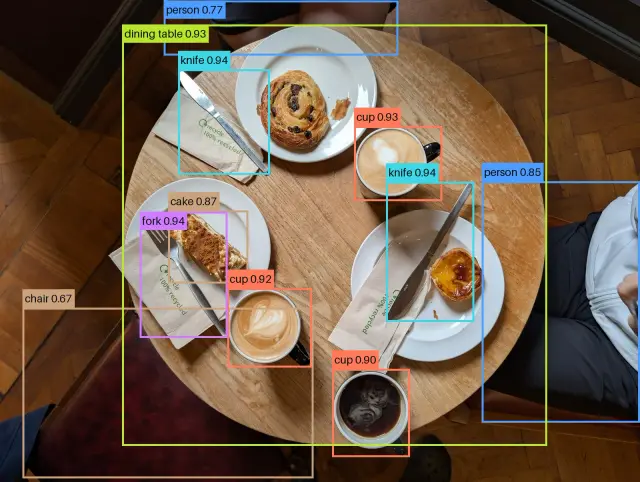 breakfast-top-down
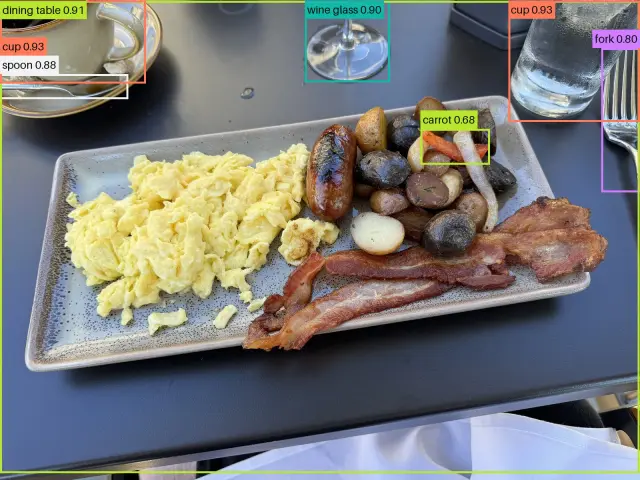 cafe-table-glasses
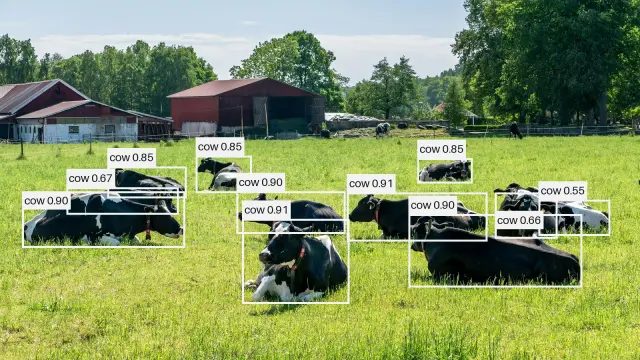 cows-pasture
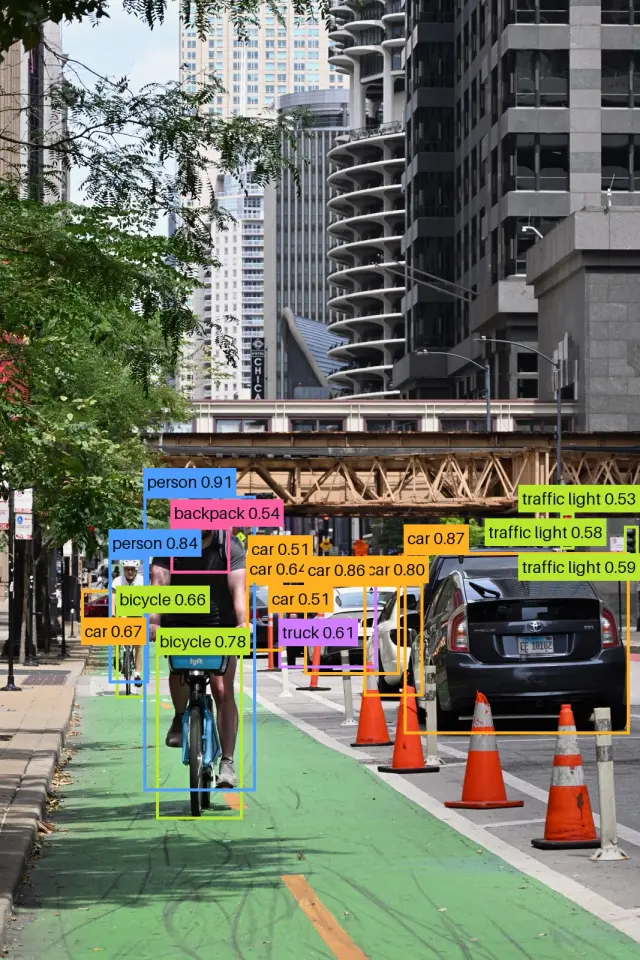 cyclist-bike-lane
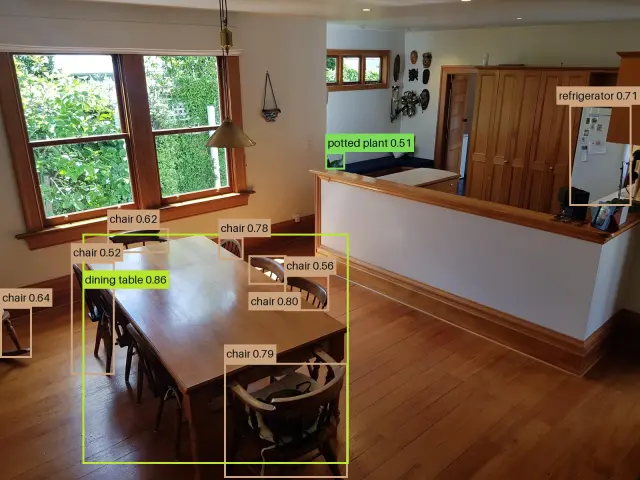 dining-room-kitchen
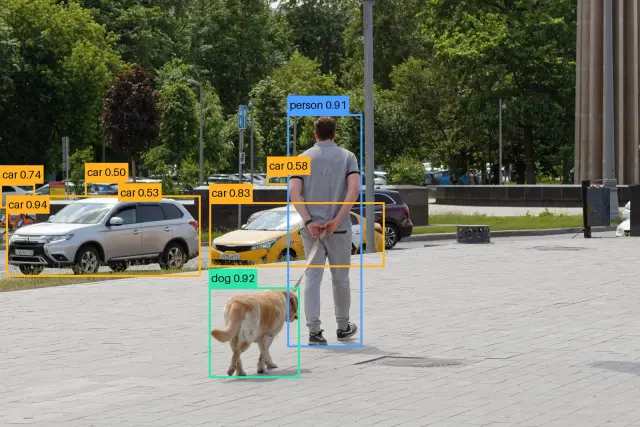 dog-walk-square
- drone-city-block
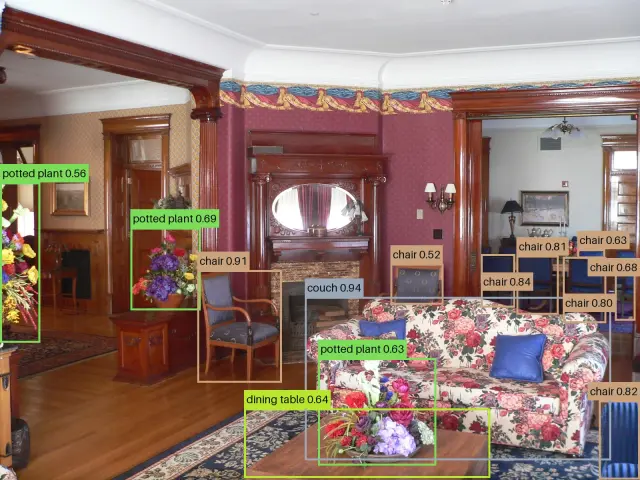 living-room-couch
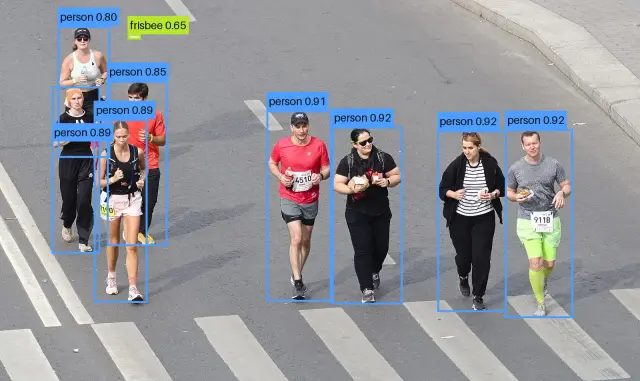 marathon-crossing
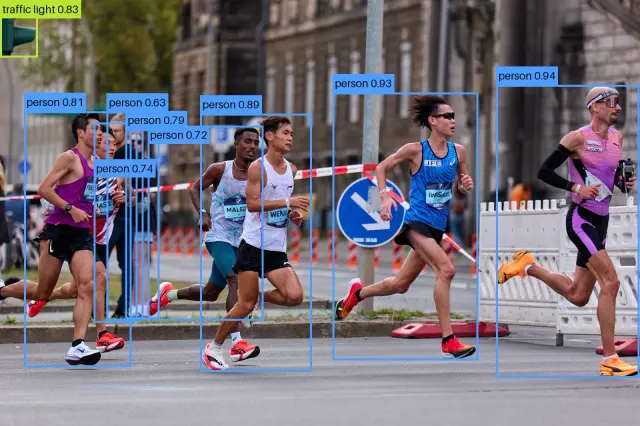 marathon-pack
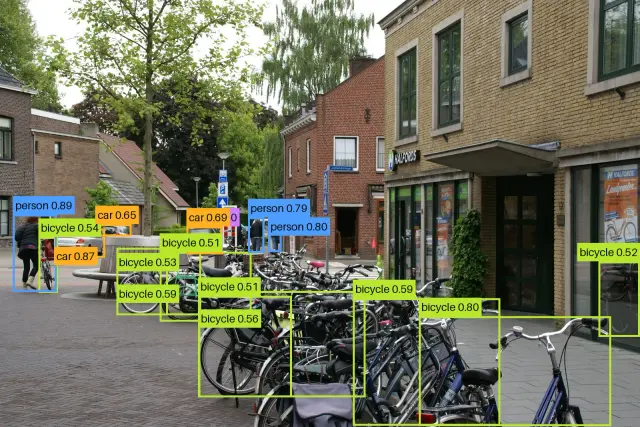 parked-bicycles
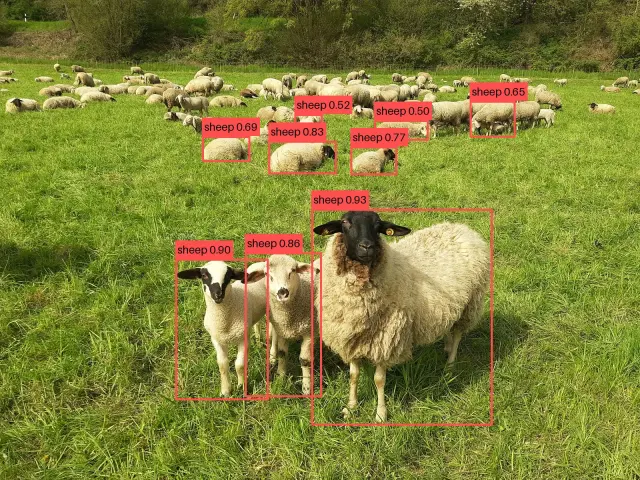 sheep-meadow-lambs
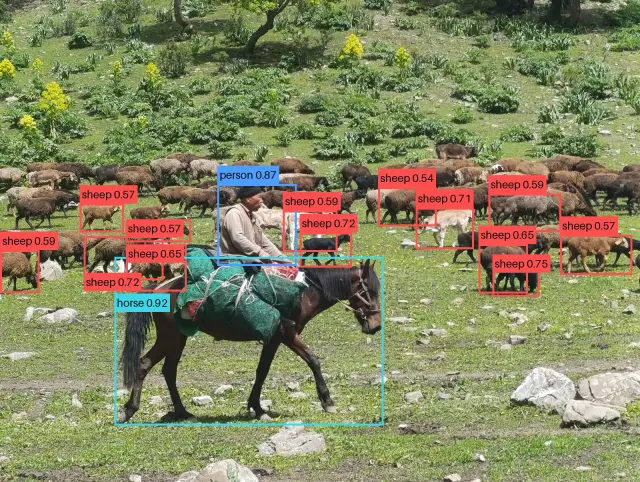 shepherd-sheep
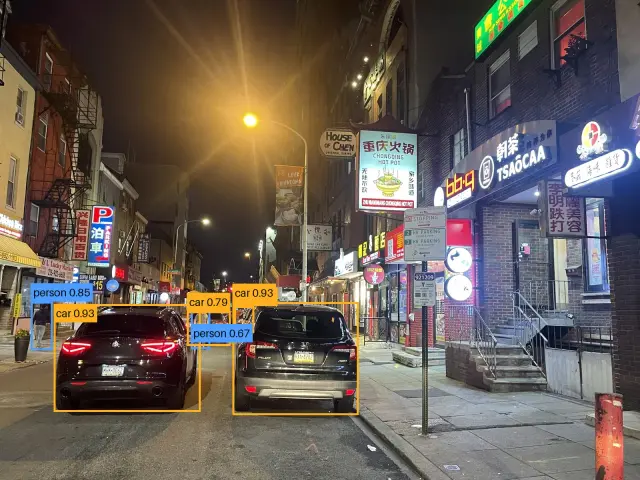 street-night-chinatown
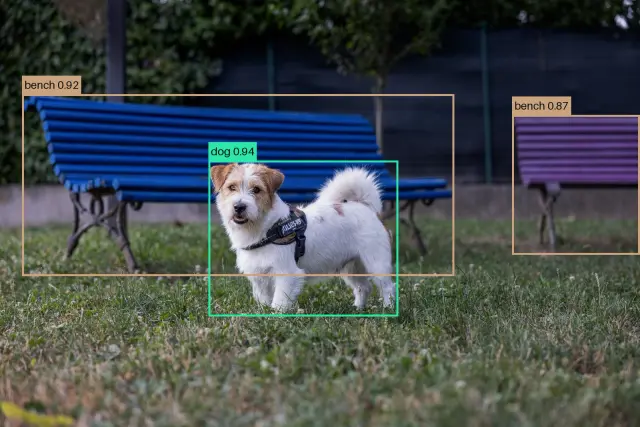 terrier-dog-park
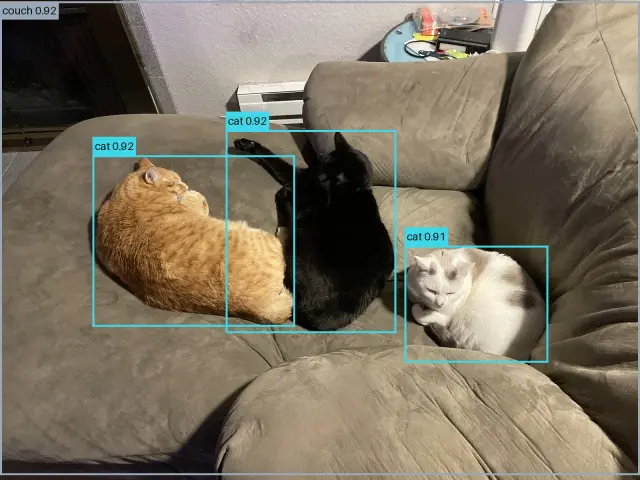 three-cats-couch
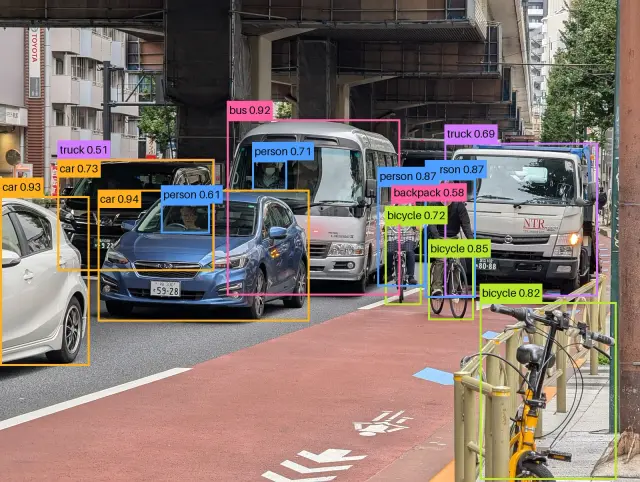 tokyo-street-cyclists
Sizes
| Size | Latency | VRAM | Accuracy | Weights | Runs | License |
|---|---|---|---|---|---|---|
| n | 23.4 ms640x640 | 566 MiB | 42.9 box AP, measured43 COCO AP paper | 15 MB | As is | Commercial OK |
| s | 25.3 ms640x640 | 648 MiB | 48.7 box AP, measured49 COCO AP paper | 40 MB | As is | Commercial OK |
| m | 28.7 ms640x640 | 700 MiB | 52.5 box AP, measured52.7 COCO AP paper | 75 MB | As is | Commercial OK |
| l | 33.3 ms640x640 | 780 MiB | 54.5 box AP, measured54.7 COCO AP paper | 120 MB | As is | Commercial OK |
| x | 36.7 ms640x640 | 909 MiB | 56.3 box AP, measured56.5 COCO AP paper | 241 MB | As is | Commercial OK |
Estimated on other GPUs
Estimate, not measured. Worked out from our RTX 4090 run and NVIDIA's spec sheets. Each kind of GPU work is scaled by that GPU's peak for it: tensor cores at the precision the kernels used, CUDA cores, or memory bandwidth. The CPU's part of each call is kept at what it took on our Intel Core i7-10700K. How we estimate
Where a call's time goes on our RTX 4090: CPU and kernel launches 89%, memory-bound 6%, CUDA cores, FP32 2%, host–device copies 2%, tensor cores, TF32 1%.
GeForce (13)
| GPU | Fits | Latency |
|---|---|---|
| GeForce RTX 5090Blackwell, 32 GB GDDR7 | Yes | ≈ 23 ms |
| GeForce RTX 5080Blackwell, 16 GB GDDR7 | Yes | ≈ 23–24 ms |
| GeForce RTX 5070 TiBlackwell, 16 GB GDDR7 | Yes | ≈ 24 ms |
| GeForce RTX 5070Blackwell, 12 GB GDDR7 | Yes | ≈ 24–25 ms |
| GeForce RTX 5060 Ti 16GBBlackwell, 16 GB GDDR7 | Yes | ≈ 24–27 ms |
| GeForce RTX 5060Blackwell, 8 GB GDDR7 | Yes | ≈ 24–28 ms |
| GeForce RTX 4080Ada Lovelace, 16 GB GDDR6X | Yes | ≈ 24 ms |
| GeForce RTX 4070 TiAda Lovelace, 12 GB GDDR6X | Yes | ≈ 24–26 ms |
| GeForce RTX 4070Ada Lovelace, 12 GB GDDR6X | Yes | ≈ 24–26 ms |
| GeForce RTX 3090Ampere, 24 GB GDDR6X | Yes | ≈ 24–25 ms |
| GeForce RTX 3080Ampere, 10 GB GDDR6X | Yes | ≈ 24–25 ms |
| GeForce RTX 3070 TiAmpere, 8 GB GDDR6X | Yes | ≈ 24–27 ms |
| GeForce RTX 3070Ampere, 8 GB GDDR6 | Yes | ≈ 24–28 ms |
Workstation (4)
| GPU | Fits | Latency |
|---|---|---|
| RTX PRO 6000 Blackwell Workstation EditionBlackwell, 96 GB GDDR7 | Yes | ≈ 22–23 ms |
| RTX PRO 6000 Blackwell Max-Q Workstation EditionBlackwell, 96 GB GDDR7 | Yes | ≈ 22–23 ms |
| RTX 6000 Ada GenerationAda Lovelace, 48 GB GDDR6 | Yes | ≈ 23 ms |
| RTX A6000Ampere, 48 GB GDDR6 | Yes | ≈ 24 ms |
Data center (6)
| GPU | Fits | Latency |
|---|---|---|
| B200 (HGX, one GPU)Blackwell, 180 GB HBM3E | Yes | ≈ 22–23 ms |
| H200 SXMHopper, 141 GB HBM3e | Yes | ≈ 22–23 ms |
| H100 SXMHopper, 80 GB HBM3 | Yes | ≈ 22–23 ms |
| A100 SXM 80GBAmpere, 80 GB HBM2e | Yes | ≈ 24 ms |
| L40SAda Lovelace, 48 GB GDDR6 | Yes | ≈ 23 ms |
| L4Ada Lovelace, 24 GB GDDR6 | Yes | ≈ 24–28 ms |
Where a call's time goes on our RTX 4090: CPU and kernel launches 86%, memory-bound 7%, CUDA cores, FP32 3%, tensor cores, TF32 2%, host–device copies 2%.
GeForce (13)
| GPU | Fits | Latency |
|---|---|---|
| GeForce RTX 5090Blackwell, 32 GB GDDR7 | Yes | ≈ 24–25 ms |
| GeForce RTX 5080Blackwell, 16 GB GDDR7 | Yes | ≈ 25–26 ms |
| GeForce RTX 5070 TiBlackwell, 16 GB GDDR7 | Yes | ≈ 26–27 ms |
| GeForce RTX 5070Blackwell, 12 GB GDDR7 | Yes | ≈ 26–28 ms |
| GeForce RTX 5060 Ti 16GBBlackwell, 16 GB GDDR7 | Yes | ≈ 26–31 ms |
| GeForce RTX 5060Blackwell, 8 GB GDDR7 | Yes | ≈ 27–32 ms |
| GeForce RTX 4080Ada Lovelace, 16 GB GDDR6X | Yes | ≈ 26–27 ms |
| GeForce RTX 4070 TiAda Lovelace, 12 GB GDDR6X | Yes | ≈ 26–28 ms |
| GeForce RTX 4070Ada Lovelace, 12 GB GDDR6X | Yes | ≈ 26–29 ms |
| GeForce RTX 3090Ampere, 24 GB GDDR6X | Yes | ≈ 26–27 ms |
| GeForce RTX 3080Ampere, 10 GB GDDR6X | Yes | ≈ 26–28 ms |
| GeForce RTX 3070 TiAmpere, 8 GB GDDR6X | Yes | ≈ 27–30 ms |
| GeForce RTX 3070Ampere, 8 GB GDDR6 | Yes | ≈ 27–31 ms |
Workstation (4)
| GPU | Fits | Latency |
|---|---|---|
| RTX PRO 6000 Blackwell Workstation EditionBlackwell, 96 GB GDDR7 | Yes | ≈ 24–25 ms |
| RTX PRO 6000 Blackwell Max-Q Workstation EditionBlackwell, 96 GB GDDR7 | Yes | ≈ 24–25 ms |
| RTX 6000 Ada GenerationAda Lovelace, 48 GB GDDR6 | Yes | ≈ 25 ms |
| RTX A6000Ampere, 48 GB GDDR6 | Yes | ≈ 26–27 ms |
Data center (6)
| GPU | Fits | Latency |
|---|---|---|
| B200 (HGX, one GPU)Blackwell, 180 GB HBM3E | Yes | ≈ 23–25 ms |
| H200 SXMHopper, 141 GB HBM3e | Yes | ≈ 24–25 ms |
| H100 SXMHopper, 80 GB HBM3 | Yes | ≈ 24–25 ms |
| A100 SXM 80GBAmpere, 80 GB HBM2e | Yes | ≈ 26 ms |
| L40SAda Lovelace, 48 GB GDDR6 | Yes | ≈ 25 ms |
| L4Ada Lovelace, 24 GB GDDR6 | Yes | ≈ 26–31 ms |
Where a call's time goes on our RTX 4090: CPU and kernel launches 83%, memory-bound 8%, tensor cores, TF32 4%, CUDA cores, FP32 3%, host–device copies 2%.
GeForce (13)
| GPU | Fits | Latency |
|---|---|---|
| GeForce RTX 5090Blackwell, 32 GB GDDR7 | Yes | ≈ 27–29 ms |
| GeForce RTX 5080Blackwell, 16 GB GDDR7 | Yes | ≈ 29–30 ms |
| GeForce RTX 5070 TiBlackwell, 16 GB GDDR7 | Yes | ≈ 29–31 ms |
| GeForce RTX 5070Blackwell, 12 GB GDDR7 | Yes | ≈ 30–34 ms |
| GeForce RTX 5060 Ti 16GBBlackwell, 16 GB GDDR7 | Yes | ≈ 31–37 ms |
| GeForce RTX 5060Blackwell, 8 GB GDDR7 | Yes | ≈ 31–39 ms |
| GeForce RTX 4080Ada Lovelace, 16 GB GDDR6X | Yes | ≈ 29–31 ms |
| GeForce RTX 4070 TiAda Lovelace, 12 GB GDDR6X | Yes | ≈ 30–33 ms |
| GeForce RTX 4070Ada Lovelace, 12 GB GDDR6X | Yes | ≈ 30–35 ms |
| GeForce RTX 3090Ampere, 24 GB GDDR6X | Yes | ≈ 30–32 ms |
| GeForce RTX 3080Ampere, 10 GB GDDR6X | Yes | ≈ 30–33 ms |
| GeForce RTX 3070 TiAmpere, 8 GB GDDR6X | Yes | ≈ 31–36 ms |
| GeForce RTX 3070Ampere, 8 GB GDDR6 | Yes | ≈ 31–38 ms |
Workstation (4)
| GPU | Fits | Latency |
|---|---|---|
| RTX PRO 6000 Blackwell Workstation EditionBlackwell, 96 GB GDDR7 | Yes | ≈ 27–28 ms |
| RTX PRO 6000 Blackwell Max-Q Workstation EditionBlackwell, 96 GB GDDR7 | Yes | ≈ 27–28 ms |
| RTX 6000 Ada GenerationAda Lovelace, 48 GB GDDR6 | Yes | ≈ 28 ms |
| RTX A6000Ampere, 48 GB GDDR6 | Yes | ≈ 29–31 ms |
Data center (6)
| GPU | Fits | Latency |
|---|---|---|
| B200 (HGX, one GPU)Blackwell, 180 GB HBM3E | Yes | ≈ 26–28 ms |
| H200 SXMHopper, 141 GB HBM3e | Yes | ≈ 26–28 ms |
| H100 SXMHopper, 80 GB HBM3 | Yes | ≈ 26–28 ms |
| A100 SXM 80GBAmpere, 80 GB HBM2e | Yes | ≈ 30 ms |
| L40SAda Lovelace, 48 GB GDDR6 | Yes | ≈ 28–29 ms |
| L4Ada Lovelace, 24 GB GDDR6 | Yes | ≈ 30–36 ms |
Where a call's time goes on our RTX 4090: CPU and kernel launches 80%, memory-bound 9%, tensor cores, TF32 7%, CUDA cores, FP32 3%, host–device copies 1%.
GeForce (13)
| GPU | Fits | Latency |
|---|---|---|
| GeForce RTX 5090Blackwell, 32 GB GDDR7 | Yes | ≈ 31–33 ms |
| GeForce RTX 5080Blackwell, 16 GB GDDR7 | Yes | ≈ 34–35 ms |
| GeForce RTX 5070 TiBlackwell, 16 GB GDDR7 | Yes | ≈ 35–37 ms |
| GeForce RTX 5070Blackwell, 12 GB GDDR7 | Yes | ≈ 36–40 ms |
| GeForce RTX 5060 Ti 16GBBlackwell, 16 GB GDDR7 | Yes | ≈ 37–45 ms |
| GeForce RTX 5060Blackwell, 8 GB GDDR7 | Yes | ≈ 39–48 ms |
| GeForce RTX 4080Ada Lovelace, 16 GB GDDR6X | Yes | ≈ 34–37 ms |
| GeForce RTX 4070 TiAda Lovelace, 12 GB GDDR6X | Yes | ≈ 35–40 ms |
| GeForce RTX 4070Ada Lovelace, 12 GB GDDR6X | Yes | ≈ 36–42 ms |
| GeForce RTX 3090Ampere, 24 GB GDDR6X | Yes | ≈ 35–38 ms |
| GeForce RTX 3080Ampere, 10 GB GDDR6X | Yes | ≈ 36–40 ms |
| GeForce RTX 3070 TiAmpere, 8 GB GDDR6X | Yes | ≈ 38–44 ms |
| GeForce RTX 3070Ampere, 8 GB GDDR6 | Yes | ≈ 38–47 ms |
Workstation (4)
| GPU | Fits | Latency |
|---|---|---|
| RTX PRO 6000 Blackwell Workstation EditionBlackwell, 96 GB GDDR7 | Yes | ≈ 30–32 ms |
| RTX PRO 6000 Blackwell Max-Q Workstation EditionBlackwell, 96 GB GDDR7 | Yes | ≈ 30–32 ms |
| RTX 6000 Ada GenerationAda Lovelace, 48 GB GDDR6 | Yes | ≈ 32–33 ms |
| RTX A6000Ampere, 48 GB GDDR6 | Yes | ≈ 34–35 ms |
Data center (6)
| GPU | Fits | Latency |
|---|---|---|
| B200 (HGX, one GPU)Blackwell, 180 GB HBM3E | Yes | ≈ 29–32 ms |
| H200 SXMHopper, 141 GB HBM3e | Yes | ≈ 29–32 ms |
| H100 SXMHopper, 80 GB HBM3 | Yes | ≈ 30–32 ms |
| A100 SXM 80GBAmpere, 80 GB HBM2e | Yes | ≈ 34 ms |
| L40SAda Lovelace, 48 GB GDDR6 | Yes | ≈ 32–33 ms |
| L4Ada Lovelace, 24 GB GDDR6 | Yes | ≈ 35–43 ms |
Where a call's time goes on our RTX 4090: CPU and kernel launches 73%, tensor cores, TF32 13%, memory-bound 10%, CUDA cores, FP32 3%, host–device copies 1%.
GeForce (13)
| GPU | Fits | Latency |
|---|---|---|
| GeForce RTX 5090Blackwell, 32 GB GDDR7 | Yes | ≈ 34–36 ms |
| GeForce RTX 5080Blackwell, 16 GB GDDR7 | Yes | ≈ 39–40 ms |
| GeForce RTX 5070 TiBlackwell, 16 GB GDDR7 | Yes | ≈ 40–42 ms |
| GeForce RTX 5070Blackwell, 12 GB GDDR7 | Yes | ≈ 44–48 ms |
| GeForce RTX 5060 Ti 16GBBlackwell, 16 GB GDDR7 | Yes | ≈ 47–56 ms |
| GeForce RTX 5060Blackwell, 8 GB GDDR7 | Yes | ≈ 50–60 ms |
| GeForce RTX 4080Ada Lovelace, 16 GB GDDR6X | Yes | ≈ 40–42 ms |
| GeForce RTX 4070 TiAda Lovelace, 12 GB GDDR6X | Yes | ≈ 41–47 ms |
| GeForce RTX 4070Ada Lovelace, 12 GB GDDR6X | Yes | ≈ 44–51 ms |
| GeForce RTX 3090Ampere, 24 GB GDDR6X | Yes | ≈ 42–45 ms |
| GeForce RTX 3080Ampere, 10 GB GDDR6X | Yes | ≈ 44–48 ms |
| GeForce RTX 3070 TiAmpere, 8 GB GDDR6X | Yes | ≈ 48–55 ms |
| GeForce RTX 3070Ampere, 8 GB GDDR6 | Yes | ≈ 49–59 ms |
Workstation (4)
| GPU | Fits | Latency |
|---|---|---|
| RTX PRO 6000 Blackwell Workstation EditionBlackwell, 96 GB GDDR7 | Yes | ≈ 32–34 ms |
| RTX PRO 6000 Blackwell Max-Q Workstation EditionBlackwell, 96 GB GDDR7 | Yes | ≈ 32–34 ms |
| RTX 6000 Ada GenerationAda Lovelace, 48 GB GDDR6 | Yes | ≈ 34–35 ms |
| RTX A6000Ampere, 48 GB GDDR6 | Yes | ≈ 38–39 ms |
Data center (6)
| GPU | Fits | Latency |
|---|---|---|
| B200 (HGX, one GPU)Blackwell, 180 GB HBM3E | Yes | ≈ 29–33 ms |
| H200 SXMHopper, 141 GB HBM3e | Yes | ≈ 30–34 ms |
| H100 SXMHopper, 80 GB HBM3 | Yes | ≈ 30–34 ms |
| A100 SXM 80GBAmpere, 80 GB HBM2e | Yes | ≈ 36 ms |
| L40SAda Lovelace, 48 GB GDDR6 | Yes | ≈ 35 ms |
| L4Ada Lovelace, 24 GB GDDR6 | Yes | ≈ 40–49 ms |
CPU only
Measured by us with no GPU on an Intel(R) Core(TM) i7-10700K CPU @ 3.80GHz, 8 cores, 94.2 GiB of memory: the same official code with the GPU hidden, in fp32 on 8 threads. Before it was timed, its output on the timing input was checked against the GPU's. These numbers say what to expect without a GPU. They aren't compared with any GPU's, here or in the charts. How we measure on a CPU
| Size | Runtime | Latency on the CPU | RAM peak |
|---|---|---|---|
| n | PyTorch2.14.1 · fp32 · 8 threads | 83.6 ms640x640 | 923 MiB |
| n | ONNX Runtime1.31.1 · fp32 · 8 threads | 48.4 ms640x640 | 925 MiB |
| s | PyTorch2.14.1 · fp32 · 8 threads | 154 ms640x640 | 1022 MiB |
| s | ONNX Runtime1.31.1 · fp32 · 8 threads | 96.0 ms640x640 | 1.0 GiB |
| m | PyTorch2.14.1 · fp32 · 8 threads | 253 ms640x640 | 1.1 GiB |
| m | ONNX Runtime1.31.1 · fp32 · 8 threads | 162 ms640x640 | 1.1 GiB |
| l | PyTorch2.14.1 · fp32 · 8 threads | 346 ms640x640 | 1.1 GiB |
| l | ONNX Runtime1.31.1 · fp32 · 8 threads | 199 ms640x640 | 1.2 GiB |
| x | PyTorch2.14.1 · fp32 · 8 threads | 702 ms640x640 | 1.4 GiB |
| x | ONNX Runtime1.31.1 · fp32 · 8 threads | 509 ms640x640 | 1.5 GiB |
ONNX Runtime rows run the authors' own ONNX export with their own ONNX Runtime code, whose pre-processing may differ from the PyTorch code's, so their input can differ too.
Alternatives
Changes
First published . Every model's changes
- m re-measured · RTX 4090 · PyTorch fp32, 640x640: 28.6 → 28.7 ms
- l re-measured · RTX 4090 · PyTorch fp32, 640x640: 33.0 → 33.3 ms
- x re-measured · RTX 4090 · PyTorch fp32, 640x640: 36.4 → 36.7 ms
- Note: Every GPU row timed again with glibc's heap trimming off, which removes a slower level some processes settled at.
- Added, with sizes n, s, m, l, and x
Badge for a README
It says the model ran on our RTX 4090 and links to this page. It carries no number, so it never goes out of date.

[](https://modelsthatrun.dev/models/deim/)Something wrong on this page, such as a license or a number? Email us.